
Finding That Classic Film Look
I’ve been experimenting with a new google gemini retro vintage prompt for couples, and honestly, the results feel like they came straight from an old Kodak album. It is refreshing to see how well the Gemini Nano Banana model handles these specific requests right from my phone, whether I am using the app or the web version.
When I first started, I wasn’t sure if the model could handle the nuances of film grain and warm, faded colors. I’ve found that keeping my input simple but descriptive helps a lot, letting the tool do the heavy lifting without overcomplicating things.
Start Simple: I always describe the atmosphere first, then the clothing, to give the generator a clear mental image of the era.
Focus on Lighting: Mentioning ‘warm afternoon sun’ or ‘dim tungsten light’ immediately changes the vibe of the output.
Avoid Clutter: I try not to add too many conflicting style descriptors, as it sometimes confuses the output.
Check Your Angles: If the prompt feels off, I just re-run it with a slightly different focus description.
Trust the Process: It sometimes takes two or three tries to get the exact texture I want.
What kind of vintage aesthetic are you hoping to recreate today?
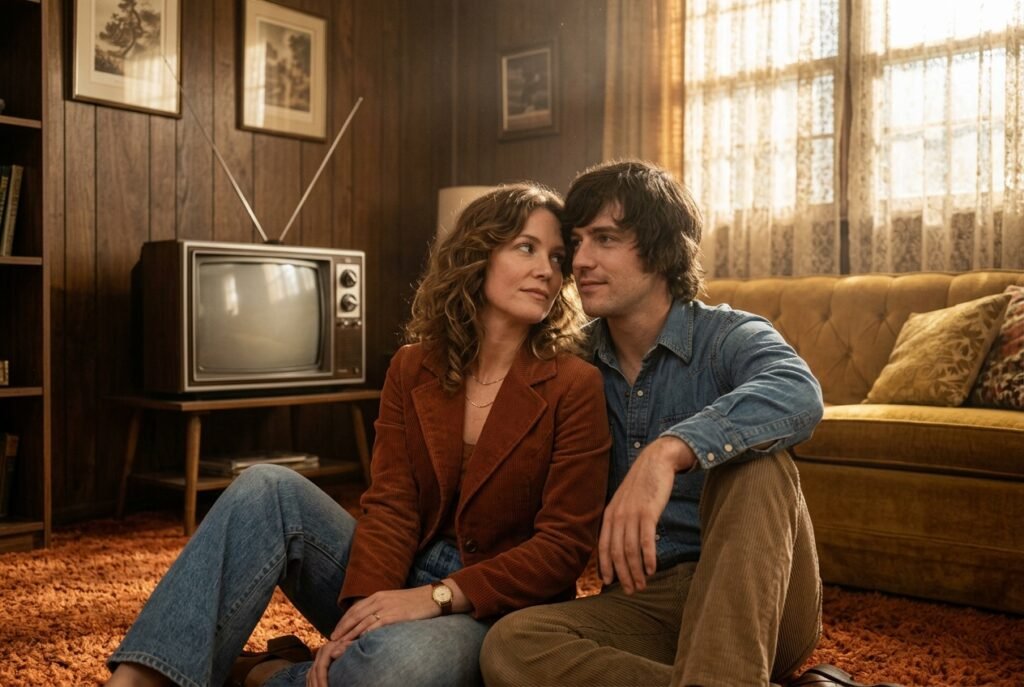
Prompt for: Finding That Classic Film Look
Structured Image Prompt — Finding That Classic Film Look
{
  "subject": {
    "pose": {
      "head_position": "tilted towards each other",
      "body_position": "sitting on floor",
      "energy": "nostalgic and calm"
    }
  },
  "attire": {
    "top": {
      "item": "corduroy jacket",
      "color": "rust",
      "texture": "corduroy",
      "fit": "relaxed"
    },
    "bottom": {
      "item": "denim jeans",
      "color": "faded blue",
      "texture": "denim"
    },
    "accessories": [
      "gold necklace",
      "vintage watch"
    ]
  },
  "environment": {
    "setting": "1970s living room",
    "background": {
      "type": "indoor",
      "color": "warm brown",
      "texture": "wood paneling",
      "depth": "blurred"
    },
    "props": [
      "shag carpet",
      "vintage CRT TV",
      "velvet sofa"
    ]
  },
  "photography": {
    "style": "35mm film photography",
    "shot_scale": "medium shot",
    "lighting": {
      "type": "natural soft light",
      "source": "window",
      "details": "golden haze with dust motes"
    },
    "camera_gear": {
      "lens": "85mm Prime",
      "aperture": "f/2.8",
      "focus": "sharp on eyes",
      "iso": "400"
    },
    "post_processing": {
      "look": "faded film",
      "grading": "sepia warm"
    }
  },
  "aesthetic_fidelity": {
    "medium": "Digital Photography",
    "vibe": "nostalgic",
    "visual_qualities": [
      "grainy",
      "soft focus",
      "color shifted"
    ]
  },
  "constraints": {
    "must_keep": [
      "uploaded person's face and identity",
      "natural features from uploaded photo",
      "user's skin tone",
      "user's expression"
    ],
    "avoid": [
      "distorted face",
      "changed identity",
      "over-exposed",
      "cartoon style"
    ]
  },
  "negative_prompt": [
    "painting",
    "drawing",
    "bad hands",
    "blurry",
    "fake looking",
    "low quality",
    "saturated",
    "cartoon"
  ]
}
Why Vintage Styles Resonate
There is something about old photographs that feels more permanent than the digital ones we take today. When I use a gemini prompt for retro style couple photo, I am looking to recreate that specific weight and warmth that only analog gear used to provide.
I’ve noticed that people respond better to these edits because they look less ‘produced’ than standard AI imagery. It feels grounded, like a memory I actually lived through rather than something generated on a screen.
Embracing The Retro Vibe
Keep it Human: I avoid asking for ‘perfect’ models because the charm lies in the little imperfections.
Check the Color: I look for ‘faded shadows’ and ‘muted highlights’ in my prompts to get the right look.
Try Different Decades: I switch between 70s, 80s, and 90s to see how the lighting requirements change.
Natural Posing: I prefer poses that look unscripted and casual.
Test Often: I run the prompt multiple times to see which variation feels most genuine.
What era feels most like ‘you’ when you look at old family photos?
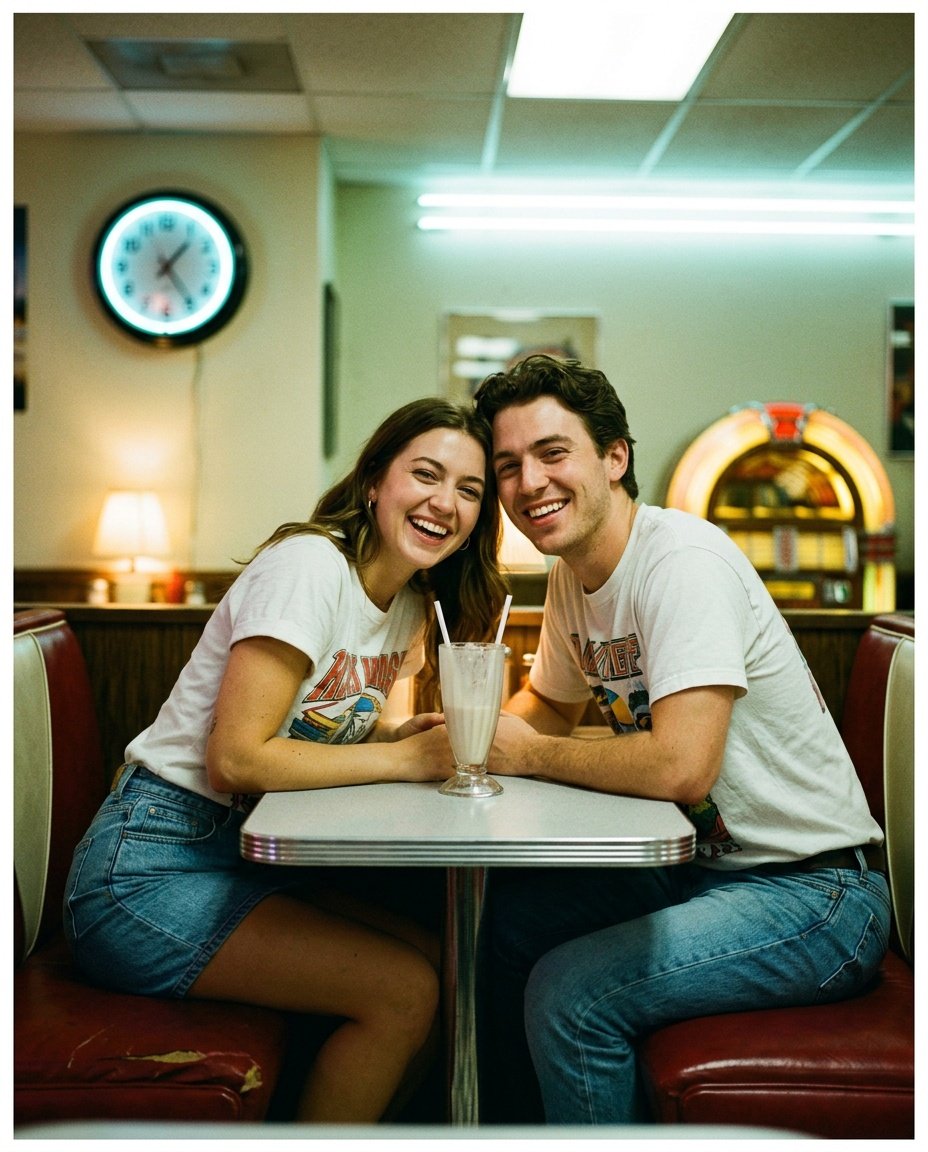
Prompt for: Why Vintage Styles Resonate
Structured Image Prompt — Why Vintage Styles Resonate
{
  "subject": {
    "pose": {
      "head_position": "leaning towards the camera",
      "body_position": "sitting in booth",
      "energy": "casual"
    }
  },
  "attire": {
    "top": {
      "item": "graphic t-shirt",
      "color": "white",
      "texture": "cotton",
      "fit": "oversized"
    },
    "bottom": {
      "item": "jeans",
      "color": "blue",
      "texture": "denim"
    },
    "accessories": [
      "silver ring"
    ]
  },
  "environment": {
    "setting": "1990s diner",
    "background": {
      "type": "indoor",
      "color": "red and chrome",
      "texture": "vinyl",
      "depth": "blurred"
    },
    "props": [
      "milkshake glass",
      "neon clock",
      "jukebox"
    ]
  },
  "photography": {
    "style": "disposable film",
    "shot_scale": "close-up",
    "lighting": {
      "type": "mixed lighting",
      "source": "overhead fluorescent and table lamp",
      "details": "harsh highlights with cool tints"
    },
    "camera_gear": {
      "lens": "35mm Prime",
      "aperture": "f/4.0",
      "focus": "sharp on faces",
      "iso": "800"
    },
    "post_processing": {
      "look": "90s drugstore print",
      "grading": "green-tinted shadows"
    }
  },
  "aesthetic_fidelity": {
    "medium": "Analog Simulation",
    "vibe": "vintage 90s",
    "visual_qualities": [
      "film grain",
      "soft focus",
      "color cast"
    ]
  },
  "constraints": {
    "must_keep": [
      "uploaded person's face and identity",
      "natural features from uploaded photo",
      "user's skin tone",
      "user's expression"
    ],
    "avoid": [
      "distorted face",
      "changed identity",
      "over-exposed",
      "cartoon style"
    ]
  },
  "negative_prompt": [
    "painting",
    "drawing",
    "bad hands",
    "blurry",
    "fake looking",
    "low quality",
    "saturated",
    "cartoon"
  ]
}
Setting the Right Vibe
To get a consistent prompt for gemini ai retro style couple photo aesthetic, I have found that mentioning specific materials helps ground the result. I always include things like ‘grainy texture’, ‘faded colors’, or ‘soft lighting’ to make sure the model understands I want a look that feels aged, not just filtered.
When I’m setting up my prompt, I visualize the photograph as if I were holding a physical print. This usually helps me describe the result better to the tool.
The Details That Matter
Describe Lighting: I specify ‘harsh flash’ or ‘diffused natural light’ so the shadows look correct for the era.
Mention Materials: I add details like ‘linen textures’ or ‘velvet upholstery’ to make the image richer.
Focus on Environment: I make sure to include background elements like ‘classic cars’ or ‘old street signs’ to solidify the time period.
Keep it Subtly Imperfect: I ask for ‘slight motion blur’ or ‘minor light leaks’ to give it that authentic analog feel.
Review the Output: I take a moment to look at the details in the background of the resulting image.
Do you prefer the crisp look of modern photos, or the warm, grainy feel of vintage prints?
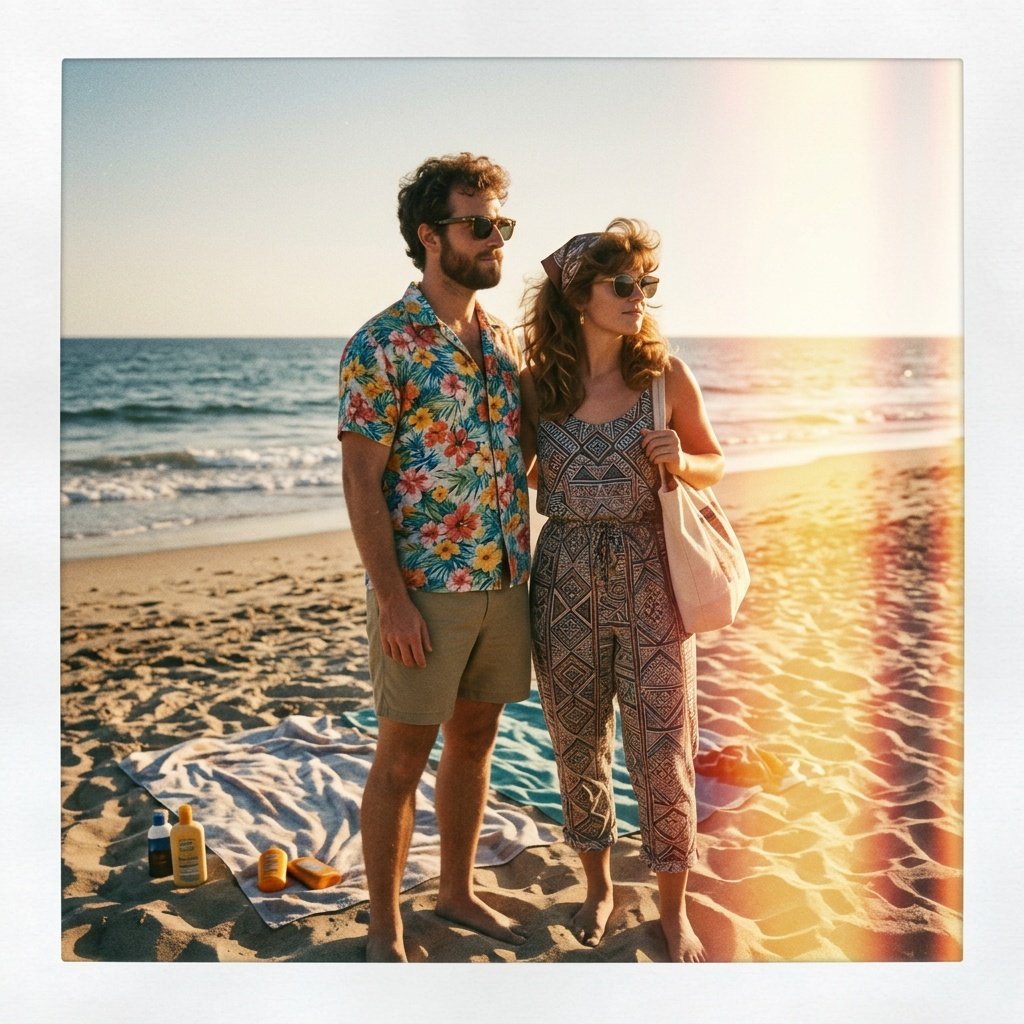
Prompt for: Setting the Right Vibe
Structured Image Prompt — Setting the Right Vibe
{
  "subject": {
    "pose": {
      "head_position": "looking at the ocean",
      "body_position": "standing",
      "energy": "relaxed"
    }
  },
  "attire": {
    "top": {
      "item": "patterned shirt",
      "color": "bright floral",
      "texture": "light cotton",
      "fit": "relaxed"
    },
    "bottom": {
      "item": "shorts",
      "color": "khaki",
      "texture": "cotton",
      "fit": "casual"
    },
    "accessories": [
      "sunglasses"
    ]
  },
  "environment": {
    "setting": "80s beach",
    "background": {
      "type": "outdoor",
      "color": "warm gold",
      "texture": "sand and water",
      "depth": "deep"
    },
    "props": [
      "beach towel",
      "sunscreen",
      "sunglasses"
    ]
  },
  "photography": {
    "style": "Polaroid",
    "shot_scale": "medium-wide shot",
    "lighting": {
      "type": "natural low sun",
      "source": "sun",
      "details": "golden lens flare and long shadows"
    },
    "camera_gear": {
      "lens": "35mm Prime",
      "aperture": "f/8.0",
      "focus": "sharp focus",
      "iso": "200"
    },
    "post_processing": {
      "look": "desaturated",
      "grading": "warm"
    }
  },
  "aesthetic_fidelity": {
    "medium": "Instant Film",
    "vibe": "summery",
    "visual_qualities": [
      "grainy",
      "high contrast",
      "light leaks"
    ]
  },
  "constraints": {
    "must_keep": [
      "uploaded person's face and identity",
      "natural features from uploaded photo",
      "user's skin tone",
      "user's expression"
    ],
    "avoid": [
      "distorted face",
      "changed identity",
      "over-exposed",
      "cartoon style"
    ]
  },
  "negative_prompt": [
    "painting",
    "drawing",
    "bad hands",
    "blurry",
    "fake looking",
    "low quality",
    "saturated",
    "cartoon"
  ]
}
Refining My Couple Shots
When I am happy with the base image, I sometimes go back and use another google gemini retro vintage prompt for couples to refine just the lighting or the mood. It is a back-and-forth process, like developing film in a darkroom, but much faster and less messy.
I’ve found that specifying the ‘era’ of the camera makes a difference. Asking for a ‘1960s Leica look’ gives a different result than ‘1990s disposable camera,’ and playing with those descriptors has helped me land on the looks I actually like.
Be Specific: Instead of just saying ‘vintage,’ I try to use words like ‘faded prints,’ ‘Kodachrome,’ or ‘sepia-toned’ to steer the result.
Layer the Vibe: I describe the feeling of the environment as well as the subjects, using words like ‘quiet,’ ‘hazy,’ or ‘energetic.’
Check Proportions: I make sure the framing matches the classic style—usually tighter and more focused on the people.
Iterate: If the first result is too digital, I rewrite the prompt to emphasize ‘analog grain’ and ‘soft lens effects.’
Experiment: I’ve noticed that even small changes to the prompt text can lead to completely new aesthetic outcomes.
Have you ever tried adjusting just the camera type in your prompt?
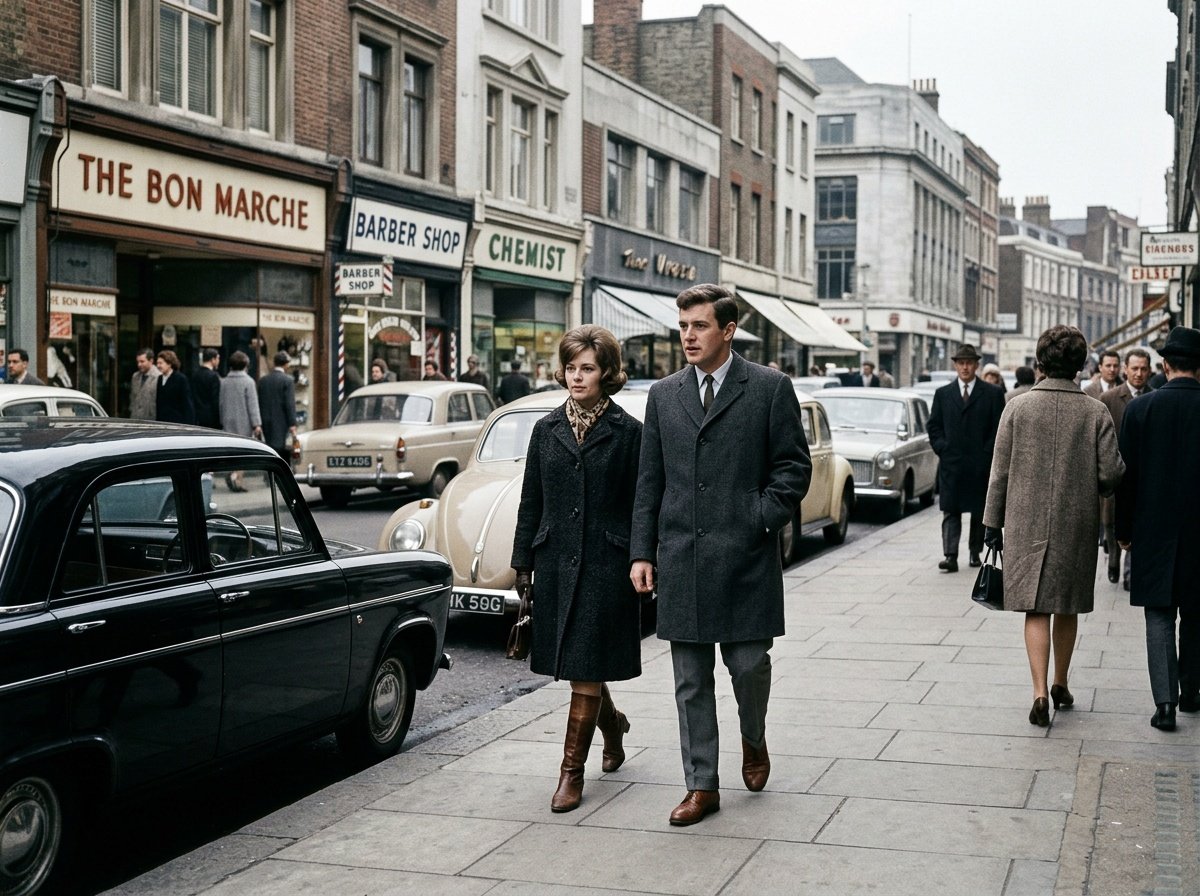
Prompt for: Refining My Couple Shots
Structured Image Prompt — Refining My Couple Shots
{
  "subject": {
    "pose": {
      "head_position": "looking ahead",
      "body_position": "walking",
      "energy": "casual"
    }
  },
  "attire": {
    "top": {
      "item": "wool coat",
      "color": "charcoal",
      "texture": "wool",
      "fit": "structured"
    },
    "bottom": {
      "item": "slacks",
      "color": "grey",
      "texture": "wool",
      "fit": "tailored"
    },
    "accessories": [
      "leather shoes"
    ]
  },
  "environment": {
    "setting": "1960s city street",
    "background": {
      "type": "outdoor",
      "color": "grey and muted tones",
      "texture": "concrete and brick",
      "depth": "deep"
    },
    "props": [
      "vintage car",
      "storefront sign",
      "sidewalk"
    ]
  },
  "photography": {
    "style": "documentary photography",
    "shot_scale": "full-body shot",
    "lighting": {
      "type": "overcast",
      "source": "diffused daylight",
      "details": "soft shadows and flat light"
    },
    "camera_gear": {
      "lens": "35mm Prime",
      "aperture": "f/5.6",
      "focus": "sharp focus",
      "iso": "400"
    },
    "post_processing": {
      "look": "archival film",
      "grading": "faded blacks"
    }
  },
  "aesthetic_fidelity": {
    "medium": "Silver Gelatin Print",
    "vibe": "journalistic",
    "visual_qualities": [
      "grainy",
      "high contrast",
      "muted colors"
    ]
  },
  "constraints": {
    "must_keep": [
      "uploaded person's face and identity",
      "natural features from uploaded photo",
      "user's skin tone",
      "user's expression"
    ],
    "avoid": [
      "distorted face",
      "changed identity",
      "over-exposed",
      "cartoon style"
    ]
  },
  "negative_prompt": [
    "painting",
    "drawing",
    "bad hands",
    "blurry",
    "fake looking",
    "low quality",
    "saturated",
    "cartoon"
  ]
}
Fine-Tuning The Details
When I am working on a new idea, I often start with a very basic gemini retro prompt couple and then add the details that make it specific to the scene I want. It keeps things from getting too complicated, and it gives the tool enough room to be creative with the lighting and texture.
I’ve found that if I don’t get the result I want the first time, I don’t delete everything. Instead, I just tweak one word—like changing ‘sunny’ to ‘cloudy’ or ‘sharp’ to ‘soft’—and run it again. It’s usually enough to steer it back on track.
My Iteration Method
Modify One Variable: I try to change only one thing at a time to see what actually impacts the result.
Add Texture Words: I add descriptors like ‘dusty,’ ‘hazy,’ or ‘film-scratched’ to get that aged look.
Shift the Focus: I sometimes change the prompt to emphasize a different part of the photo, like the background or the lighting.
Use Negative Prompts: I add things I don’t want, like ‘bright neon’ or ‘sharp digital edges,’ to narrow down the style.
Save Successful Prompts: I keep a list of the phrases that worked well in a simple notes file.
What is one detail that always makes a photo feel more ‘vintage’ to you?
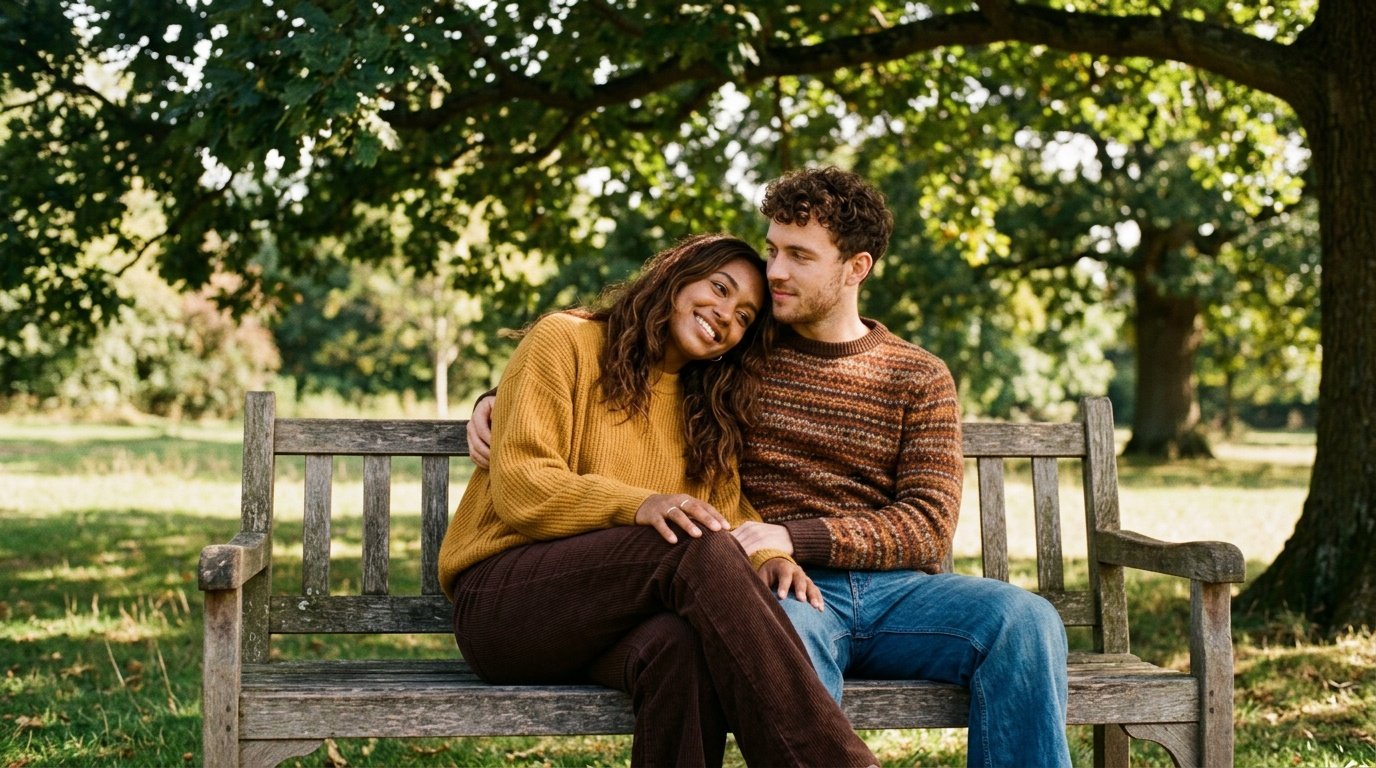
Prompt for: Fine-Tuning The Details
Structured Image Prompt — Fine-Tuning The Details
{
  "subject": {
    "pose": {
      "head_position": "resting on each other",
      "body_position": "sitting on bench",
      "energy": "peaceful"
    }
  },
  "attire": {
    "top": {
      "item": "knit sweater",
      "color": "mustard",
      "texture": "knit",
      "fit": "oversized"
    },
    "bottom": {
      "item": "flared trousers",
      "color": "brown",
      "texture": "corduroy",
      "fit": "flared"
    },
    "accessories": [
      "gold ring"
    ]
  },
  "environment": {
    "setting": "1970s park",
    "background": {
      "type": "outdoor",
      "color": "green and gold",
      "texture": "leaves and grass",
      "depth": "blurred"
    },
    "props": [
      "wooden bench",
      "oak tree"
    ]
  },
  "photography": {
    "style": "film photography",
    "shot_scale": "medium shot",
    "lighting": {
      "type": "dappled sunlight",
      "source": "sun through leaves",
      "details": "high contrast shadows"
    },
    "camera_gear": {
      "lens": "50mm Prime",
      "aperture": "f/2.0",
      "focus": "sharp on faces",
      "iso": "100"
    },
    "post_processing": {
      "look": "warm tint",
      "grading": "aged film"
    }
  },
  "aesthetic_fidelity": {
    "medium": "Film",
    "vibe": "nostalgic",
    "visual_qualities": [
      "soft",
      "hazy",
      "warm"
    ]
  },
  "constraints": {
    "must_keep": [
      "uploaded person's face and identity",
      "natural features from uploaded photo",
      "user's skin tone",
      "user's expression"
    ],
    "avoid": [
      "distorted face",
      "changed identity",
      "over-exposed",
      "cartoon style"
    ]
  },
  "negative_prompt": [
    "painting",
    "drawing",
    "bad hands",
    "blurry",
    "fake looking",
    "low quality",
    "saturated",
    "cartoon"
  ]
}
My Take on Vintage Prompts
Experimenting with these prompts has made me appreciate the art of photography more than ever. It forces me to think about what actually creates a ‘vibe’—the lighting, the texture, the clothing—rather than just relying on the tool to guess what I want.
I really recommend you try your own google gemini retro vintage prompt for couples today. Just open the Gemini app on your phone, paste your best photo, and tell it exactly what era you want to visit. You might be surprised at how well it captures the feeling you have in mind.
Keep Experimenting: The more I play, the better my prompts get.
Stay Casual: Don’t stress if the first attempt isn’t perfect.
Enjoy the Process: It’s fun to see how different eras change the look.
Try Different Angles: I find that closer shots have a different intensity than wider ones.
Share Your Results: It’s interesting to compare notes with friends.
Ready to see what kind of vintage magic you can create with your own photos?
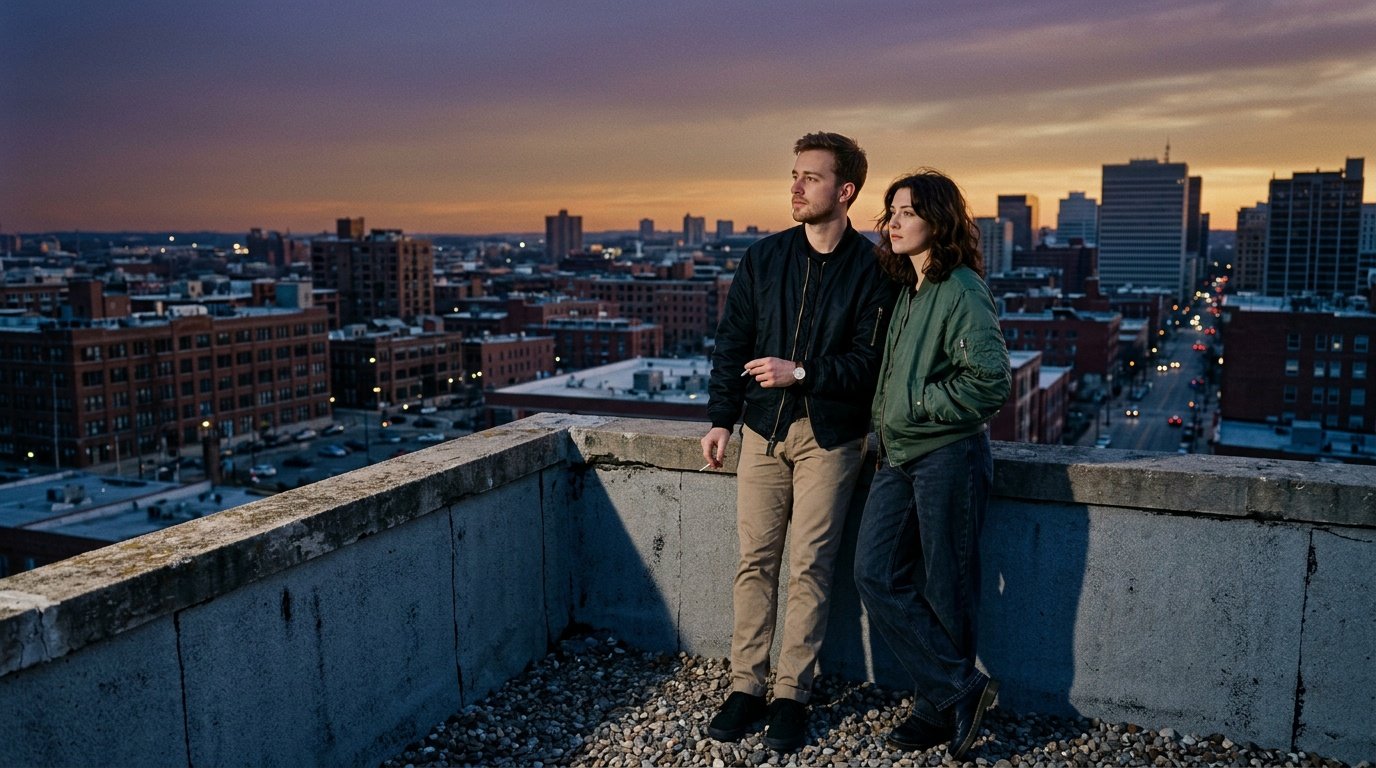
Prompt for: My Take on Vintage Prompts
Structured Image Prompt — My Take on Vintage Prompts
{
  "subject": {
    "pose": {
      "head_position": "looking at the horizon",
      "body_position": "standing",
      "energy": "reflective"
    }
  },
  "attire": {
    "top": {
      "item": "bomber jacket",
      "color": "black",
      "texture": "nylon",
      "fit": "relaxed"
    },
    "bottom": {
      "item": "pants",
      "color": "khaki",
      "texture": "cotton",
      "fit": "casual"
    },
    "accessories": [
      "watch"
    ]
  },
  "environment": {
    "setting": "rooftop",
    "background": {
      "type": "outdoor",
      "color": "purple and orange",
      "texture": "concrete",
      "depth": "deep"
    },
    "props": [
      "rooftop ledge"
    ]
  },
  "photography": {
    "style": "film photography",
    "shot_scale": "medium-wide shot",
    "lighting": {
      "type": "twilight",
      "source": "sky",
      "details": "soft long shadows"
    },
    "camera_gear": {
      "lens": "35mm Prime",
      "aperture": "f/2.8",
      "focus": "sharp focus",
      "iso": "800"
    },
    "post_processing": {
      "look": "90s film",
      "grading": "cool blue cast"
    }
  },
  "aesthetic_fidelity": {
    "medium": "Film",
    "vibe": "reflective",
    "visual_qualities": [
      "soft grain",
      "blue cast",
      "timeless"
    ]
  },
  "constraints": {
    "must_keep": [
      "uploaded person's face and identity",
      "natural features from uploaded photo",
      "user's skin tone",
      "user's expression"
    ],
    "avoid": [
      "distorted face",
      "changed identity",
      "over-exposed",
      "cartoon style"
    ]
  },
  "negative_prompt": [
    "painting",
    "drawing",
    "bad hands",
    "blurry",
    "fake looking",
    "low quality",
    "saturated",
    "cartoon"
  ]
}
❓ Frequently Asked Questions About google gemini retro vintage prompt for couples
How can I improve my results when using a google gemini retro vintage prompt for couples?
▼
To get better results with a google gemini retro vintage prompt for couples, I always recommend being as descriptive as possible about the lighting, clothing, and overall mood of the scene. The more context you provide, the better the tool can replicate that specific film aesthetic.
Can I use a gemini prompt for retro style couple photo on any image?
▼
Yes, you can use a gemini prompt for retro style couple photo on almost any high-quality portrait or couple photo. It works best when the original photo has clear lighting and subjects, as the model needs a solid base to apply the vintage effects.
Is it hard to get a good result with these prompts?
▼
It is not hard at all, but it does sometimes take a few tries to get the exact look you want. I find that tweaking small details in my prompt, like changing the camera type or the lighting description, makes a huge difference.
How do I make the vintage effect look more authentic?
▼
For a more authentic vintage effect, try adding specific details like ‘film grain,’ ‘soft focus,’ or ‘faded colors’ into your prompt. These small additions help move the result away from a digital look toward that classic, analog feel.
What is the best way to start for beginners?
▼
If you are just starting, look for a simple gemini retro prompt couple online and try it out first. Once you see how it works, you can start modifying the scene or the era to better match your own personal taste and style.

