
Getting Started With Couple Photo Styles
I’ve been testing out the trending gemini couple photo prompt lately, and I have to say, the results are honestly impressive. I started using Gemini Nano Banana on my phone to get these looks, and it’s been a fun experiment to see how the model interprets my ideas.
Most of the time, I find that keeping things simple produces the most authentic results. If you are curious about how this works, I recommend starting with basic descriptions before adding complex details.
Personal Experiment: I tested five different variations just this morning, and the ones with clear, direct instructions performed best every single time.
Light Setup: Don’t overlook natural light sources, as they tend to give the best skin tones in these edits.
Consistent Results: I’ve noticed that describing the setting clearly helps the model understand exactly where I want to be placed.
Try It Out: Once you have your baseline, feel free to add your own personal details to see what sticks.
Have Patience: It might take a few tries to get the exact mood, but that is part of the process.
Which style are you thinking of trying first?
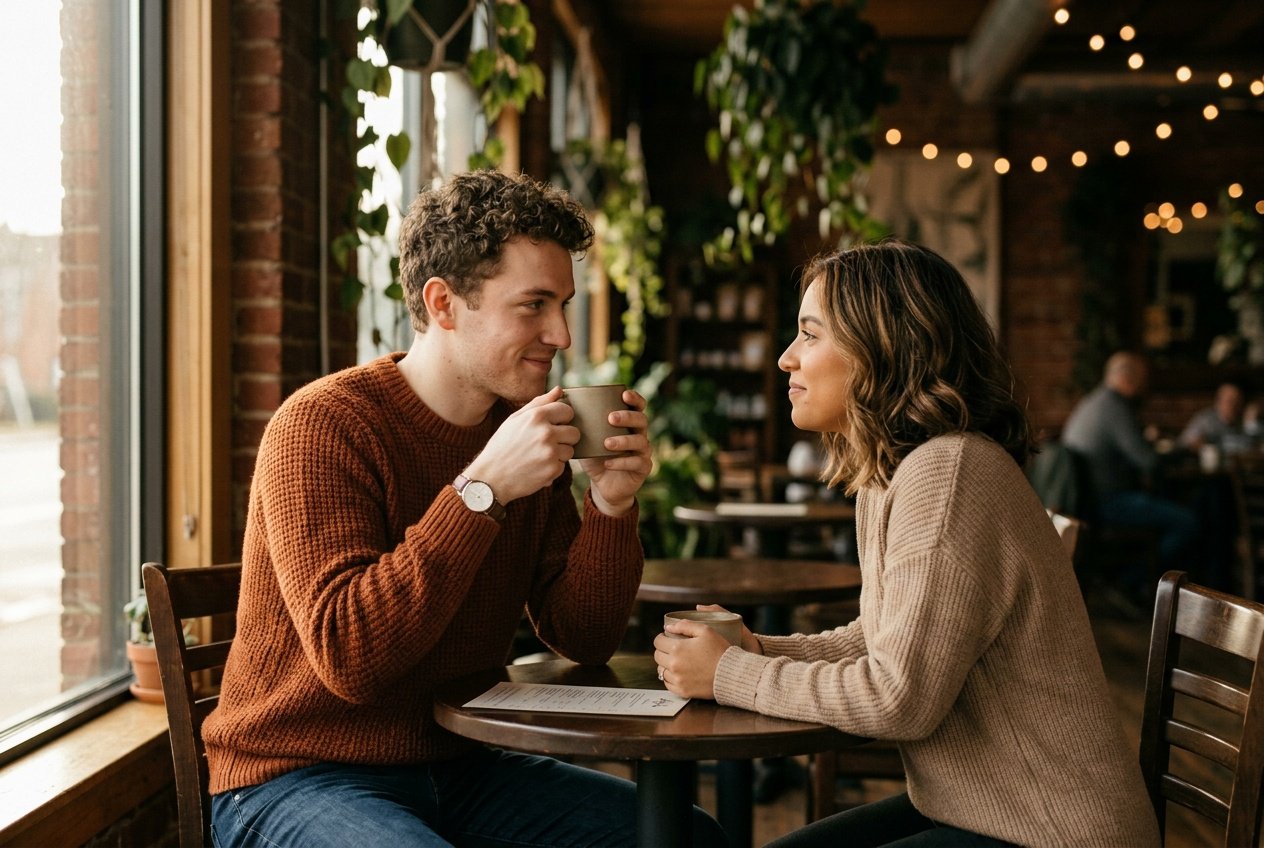
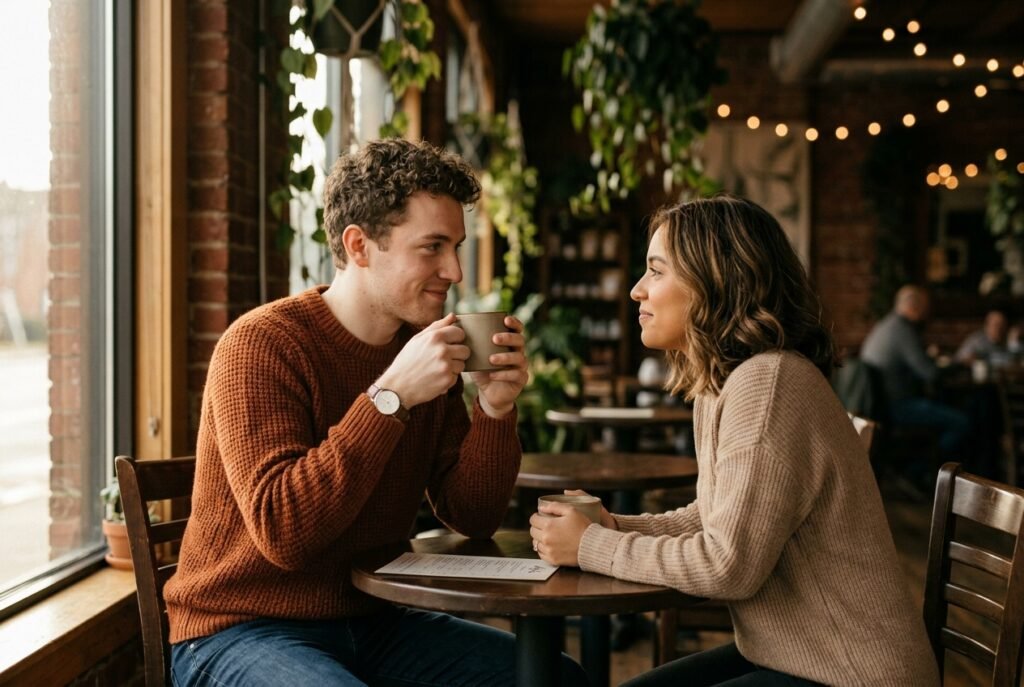
Prompt for: Getting Started With Couple Photo Styles
Structured Image Prompt — Getting Started With Couple Photo Styles
{
  "subject": {
    "pose": {
      "head_position": "turned towards partner",
      "body_position": "sitting closely at a small table",
      "energy": "intimate and calm"
    }
  },
  "attire": {
    "top": {
      "item": "knit sweater",
      "color": "beige and rust",
      "texture": "soft wool",
      "fit": "relaxed"
    },
    "bottom": {
      "item": "jeans",
      "color": "dark blue",
      "texture": "denim"
    },
    "accessories": [
      "ceramic mug",
      "simple wristwatch"
    ]
  },
  "environment": {
    "setting": "cozy coffee shop interior",
    "background": {
      "type": "blurred cafe interior",
      "color": "warm brown and green",
      "texture": "bokeh indoor plants",
      "depth": "shallow depth of field"
    },
    "props": [
      "steaming mugs on table",
      "wooden table surface",
      "window frame in background"
    ]
  },
  "photography": {
    "style": "lifestyle photography",
    "shot_scale": "medium shot",
    "lighting": {
      "type": "soft natural light",
      "source": "side window",
      "details": "warm highlights, soft shadows"
    },
    "camera_gear": {
      "lens": "50mm Prime",
      "aperture": "f/1.8",
      "focus": "sharp on faces",
      "iso": "200"
    },
    "post_processing": {
      "look": "film grain",
      "grading": "warm color palette"
    }
  },
  "aesthetic_fidelity": {
    "medium": "Digital Photography",
    "vibe": "intimate and cozy",
    "visual_qualities": [
      "film texture",
      "natural light",
      "cinematic bokeh"
    ]
  },
  "constraints": {
    "must_keep": [
      "uploaded person's face and identity",
      "natural features from uploaded photo",
      "user's skin tone",
      "user's expression"
    ],
    "avoid": [
      "distorted face",
      "changed identity",
      "over-exposed",
      "cartoon style"
    ]
  },
  "negative_prompt": [
    "painting",
    "drawing",
    "bad hands",
    "blurry",
    "fake looking",
    "low quality",
    "saturated",
    "cartoon"
  ]
}
Finding Your Unique Style
When I first used the gemini ai prompt trending couple method, I didn’t know what to expect. It felt a bit overwhelming at first, but I quickly realized that simple is better.
Finding Your Unique Style
Start Simple: I always describe the exact environment before adding any complex interactions.
Layer Details: I add one detail at a time, like the clothing colors, to keep the output grounded.
Observe Angles: I’ve found that changing the suggested camera angle can change the entire mood.
Review Often: I check my results after every iteration to see what works.
Keep Notes: I save the phrasing that gets the best response for later use.
Do you prefer a more natural look or something more cinematic?
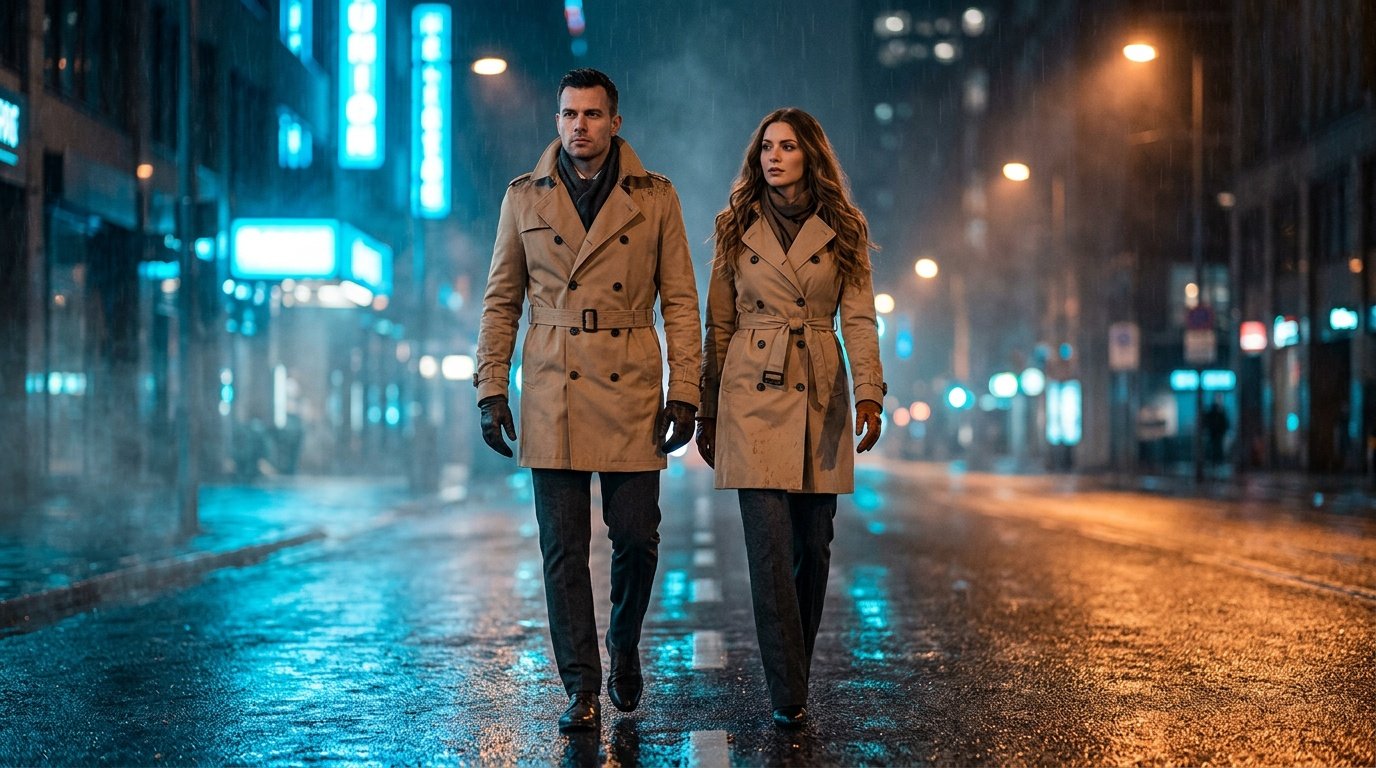
Prompt for: Finding Your Unique Style
Structured Image Prompt — Finding Your Unique Style
{
  "subject": {
    "pose": {
      "head_position": "looking forward",
      "body_position": "walking side by side",
      "energy": "composed and dramatic"
    }
  },
  "attire": {
    "top": {
      "item": "trench coat",
      "color": "tan",
      "texture": "gabardine",
      "fit": "structured"
    },
    "bottom": {
      "item": "dark trousers",
      "color": "charcoal",
      "texture": "wool blend"
    },
    "accessories": [
      "leather gloves",
      "scarf"
    ]
  },
  "environment": {
    "setting": "rainy city street",
    "background": {
      "type": "urban city night",
      "color": "blue and amber",
      "texture": "wet pavement",
      "depth": "deep background with bokeh lights"
    },
    "props": [
      "neon signs reflected in puddles",
      "street lamp",
      "damp brick wall"
    ]
  },
  "photography": {
    "style": "cinematic drama",
    "shot_scale": "medium full shot",
    "lighting": {
      "type": "dramatic high contrast",
      "source": "neon signs",
      "details": "cool blue highlights, deep shadows"
    },
    "camera_gear": {
      "lens": "35mm Prime",
      "aperture": "f/2.8",
      "focus": "sharp on couple",
      "iso": "800"
    },
    "post_processing": {
      "look": "moody cinema grade",
      "grading": "teal and orange"
    }
  },
  "aesthetic_fidelity": {
    "medium": "Digital Photography",
    "vibe": "moody urban",
    "visual_qualities": [
      "high contrast",
      "wet textures",
      "cinematic lighting"
    ]
  },
  "constraints": {
    "must_keep": [
      "uploaded person's face and identity",
      "natural features from uploaded photo",
      "user's skin tone",
      "user's expression"
    ],
    "avoid": [
      "distorted face",
      "changed identity",
      "over-exposed",
      "cartoon style"
    ]
  },
  "negative_prompt": [
    "painting",
    "drawing",
    "bad hands",
    "blurry",
    "fake looking",
    "low quality",
    "saturated",
    "cartoon"
  ]
}
Mastering the Lighting Setup
Getting the lighting right is where Nano Banana really shines for me. I’ve found that using the gemini ai prompt trending couple logic with specific light references changes everything.
Mastering the Lighting Setup
Golden Hour: I love specifying “warm, low golden hour sun” to get that soft glow.
Directional Light: I often ask for light from the side to create more depth and character on our faces.
Avoid Harshness: If the result looks too aggressive, I ask for “soft, diffused light” instead.
Contrast Control: I play with shadow density by asking for “deep shadows” or “soft shadows” in the prompt.
Consistency: I try to stick to one light source to keep the scene looking realistic.
Does your current setup give you the lighting you want?
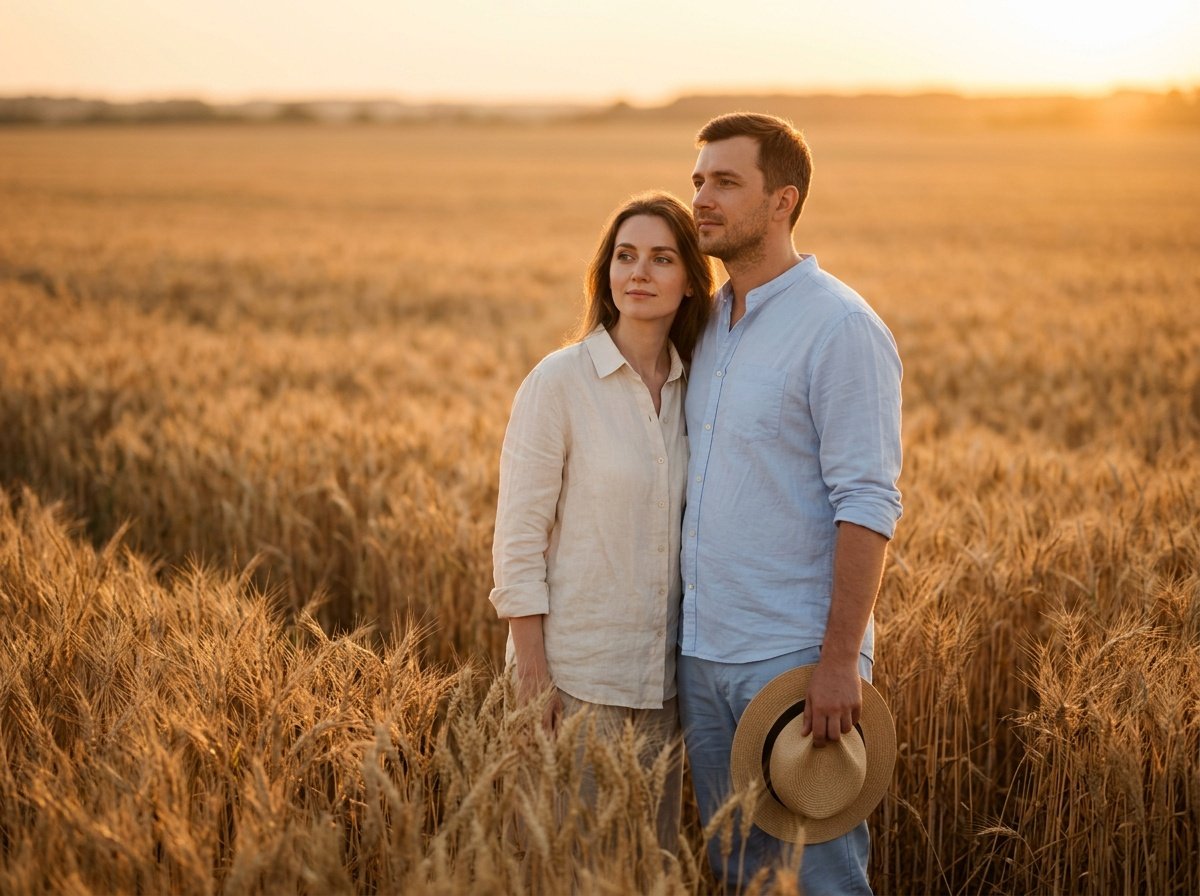
Prompt for: Mastering the Lighting Setup
Structured Image Prompt — Mastering the Lighting Setup
{
  "subject": {
    "pose": {
      "head_position": "looking toward horizon",
      "body_position": "standing together in field",
      "energy": "peaceful"
    }
  },
  "attire": {
    "top": {
      "item": "linen shirt",
      "color": "cream",
      "texture": "natural linen",
      "fit": "loose"
    },
    "bottom": {
      "item": "cotton trousers",
      "color": "light blue",
      "texture": "cotton",
      "fit": "relaxed"
    },
    "accessories": [
      "straw hat",
      "leather sandals"
    ]
  },
  "environment": {
    "setting": "wheat field at sunset",
    "background": {
      "type": "open field",
      "color": "gold and amber",
      "texture": "tall wheat",
      "depth": "deep field of view with soft blur"
    },
    "props": [
      "wheat stalks",
      "distant horizon line",
      "sunset sky"
    ]
  },
  "photography": {
    "style": "portraiture",
    "shot_scale": "medium shot",
    "lighting": {
      "type": "golden hour",
      "source": "low sunset sun",
      "details": "soft long shadows, glowing highlights"
    },
    "camera_gear": {
      "lens": "85mm Prime",
      "aperture": "f/2.0",
      "focus": "sharp on faces",
      "iso": "100"
    },
    "post_processing": {
      "look": "warm glow",
      "grading": "natural vintage"
    }
  },
  "aesthetic_fidelity": {
    "medium": "Digital Photography",
    "vibe": "dreamy and calm",
    "visual_qualities": [
      "soft focus",
      "golden colors",
      "natural textures"
    ]
  },
  "constraints": {
    "must_keep": [
      "uploaded person's face and identity",
      "natural features from uploaded photo",
      "user's skin tone",
      "user's expression"
    ],
    "avoid": [
      "distorted face",
      "changed identity",
      "over-exposed",
      "cartoon style"
    ]
  },
  "negative_prompt": [
    "painting",
    "drawing",
    "bad hands",
    "blurry",
    "fake looking",
    "low quality",
    "saturated",
    "cartoon"
  ]
}
Refined Approaches for Every Shot
I’ve found that the trending gemini couple photo prompt works best when you keep the setting simple, which is key to a good gemini ai prompt trending couple result.
Refined Approaches for Every Shot
Add Context: I always include what we are doing, like “walking hand in hand” or “laughing together.”
Texture Matters: I ask for details like “soft fabric of the shirts” to get better textures.
Mood Words: I incorporate words like “serene,” “energetic,” or “mysterious” to guide the output.
Avoid Clutter: I try to remove unnecessary objects from the scene description to avoid confusion.
Be Specific: If I want a certain style, I specify it clearly.
Do you find it easy to describe the mood you want?
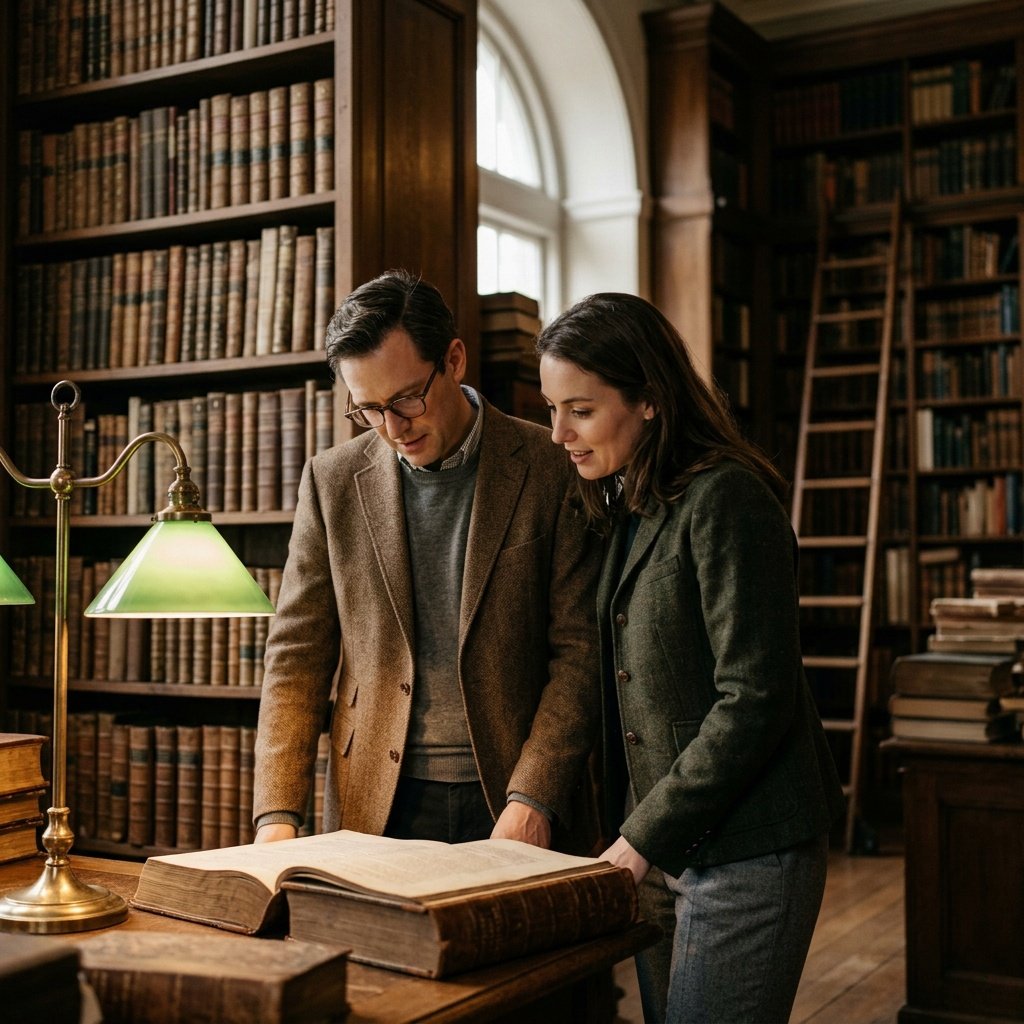
Prompt for: Refined Approaches for Every Shot
Structured Image Prompt — Refined Approaches for Every Shot
{
  "subject": {
    "pose": {
      "head_position": "looking down at book",
      "body_position": "standing side by side",
      "energy": "curious and scholarly"
    }
  },
  "attire": {
    "top": {
      "item": "tweed jacket",
      "color": "brown",
      "texture": "tweed",
      "fit": "tailored"
    },
    "bottom": {
      "item": "slacks",
      "color": "dark grey",
      "texture": "wool",
      "fit": "classic"
    },
    "accessories": [
      "leather-bound book",
      "glasses"
    ]
  },
  "environment": {
    "setting": "historic library",
    "background": {
      "type": "bookshelves",
      "color": "dark wood and gold",
      "texture": "leather book spines",
      "depth": "deep and crowded"
    },
    "props": [
      "vintage desk lamp",
      "wooden ladder",
      "stacks of books"
    ]
  },
  "photography": {
    "style": "documentary portrait",
    "shot_scale": "medium shot",
    "lighting": {
      "type": "moody indoor light",
      "source": "desk lamp and window",
      "details": "soft golden glow, dim surrounds"
    },
    "camera_gear": {
      "lens": "35mm Prime",
      "aperture": "f/2.8",
      "focus": "sharp on couple",
      "iso": "640"
    },
    "post_processing": {
      "look": "warm contrast",
      "grading": "rich vintage"
    }
  },
  "aesthetic_fidelity": {
    "medium": "Digital Photography",
    "vibe": "scholarly and timeless",
    "visual_qualities": [
      "high detail",
      "rich textures",
      "moody atmosphere"
    ]
  },
  "constraints": {
    "must_keep": [
      "uploaded person's face and identity",
      "natural features from uploaded photo",
      "user's skin tone",
      "user's expression"
    ],
    "avoid": [
      "distorted face",
      "changed identity",
      "over-exposed",
      "cartoon style"
    ]
  },
  "negative_prompt": [
    "painting",
    "drawing",
    "bad hands",
    "blurry",
    "fake looking",
    "low quality",
    "saturated",
    "cartoon"
  ]
}
Iterating for the Best Result
One thing I keep coming back to with the gemini ai prompt trending couple approach is that the first try is rarely perfect. I usually refine my instructions until I get the desired feel.
Iterate Often: I don’t settle for the first output; I adjust the details and generate again.
Change Phrasing: If the result isn’t landing, I try rephrasing the prompt entirely.
Mix Elements: I sometimes combine two different styles to see what happens.
Look for Details: I check for small errors like textures or shadows and adjust accordingly.
Stay Simple: If it gets too complex, I strip it back to the essentials.
How many times do you usually iterate before you are happy?
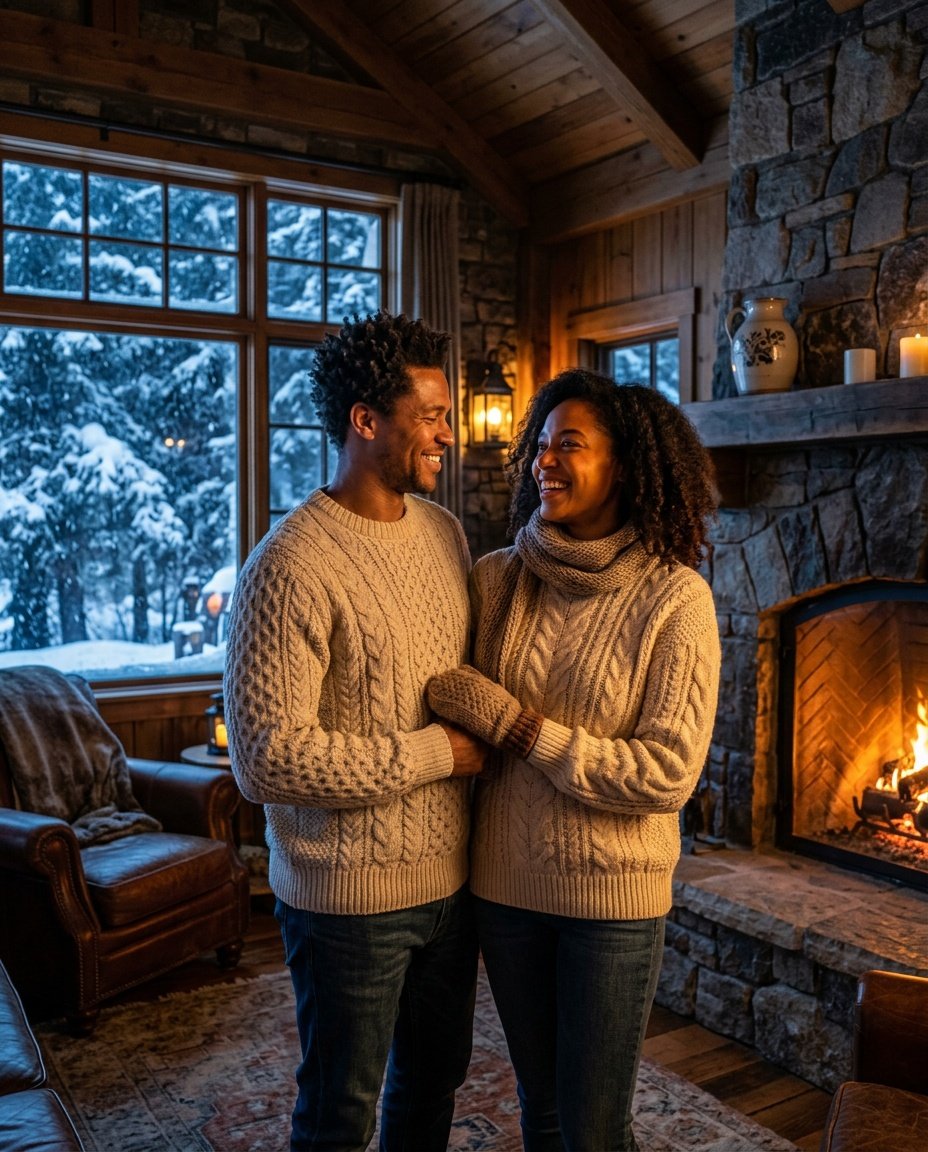
Prompt for: Iterating for the Best Result
Structured Image Prompt — Iterating for the Best Result
{
  "subject": {
    "pose": {
      "head_position": "slightly tilted",
      "body_position": "standing by fireplace",
      "energy": "relaxed and cozy"
    }
  },
  "attire": {
    "top": {
      "item": "cable-knit sweater",
      "color": "cream",
      "texture": "chunky wool",
      "fit": "oversized"
    },
    "bottom": {
      "item": "wool trousers",
      "color": "brown",
      "texture": "woven",
      "fit": "comfortable"
    },
    "accessories": [
      "knitted scarf",
      "warm mittens"
    ]
  },
  "environment": {
    "setting": "mountain lodge",
    "background": {
      "type": "living room with fireplace",
      "color": "warm amber and cool blue",
      "texture": "stone and timber",
      "depth": "large interior space"
    },
    "props": [
      "stone fireplace",
      "flames",
      "snowy window view"
    ]
  },
  "photography": {
    "style": "lifestyle",
    "shot_scale": "medium shot",
    "lighting": {
      "type": "dual light",
      "source": "fireplace and moonlight",
      "details": "warm and cool contrast"
    },
    "camera_gear": {
      "lens": "35mm Prime",
      "aperture": "f/2.0",
      "focus": "sharp on faces",
      "iso": "400"
    },
    "post_processing": {
      "look": "cozy",
      "grading": "cinematic"
    }
  },
  "aesthetic_fidelity": {
    "medium": "Digital Photography",
    "vibe": "warm and cozy",
    "visual_qualities": [
      "sharp textures",
      "cinematic lighting",
      "high detail"
    ]
  },
  "constraints": {
    "must_keep": [
      "uploaded person's face and identity",
      "natural features from uploaded photo",
      "user's skin tone",
      "user's expression"
    ],
    "avoid": [
      "distorted face",
      "changed identity",
      "over-exposed",
      "cartoon style"
    ]
  },
  "negative_prompt": [
    "painting",
    "drawing",
    "bad hands",
    "blurry",
    "fake looking",
    "low quality",
    "saturated",
    "cartoon"
  ]
}
Putting It All Together
I hope this guide helps you feel more confident in creating your own looks. The final trending gemini couple photo prompt I tried really hit the mark, and it was quite simple once I got the hang of it.
When you are ready to start, just open the Gemini app on your phone, upload your favorite photo, and use a clear, descriptive prompt. It is a fantastic way to experiment with your style, and it works great with Nano Banana. Don’t be afraid to try different environments or lighting setups, as the gemini ai prompt trending couple process is best when you are having fun with it.
Go ahead and try it for yourself — you might be surprised by what you generate!
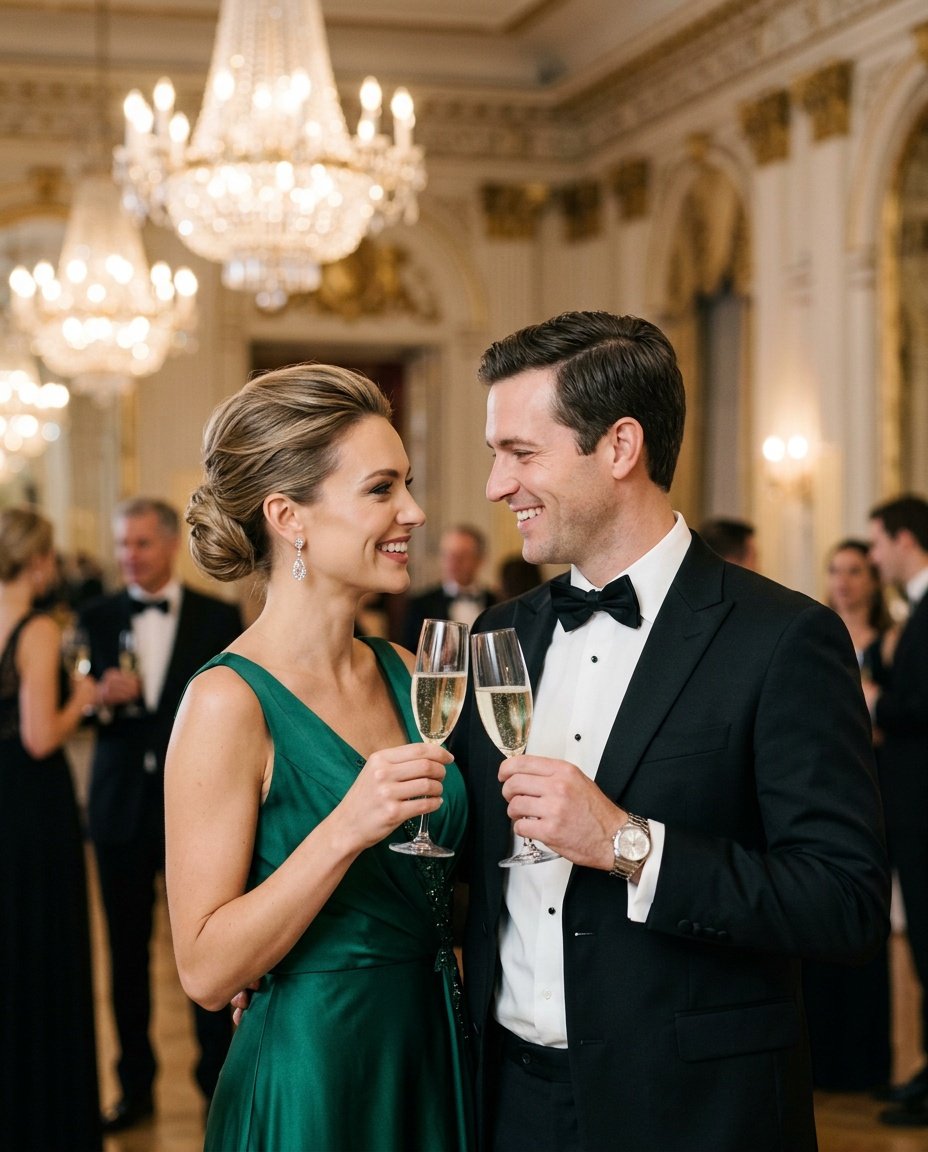
Prompt for: Putting It All Together
Structured Image Prompt — Putting It All Together
{
  "subject": {
    "pose": {
      "head_position": "turned towards each other",
      "body_position": "standing closely",
      "energy": "elegant and joyful"
    }
  },
  "attire": {
    "top": {
      "item": "evening gown and tuxedo",
      "color": "black and emerald",
      "texture": "silk and wool",
      "fit": "formal"
    },
    "bottom": {
      "item": "formal trousers",
      "color": "black",
      "texture": "silk blend",
      "fit": "tailored"
    },
    "accessories": [
      "diamond earrings",
      "watch"
    ]
  },
  "environment": {
    "setting": "ballroom",
    "background": {
      "type": "opulent ballroom",
      "color": "gold and black",
      "texture": "crystal",
      "depth": "deep and blurred"
    },
    "props": [
      "champagne glasses",
      "crystal chandelier",
      "ballroom decor"
    ]
  },
  "photography": {
    "style": "editorial",
    "shot_scale": "medium shot",
    "lighting": {
      "type": "soft chandelier light",
      "source": "overhead",
      "details": "soft highlights, low shadows"
    },
    "camera_gear": {
      "lens": "85mm Prime",
      "aperture": "f/1.8",
      "focus": "sharp on faces",
      "iso": "800"
    },
    "post_processing": {
      "look": "polished editorial",
      "grading": "neutral and clean"
    }
  },
  "aesthetic_fidelity": {
    "medium": "Digital Photography",
    "vibe": "luxurious",
    "visual_qualities": [
      "high detail",
      "clean focus",
      "sparkling highlights"
    ]
  },
  "constraints": {
    "must_keep": [
      "uploaded person's face and identity",
      "natural features from uploaded photo",
      "user's skin tone",
      "user's expression"
    ],
    "avoid": [
      "distorted face",
      "changed identity",
      "over-exposed",
      "cartoon style"
    ]
  },
  "negative_prompt": [
    "painting",
    "drawing",
    "bad hands",
    "blurry",
    "fake looking",
    "low quality",
    "saturated",
    "cartoon"
  ]
}
❓ Frequently Asked Questions About trending gemini couple photo prompt
How can I use the trending gemini couple photo prompt for my own pictures?
▼
You can use the trending gemini couple photo prompt by uploading your own image to the Gemini app and providing a descriptive prompt about the scene you want to create. It works best when you describe the environment, lighting, and your clothing in detail.
Where can I find a good gemini ai prompt trending couple style to copy?
▼
You can find many variations of a gemini ai prompt trending couple style online, but I recommend starting with simple descriptive sentences about your desired setting. Modifying these basic prompts with your own personal details usually yields better results.
Do I need technical skills to get these photo results?
▼
Not at all, you don’t need technical skills. The tools are designed to work conversationally; simply talk to the model as if you were giving instructions to a photographer.
How do I get the best results when editing my photo?
▼
To get the best results, be very specific about the lighting, clothing, and background environment in your prompt. I find that mentioning the source of light, like ‘golden hour’ or ‘soft indoor light’, really changes the final outcome.
Is there a limit to how many times I can try these prompts?
▼
Generally, you can iterate as many times as you like. I often find it takes 3-4 tries to get the exact mood I am going for, so do not hesitate to adjust your instructions if the first attempt isn’t quite right.

