
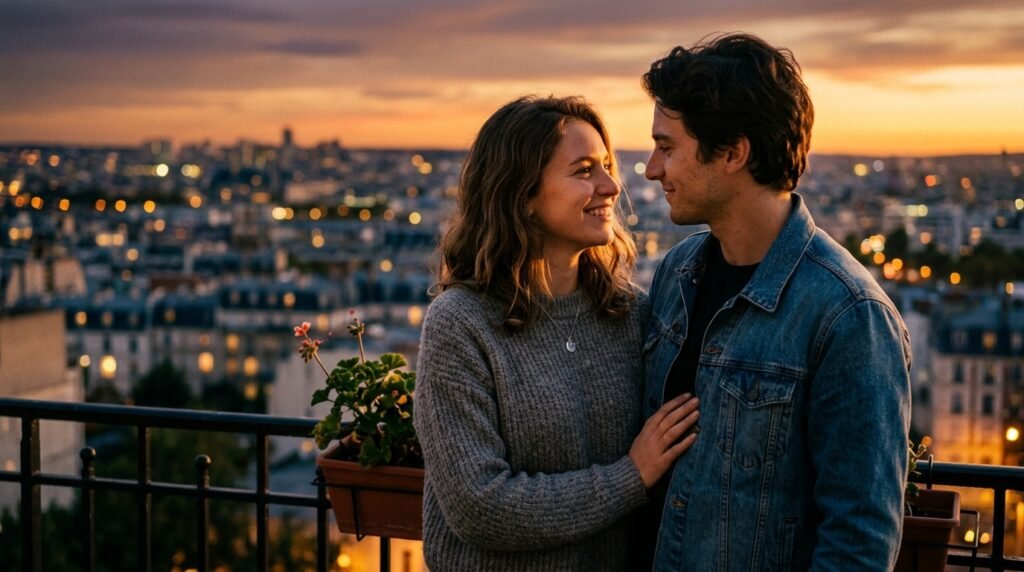
Finding My Rhythm with AI Photography
I used to think that getting a magazine-quality portrait required an expensive camera and a professional setup. Lately, I have been using the Gemini Nano Banana model on my phone, and it completely changed my perspective on what is possible with a simple text description.
Finding the right gemini ai prompt for couples is really about describing the vibe, not just the technical settings. I started by using the Gemini app on my phone, and honestly, the results were better than any filter I have used before.
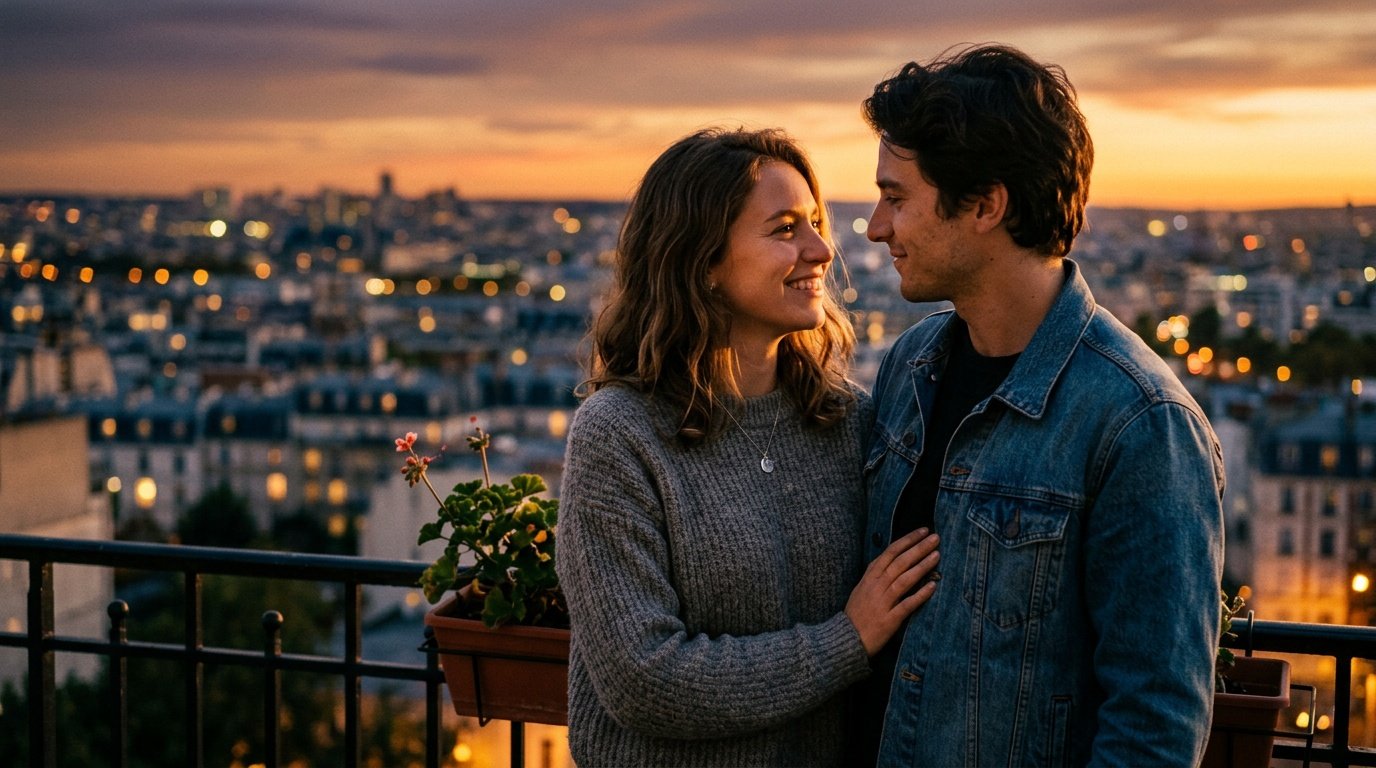
Prompt for: Finding My Rhythm with AI Photography
Structured Image Prompt — Finding My Rhythm with AI Photography
{
  "subject": {
    "pose": {
      "head_position": "turned towards partner",
      "body_position": "standing close, shoulder to shoulder",
      "energy": "intimate and calm"
    }
  },
  "attire": {
    "top": {
      "item": "wool sweater and denim jacket",
      "color": "grey and blue",
      "texture": "knitted and denim",
      "fit": "relaxed"
    },
    "bottom": {
      "item": "jeans",
      "color": "dark blue",
      "texture": "denim",
      "fit": "casual"
    },
    "accessories": [
      "small silver necklace"
    ]
  },
  "environment": {
    "setting": "apartment balcony at sunset",
    "background": {
      "type": "city skyline",
      "color": "amber and purple",
      "texture": "blurred city lights",
      "depth": "deep field"
    },
    "props": [
      "iron balcony railing in foreground",
      "potted plant on corner",
      "warm ambient lighting"
    ]
  },
  "photography": {
    "style": "cinematic portrait",
    "shot_scale": "medium shot",
    "lighting": {
      "type": "natural golden hour",
      "source": "setting sun",
      "details": "soft golden highlights, gentle shadows on the face"
    },
    "camera_gear": {
      "lens": "85mm Prime",
      "aperture": "f/2.0",
      "focus": "sharp focus on eyes",
      "iso": "100"
    },
    "post_processing": {
      "look": "warm cinematic",
      "grading": "golden tones"
    }
  },
  "aesthetic_fidelity": {
    "medium": "Digital Photography",
    "vibe": "romantic and cozy",
    "visual_qualities": [
      "high detail",
      "soft bokeh",
      "natural skin tones"
    ]
  },
  "constraints": {
    "must_keep": [
      "uploaded person's face and identity",
      "natural features from uploaded photo",
      "user's skin tone",
      "user's expression"
    ],
    "avoid": [
      "distorted face",
      "changed identity",
      "over-exposed",
      "cartoon style"
    ]
  },
  "negative_prompt": [
    "painting",
    "drawing",
    "bad hands",
    "blurry",
    "fake looking",
    "low quality",
    "saturated",
    "cartoon"
  ]
}
Finding the Right Vibe
I have found that a good gemini ai couples prompt needs to be specific about the environment and mood. Whenever I use a gemini ai prompt for couples, I make sure to describe the lighting so the result doesn’t look flat or artificial.
Creating a Mood Through Text
Start with Context: Mention the location first so the AI knows where you are, like saying “walking through a rainy street in London.”
Describe Lighting: Be specific about the light, such as “cool neon signs reflecting on the wet pavement,” which adds depth.
Mention Poses: Define the connection by adding “holding hands loosely” or “laughing while looking at the camera.”
Add Texture: Mention details like “steamy coffee cups” or “textured wool coats” to make it feel real.
Keep it Simple: Don’t overload the prompt with 50 adjectives; just list the core elements of the scene.
What kind of mood do you usually prefer in your photos?
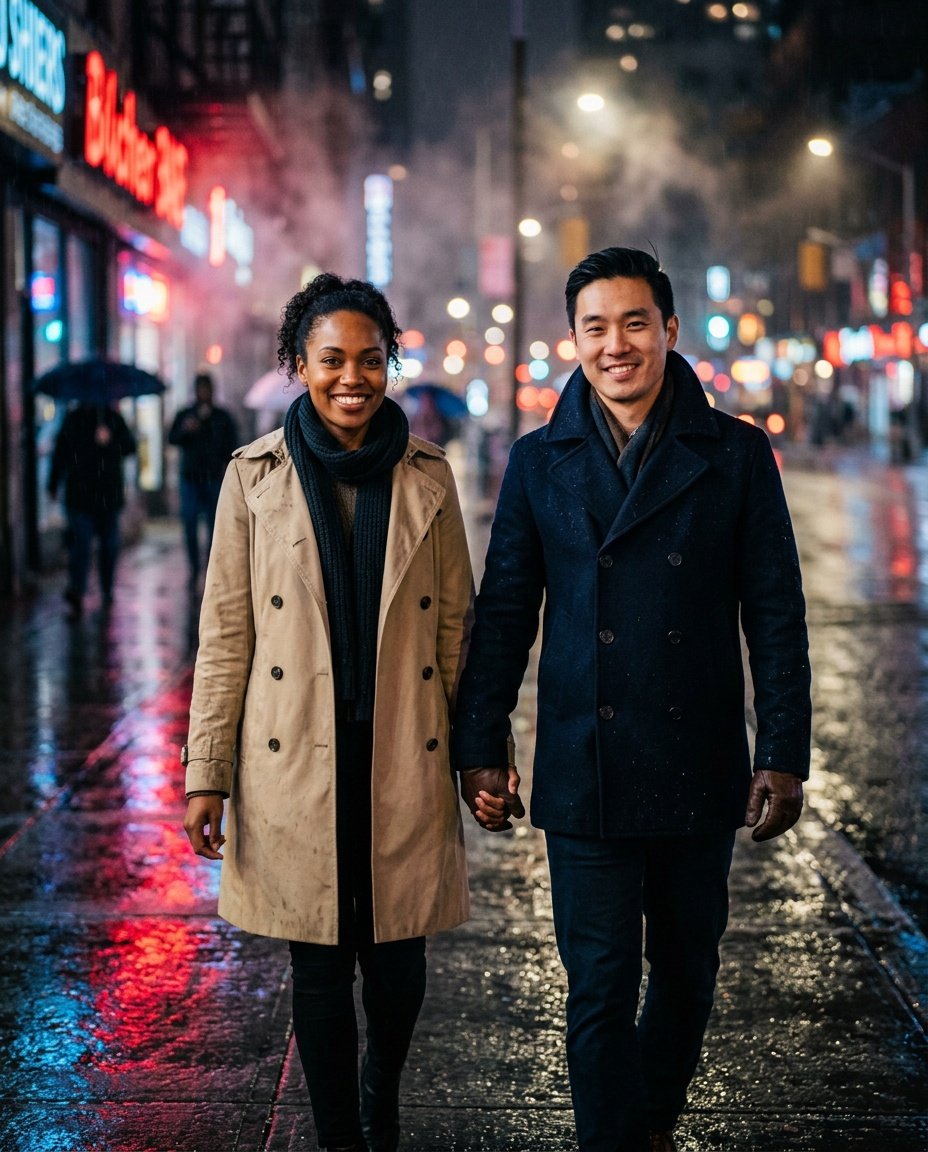
Prompt for: Finding the Right Vibe
Structured Image Prompt — Finding the Right Vibe
{
  "subject": {
    "pose": {
      "head_position": "looking forward",
      "body_position": "walking, holding hands",
      "energy": "happy and connected"
    }
  },
  "attire": {
    "top": {
      "item": "trench coat and pea coat",
      "color": "beige and navy",
      "texture": "heavy cotton and wool",
      "fit": "tailored"
    },
    "bottom": {
      "item": "trousers",
      "color": "black",
      "texture": "wool",
      "fit": "standard"
    },
    "accessories": [
      "leather gloves",
      "scarf"
    ]
  },
  "environment": {
    "setting": "city street at night",
    "background": {
      "type": "urban city",
      "color": "dark, neon-lit",
      "texture": "wet asphalt",
      "depth": "bokeh city lights"
    },
    "props": [
      "neon signs reflecting on ground",
      "puddles with ripples",
      "distant streetlamps"
    ]
  },
  "photography": {
    "style": "cinematic night street",
    "shot_scale": "medium shot",
    "lighting": {
      "type": "neon and street lighting",
      "source": "overhead and side signs",
      "details": "high contrast, colorful reflections"
    },
    "camera_gear": {
      "lens": "35mm Prime",
      "aperture": "f/1.8",
      "focus": "sharp focus on couple",
      "iso": "800"
    },
    "post_processing": {
      "look": "moody, cinematic",
      "grading": "teal and orange contrast"
    }
  },
  "aesthetic_fidelity": {
    "medium": "Digital Photography",
    "vibe": "cinematic, moody",
    "visual_qualities": [
      "grainy texture",
      "vibrant colors",
      "sharp edges"
    ]
  },
  "constraints": {
    "must_keep": [
      "uploaded person's face and identity",
      "natural features from uploaded photo",
      "user's skin tone",
      "user's expression"
    ],
    "avoid": [
      "distorted face",
      "changed identity",
      "over-exposed",
      "cartoon style"
    ]
  },
  "negative_prompt": [
    "painting",
    "drawing",
    "bad hands",
    "blurry",
    "fake looking",
    "low quality",
    "saturated",
    "cartoon"
  ]
}
Embracing Cultural Aesthetics
One thing I love doing is trying different visual styles, and lately, the Indian aesthetic has been popping up everywhere.
Bringing Cultural Flair to Photos
Focus on Colors: When I try a gemini couple photo prompt indian style, I make sure to mention vibrant colors like saffron, emerald green, or royal blue to set the tone.
Detailing Attire: Describing specific clothing, like a silk kurta or an embroidered saree, helps the Nano Banana AI generator understand the intricate textures required.
Setting the Scene: Placing the couple in a traditional courtyard or near a marigold-decorated archway adds authentic context.
Lighting Matters: Ask for warm, soft light, which mimics the gentle glow found in traditional courtyard settings.
Keep it Respectful: Focus on the beauty of the attire and setting to ensure the result looks elegant and well-composed.
Have you experimented with different cultural styles for your couple portraits yet?
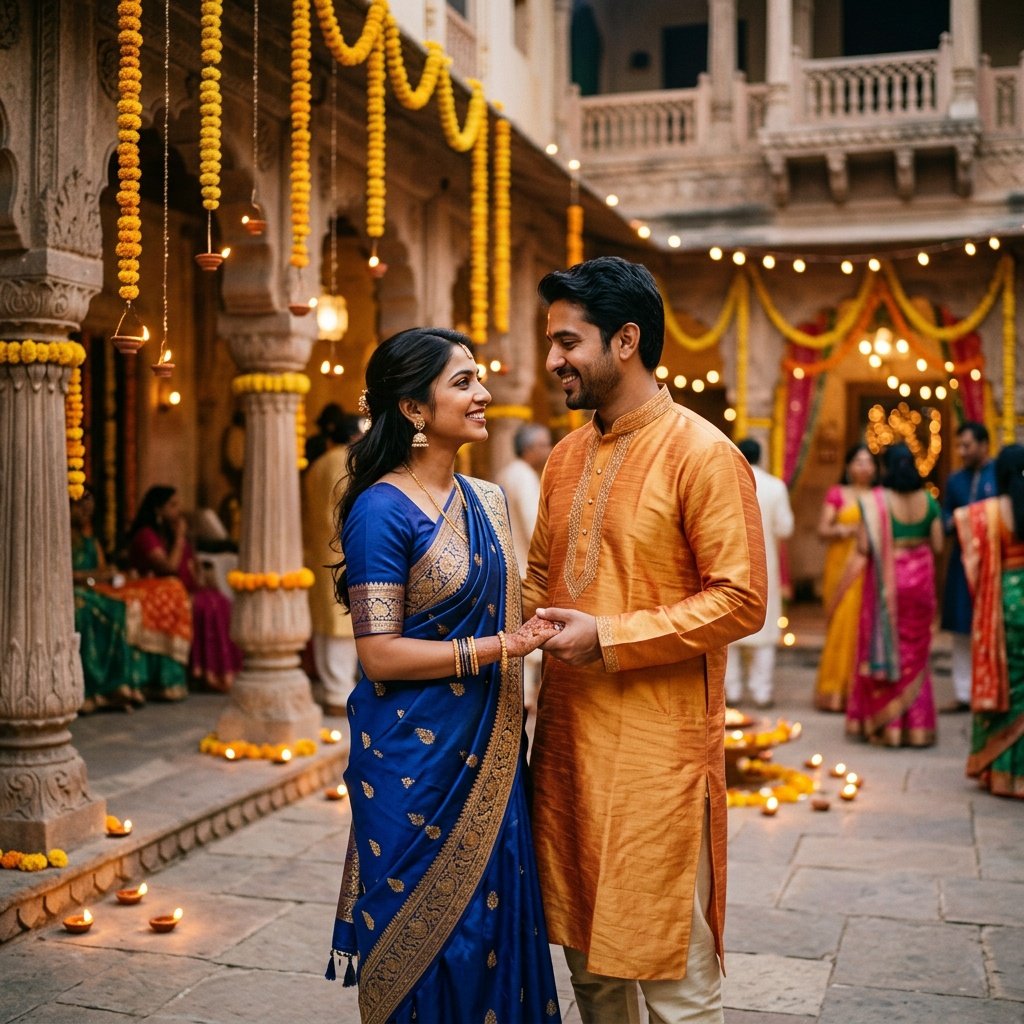
Prompt for: Embracing Cultural Aesthetics
Structured Image Prompt — Embracing Cultural Aesthetics
{
  "subject": {
    "pose": {
      "head_position": "slightly turned towards each other",
      "body_position": "standing, holding hands",
      "energy": "joyful and festive"
    }
  },
  "attire": {
    "top": {
      "item": "silk kurta and traditional saree",
      "color": "saffron and royal blue",
      "texture": "silk and embroidery",
      "fit": "traditional"
    },
    "bottom": {
      "item": "churidar and saree drape",
      "color": "matching tones",
      "texture": "silk",
      "fit": "graceful"
    },
    "accessories": [
      "traditional jhumkas",
      "gold bangles"
    ]
  },
  "environment": {
    "setting": "traditional Indian courtyard",
    "background": {
      "type": "stone architecture",
      "color": "warm stone",
      "texture": "carved stone",
      "depth": "festive garland background"
    },
    "props": [
      "marigold garlands hanging",
      "clay lamps on floor",
      "carved stone pillar"
    ]
  },
  "photography": {
    "style": "portrait photography",
    "shot_scale": "medium shot",
    "lighting": {
      "type": "warm soft light",
      "source": "clay lamps",
      "details": "soft golden glow on faces"
    },
    "camera_gear": {
      "lens": "50mm Prime",
      "aperture": "f/2.8",
      "focus": "sharp focus on faces",
      "iso": "200"
    },
    "post_processing": {
      "look": "warm and vibrant",
      "grading": "golden hour aesthetic"
    }
  },
  "aesthetic_fidelity": {
    "medium": "Digital Photography",
    "vibe": "festive and elegant",
    "visual_qualities": [
      "intricate detail",
      "vibrant colors",
      "warm glow"
    ]
  },
  "constraints": {
    "must_keep": [
      "uploaded person's face and identity",
      "natural features from uploaded photo",
      "user's skin tone",
      "user's expression"
    ],
    "avoid": [
      "distorted face",
      "changed identity",
      "over-exposed",
      "cartoon style"
    ]
  },
  "negative_prompt": [
    "painting",
    "drawing",
    "bad hands",
    "blurry",
    "fake looking",
    "low quality",
    "saturated",
    "cartoon"
  ]
}
Refining Existing Photos
Sometimes I already have a photo I love, but I want to adjust the mood or the setting without losing the original connection. Using a gemini prompt for couple photo editing is a great way to do this, especially when I want to experiment with different lighting or background themes.
Polishing Your Images
Be Specific About Changes: When writing a gemini photo editing prompt couple, describe exactly what you want to modify, like “change the background to a sunset beach” rather than just “make it better.”
Keep the Subject Consistent: Tell the AI clearly what to keep, like “keep the outfits and the poses exactly the same.”
Iterate: If the first result isn’t quite right, adjust your prompt. It is like working with a digital editor.
How do you usually refine your photos after the initial generation?
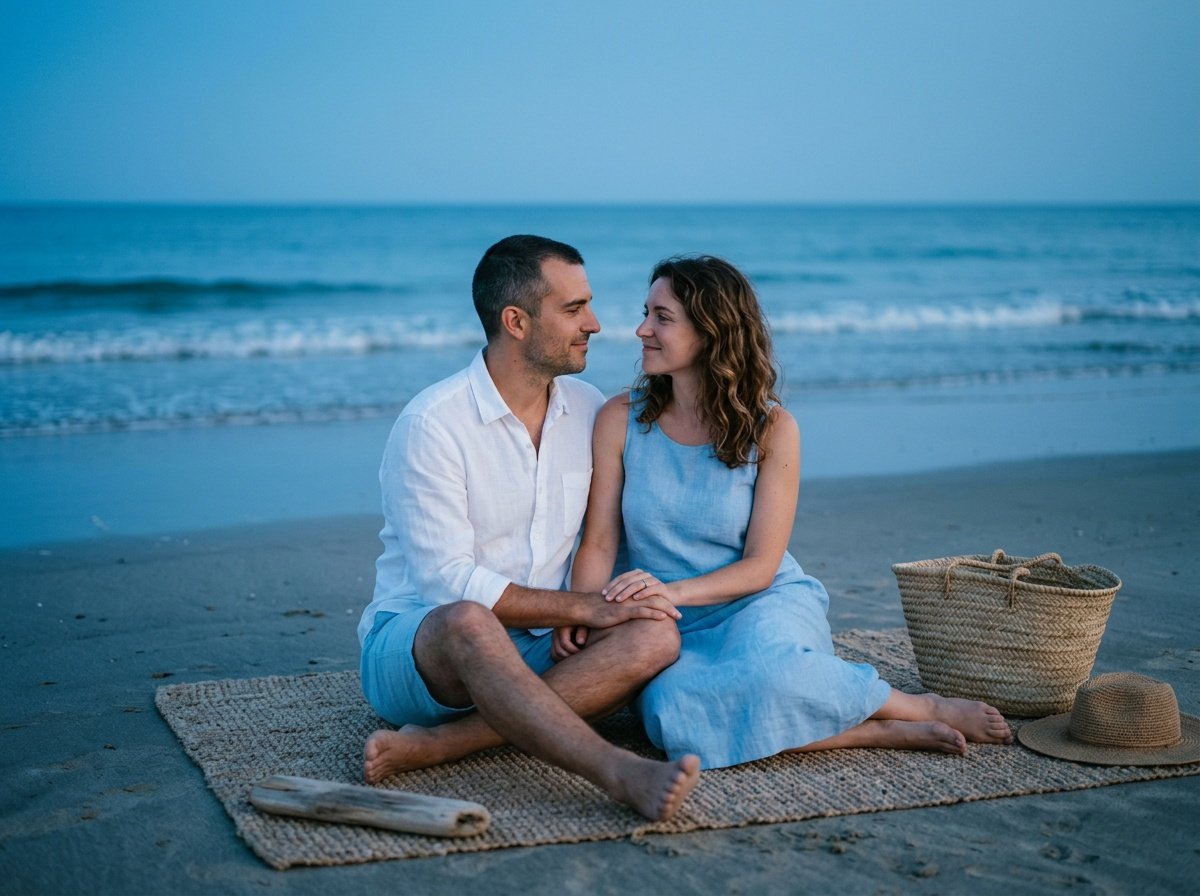
Prompt for: Refining Existing Photos
Structured Image Prompt — Refining Existing Photos
{
  "subject": {
    "pose": {
      "head_position": "looking at each other",
      "body_position": "sitting on a blanket",
      "energy": "serene"
    }
  },
  "attire": {
    "top": {
      "item": "linen shirt and summer dress",
      "color": "white and light blue",
      "texture": "natural fiber",
      "fit": "casual"
    },
    "bottom": {
      "item": "linen shorts",
      "color": "white",
      "texture": "linen",
      "fit": "relaxed"
    },
    "accessories": [
      "woven hat"
    ]
  },
  "environment": {
    "setting": "beach at blue hour",
    "background": {
      "type": "ocean horizon",
      "color": "cool blue",
      "texture": "wet sand",
      "depth": "wide horizon"
    },
    "props": [
      "picnic blanket",
      "small driftwood piece",
      "woven basket"
    ]
  },
  "photography": {
    "style": "editorial travel",
    "shot_scale": "medium long shot",
    "lighting": {
      "type": "natural blue hour",
      "source": "ambient sky light",
      "details": "soft diffused cool light"
    },
    "camera_gear": {
      "lens": "35mm Prime",
      "aperture": "f/2.0",
      "focus": "sharp on faces",
      "iso": "400"
    },
    "post_processing": {
      "look": "cool, serene",
      "grading": "blue and teal tints"
    }
  },
  "aesthetic_fidelity": {
    "medium": "Digital Photography",
    "vibe": "peaceful and quiet",
    "visual_qualities": [
      "smooth gradients",
      "soft focus",
      "natural light"
    ]
  },
  "constraints": {
    "must_keep": [
      "uploaded person's face and identity",
      "natural features from uploaded photo",
      "user's skin tone",
      "user's expression"
    ],
    "avoid": [
      "distorted face",
      "changed identity",
      "over-exposed",
      "cartoon style"
    ]
  },
  "negative_prompt": [
    "painting",
    "drawing",
    "bad hands",
    "blurry",
    "fake looking",
    "low quality",
    "saturated",
    "cartoon"
  ]
}
Following Recent Social Trends
I often see new styles emerging on social media, and honestly, trying a gemini trend couple prompt is a fun way to keep things fresh. It’s not about doing what everyone else is doing, but rather finding inspiration in those viral aesthetic choices.
Staying Current with Trends
Identify the Style: Is it film photography? High-contrast black and white? When I use a prompt for gemini couple photo editing, I try to name the specific aesthetic, like “1990s analog film grain.”
Add Your Twist: Take the trending idea and personalize it. Maybe change the location or the color scheme to make it yours.
Experiment Freely: The beauty of Nano Banana is that it’s fast. Try 5 different variations and see what you like.
Which viral style have you been wanting to try lately?
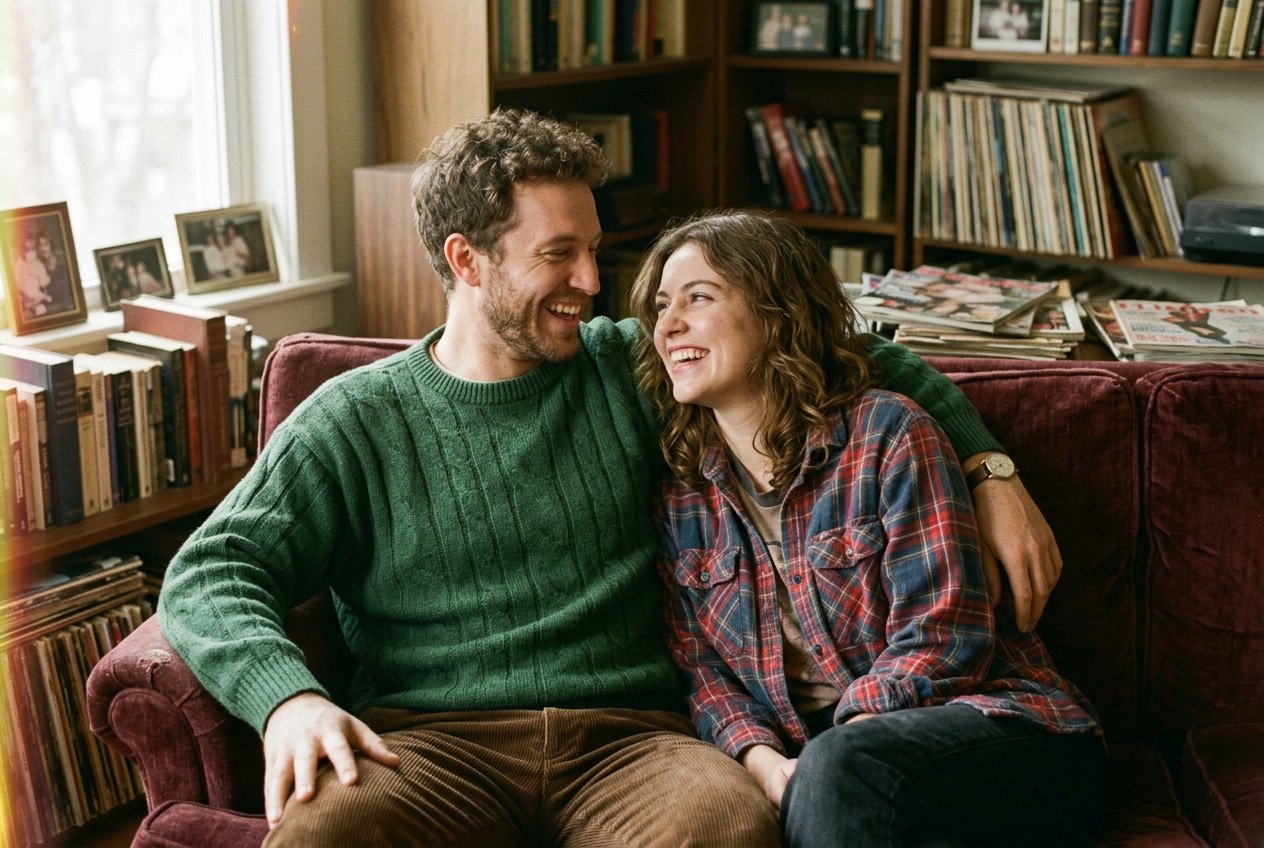
Prompt for: Following Recent Social Trends
Structured Image Prompt — Following Recent Social Trends
{
  "subject": {
    "pose": {
      "head_position": "tilted towards partner",
      "body_position": "relaxed on couch",
      "energy": "candid and joyful"
    }
  },
  "attire": {
    "top": {
      "item": "oversized sweater and flannel",
      "color": "muted earth tones",
      "texture": "knitted and flannel",
      "fit": "oversized"
    },
    "bottom": {
      "item": "corduroy pants",
      "color": "brown",
      "texture": "corduroy",
      "fit": "loose"
    },
    "accessories": [
      "vintage watch"
    ]
  },
  "environment": {
    "setting": "living room",
    "background": {
      "type": "cluttered bookshelf",
      "color": "warm brown",
      "texture": "books and vinyl",
      "depth": "shallow depth of field"
    },
    "props": [
      "vinyl records",
      "old books",
      "velvet couch"
    ]
  },
  "photography": {
    "style": "analog film",
    "shot_scale": "medium shot",
    "lighting": {
      "type": "hazy window light",
      "source": "window",
      "details": "soft, diffused, slightly hazy"
    },
    "camera_gear": {
      "lens": "35mm Prime",
      "aperture": "f/2.0",
      "focus": "sharp focus on faces",
      "iso": "800"
    },
    "post_processing": {
      "look": "vintage film",
      "grading": "film grain, muted warm tones"
    }
  },
  "aesthetic_fidelity": {
    "medium": "Analog Film Photography",
    "vibe": "nostalgic and cozy",
    "visual_qualities": [
      "heavy grain",
      "light leaks",
      "soft focus"
    ]
  },
  "constraints": {
    "must_keep": [
      "uploaded person's face and identity",
      "natural features from uploaded photo",
      "user's skin tone",
      "user's expression"
    ],
    "avoid": [
      "distorted face",
      "changed identity",
      "over-exposed",
      "cartoon style"
    ]
  },
  "negative_prompt": [
    "painting",
    "drawing",
    "bad hands",
    "blurry",
    "fake looking",
    "low quality",
    "saturated",
    "cartoon"
  ]
}
Start Creating Your Own
I’ve really enjoyed playing around with these ideas, and it’s amazing how simple it is to get high-quality results when you have a clear direction in mind. The best way to learn is just to try it yourself.
Open the Gemini app on your phone, paste a prompt you’ve written, and see what happens. Whether you use Nano Banana or just start with simple descriptions, you’ll be surprised at how your gemini ai prompt for couples evolves with a little practice. Go ahead and try it now!
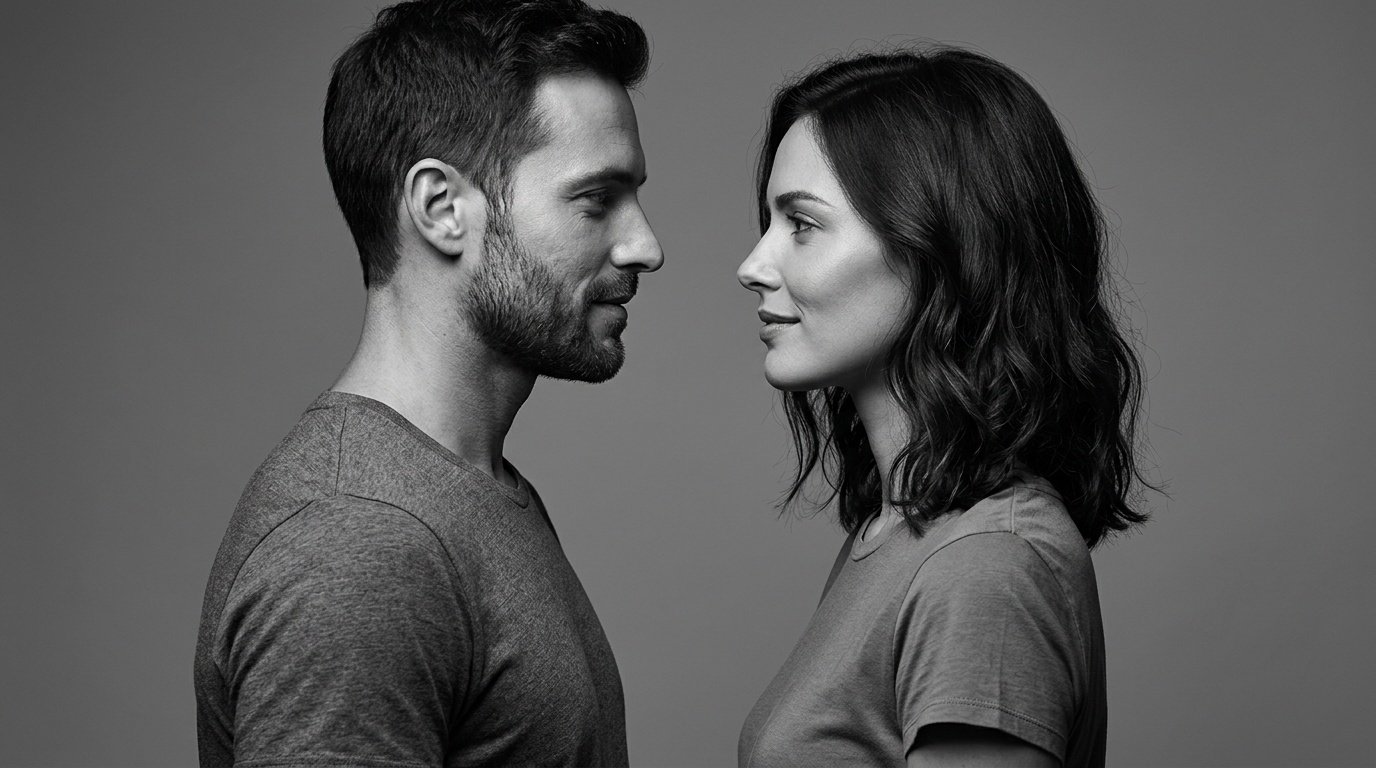
Prompt for: Start Creating Your Own
Structured Image Prompt — Start Creating Your Own
{
  "subject": {
    "pose": {
      "head_position": "profile",
      "body_position": "standing side by side",
      "energy": "intimate and calm"
    }
  },
  "attire": {
    "top": {
      "item": "plain t-shirt",
      "color": "white and black",
      "texture": "cotton",
      "fit": "fitted"
    },
    "bottom": {
      "item": "dark trousers",
      "color": "black",
      "texture": "wool",
      "fit": "tailored"
    }
  },
  "environment": {
    "setting": "studio",
    "background": {
      "type": "plain wall",
      "color": "grey",
      "texture": "smooth",
      "depth": "flat"
    }
  },
  "photography": {
    "style": "high-fashion studio",
    "shot_scale": "close up",
    "lighting": {
      "type": "directional studio light",
      "source": "side",
      "details": "high contrast, deep shadows"
    },
    "camera_gear": {
      "lens": "85mm Prime",
      "aperture": "f/2.8",
      "focus": "sharp focus on profile",
      "iso": "100"
    },
    "post_processing": {
      "look": "black and white",
      "grading": "high contrast"
    }
  },
  "aesthetic_fidelity": {
    "medium": "Digital Photography",
    "vibe": "minimalist and modern",
    "visual_qualities": [
      "extreme clarity",
      "soft shadows",
      "sharp edges"
    ]
  },
  "constraints": {
    "must_keep": [
      "uploaded person's face and identity",
      "natural features from uploaded photo",
      "user's skin tone",
      "user's expression"
    ],
    "avoid": [
      "distorted face",
      "changed identity",
      "over-exposed",
      "cartoon style"
    ]
  },
  "negative_prompt": [
    "painting",
    "drawing",
    "bad hands",
    "blurry",
    "fake looking",
    "low quality",
    "saturated",
    "cartoon"
  ]
}
❓ Frequently Asked Questions About gemini ai prompt for couples
How do I create a better gemini ai prompt for couples?
▼
To create a better gemini ai prompt for couples, focus on being descriptive about the lighting, clothing, and overall mood rather than just general terms. Including specific details helps the model understand exactly the style you want.
Can I use these prompts for editing existing photos?
▼
Yes, you can absolutely use a gemini prompt for couple photo editing to refine existing images by providing specific instructions about desired background or mood changes. Just ensure you clearly tell the tool which elements to keep.
Is it possible to achieve an Indian style with these prompts?
▼
Certainly, you can use a gemini couple photo prompt indian style to get culturally inspired results. Make sure to specify traditional attire and vibrant colors in your prompt for the best outcome.
Do I need technical skills to get good results?
▼
Not at all, as these prompts are designed to be intuitive and conversational. You just need to experiment with descriptions until you find a gemini trend couple prompt that fits your personal vision.
Where can I use these prompts?
▼
You can use these prompts directly in the Gemini app on your phone or through the web interface. Simply copy and paste the prompt along with your photo to start generating.

