
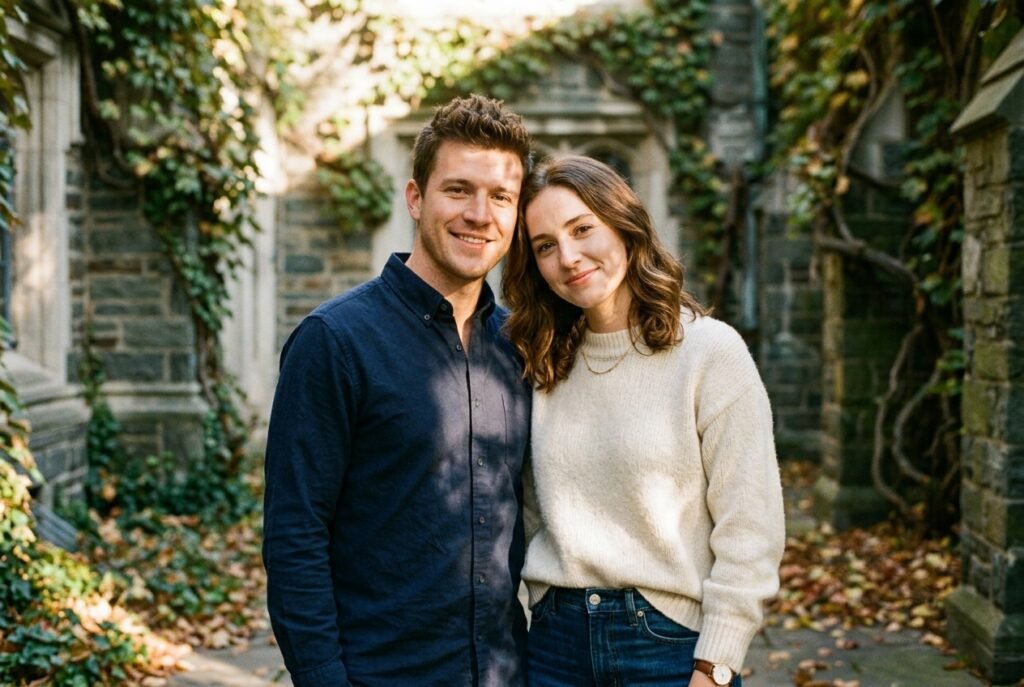
Finding the Right Approach to Couple Photos
I’ve been experimenting with every google.gemini couple prompt I could find, trying to see what actually works without making things look fake. It turns out that clarity matters more than complexity when working with the Gemini Nano Banana model.
I’ve found that the way I describe the lighting and the mood changes everything. Whether you use gemini.google.com or the app on your phone, the key is keeping your descriptions grounded in reality.
Be Specific: Mention the exact light source, like “soft morning sunlight from a window,” rather than just saying “bright light.”
Focus on Texture: Describe the fabrics or the environment, like “grainy film look” or “smooth studio background.”
Watch the Pose: Describe how you are standing relative to the other person, as clear instructions help the model understand the spatial relationship.
Stay Grounded: Avoid overly flowery language, as it often confuses the engine instead of helping it.
Keep it Simple: Just describe what you see in your mind’s eye as if you were talking to a photographer.
Have you tried generating couple images yet, or are you just getting started?
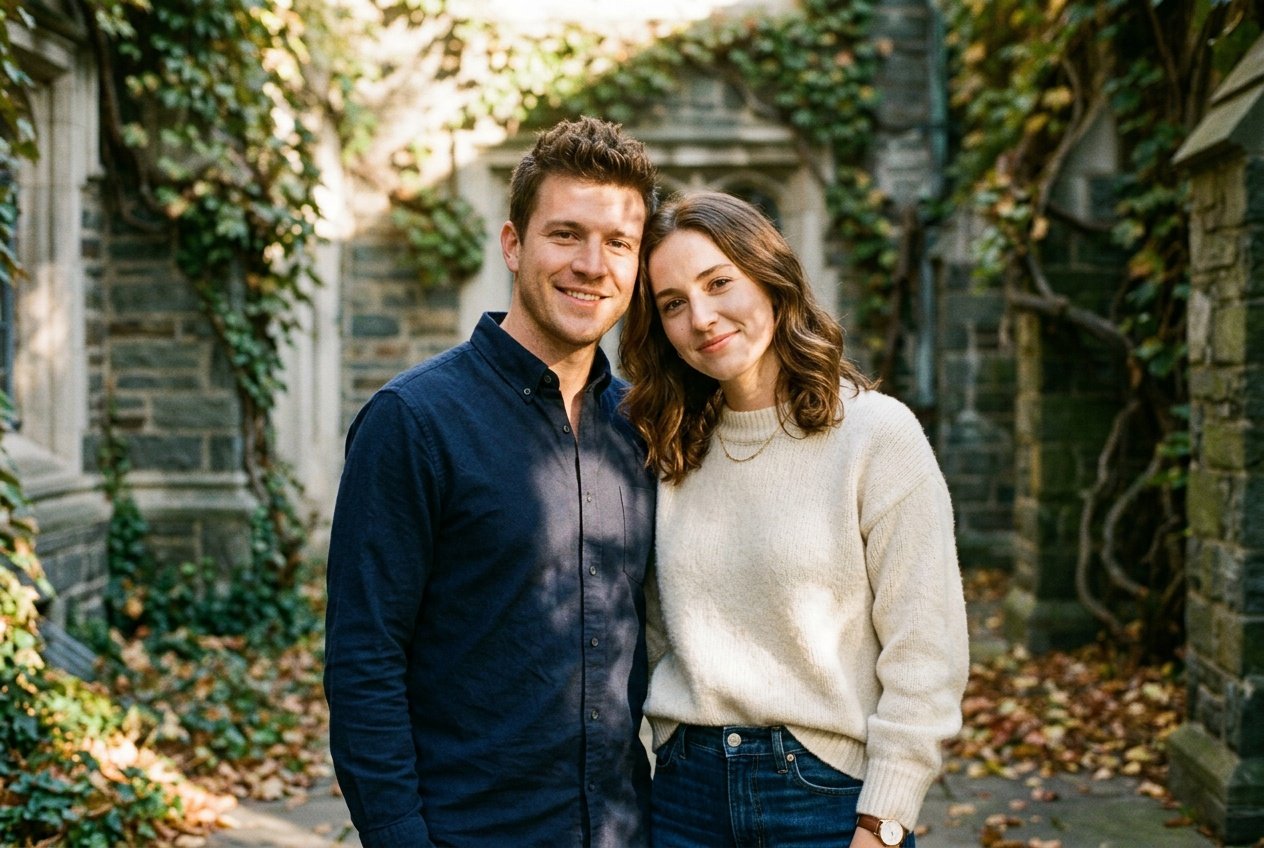
Prompt for: Finding the Right Approach to Couple Photos
Structured Image Prompt — Finding the Right Approach to Couple Photos
{
  "subject": {
    "pose": {
      "head_position": "slight tilt toward center",
      "body_position": "standing shoulder to shoulder",
      "energy": "intimate and calm"
    }
  },
  "attire": {
    "top": {
      "item": "wool sweater",
      "color": "cream",
      "texture": "chunky knit",
      "fit": "relaxed"
    },
    "bottom": {
      "item": "denim jeans",
      "color": "dark blue",
      "texture": "cotton denim"
    },
    "accessories": [
      "gold necklace",
      "watch"
    ]
  },
  "environment": {
    "setting": "ivy-covered stone courtyard",
    "background": {
      "type": "architectural stone",
      "color": "grey and green",
      "texture": "rough stone",
      "depth": "shallow depth of field"
    },
    "props": [
      "scattered autumn leaves on ground",
      "stone wall",
      "ivy vines"
    ]
  },
  "photography": {
    "style": "35mm film photography",
    "shot_scale": "medium shot",
    "lighting": {
      "type": "natural golden hour",
      "source": "low sun",
      "details": "dappled light patterns"
    },
    "camera_gear": {
      "lens": "85mm Prime",
      "aperture": "f/2.0",
      "focus": "sharp focus on faces",
      "iso": "400"
    },
    "post_processing": {
      "look": "vintage film",
      "grading": "warm tones"
    }
  },
  "aesthetic_fidelity": {
    "medium": "Digital Photography",
    "vibe": "nostalgic and warm",
    "visual_qualities": [
      "film grain",
      "soft focus",
      "natural light"
    ]
  },
  "constraints": {
    "must_keep": [
      "uploaded person's face and identity",
      "natural features from uploaded photo",
      "user's skin tone",
      "user's expression"
    ],
    "avoid": [
      "distorted face",
      "changed identity",
      "over-exposed",
      "cartoon style"
    ]
  },
  "negative_prompt": [
    "painting",
    "drawing",
    "bad hands",
    "blurry",
    "fake looking",
    "low quality",
    "saturated",
    "cartoon"
  ]
}
Building Your Visual Concept
Once I got the hang of the basic controls, I started focusing on how to make couple photo on gemini that actually look like they belong in a photo album.
Refining My Process to How to Make Couple Photo on Gemini
Start with Context: I always describe the setting first before I mention the people, because it establishes the vibe immediately.
Define the Light: I make sure to mention if the light is harsh or soft, as this controls the shadow depth on our faces.
Set the Mood: Using words like ‘melancholic’ or ‘joyful’ helps the Nano Banana model understand the emotional tone I want to portray.
Check the Attire: I try to match the clothing descriptions to the actual season or setting I am choosing.
Iterate Often: If the first try isn’t right, I don’t hesitate to tweak one detail, like the time of day, and try again.
Do you usually start with the setting or the pose when you describe your photos?
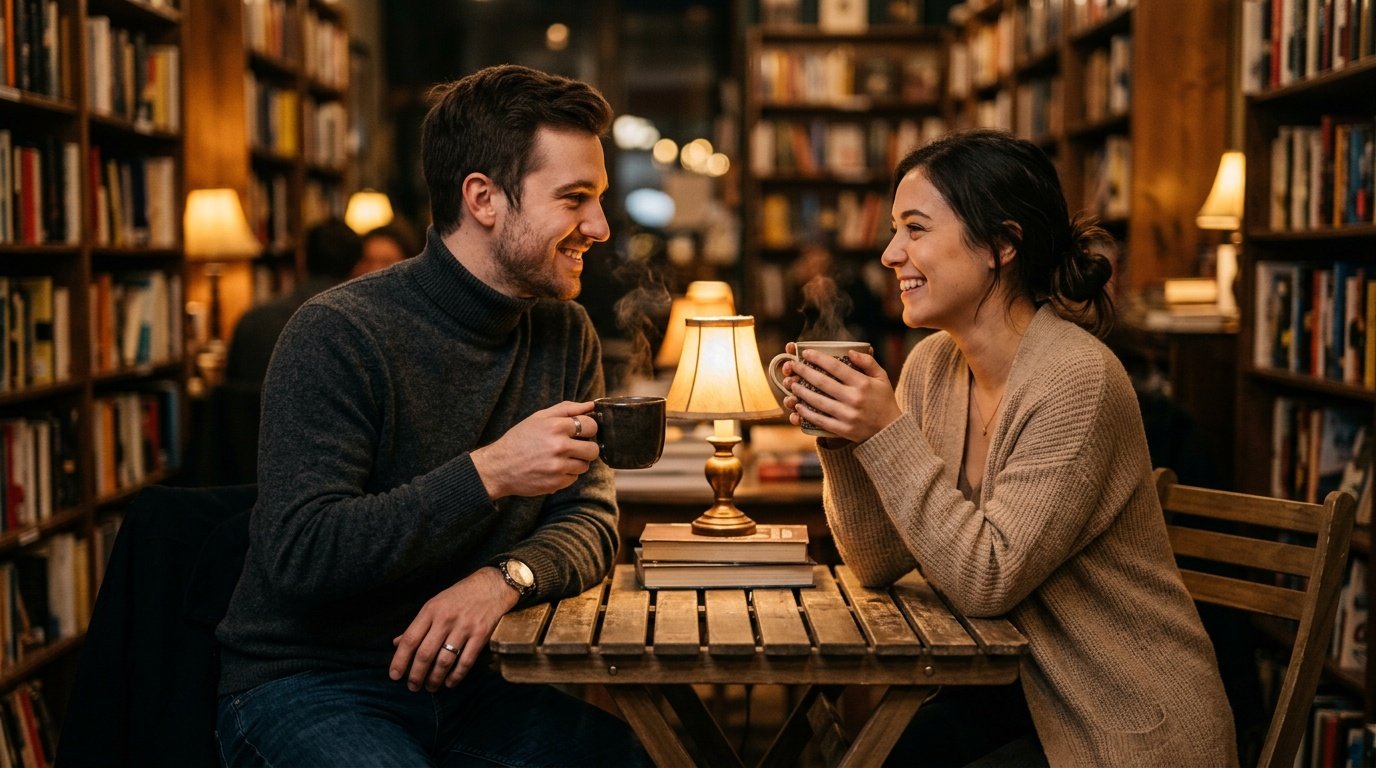
Prompt for: Building Your Visual Concept
Structured Image Prompt — Building Your Visual Concept
{
  "subject": {
    "pose": {
      "head_position": "looking at each other",
      "body_position": "seated at a table",
      "energy": "intimate"
    }
  },
  "attire": {
    "top": {
      "item": "turtleneck sweater",
      "color": "charcoal",
      "texture": "wool",
      "fit": "fitted"
    },
    "bottom": {
      "item": "jeans",
      "color": "dark blue",
      "texture": "denim"
    },
    "accessories": [
      "silver ring",
      "watch"
    ]
  },
  "environment": {
    "setting": "library cafe",
    "background": {
      "type": "bookshelves",
      "color": "warm wood",
      "texture": "paper and wood",
      "depth": "bokeh blur"
    },
    "props": [
      "steaming mugs",
      "wooden table",
      "books"
    ]
  },
  "photography": {
    "style": "editorial portraiture",
    "shot_scale": "medium close-up",
    "lighting": {
      "type": "warm lamp light",
      "source": "table lamp",
      "details": "soft highlights on faces"
    },
    "camera_gear": {
      "lens": "50mm Prime",
      "aperture": "f/1.8",
      "focus": "sharp on eyes",
      "iso": "800"
    },
    "post_processing": {
      "look": "natural",
      "grading": "warm"
    }
  },
  "aesthetic_fidelity": {
    "medium": "Digital Photography",
    "vibe": "cozy",
    "visual_qualities": [
      "bokeh",
      "natural skin tones",
      "sharp details"
    ]
  },
  "constraints": {
    "must_keep": [
      "uploaded person's face and identity",
      "natural features from uploaded photo",
      "user's skin tone",
      "user's expression"
    ],
    "avoid": [
      "distorted face",
      "changed identity",
      "over-exposed",
      "cartoon style"
    ]
  },
  "negative_prompt": [
    "painting",
    "drawing",
    "bad hands",
    "blurry",
    "fake looking",
    "low quality",
    "saturated",
    "cartoon"
  ]
}
Exploring Trends and Distances
I’ve noticed a lot of interest in long distance couple prompts for gemini ai lately, and honestly, the results are quite touching when you set the scene correctly.
Trying the New Gemini Trend Prompt for Couple
Visualizing Distance: I often write about “two split screens” or “separate windows” to represent distance effectively in the prompt.
Matching Environments: To make it look like a shared moment, I might describe the same weather or lighting in both scenes.
Keeping it Realistic: I avoid surreal elements, focusing on things like a video call setup or two different landscapes side-by-side.
Personal Details: Adding small personal items, like a favorite book or mug, makes the result feel authentic.
Iterative Testing: I find that using the Nano Banana model on the web version gives me more room to type out these detailed scenarios.
What’s your take on these trending styles?
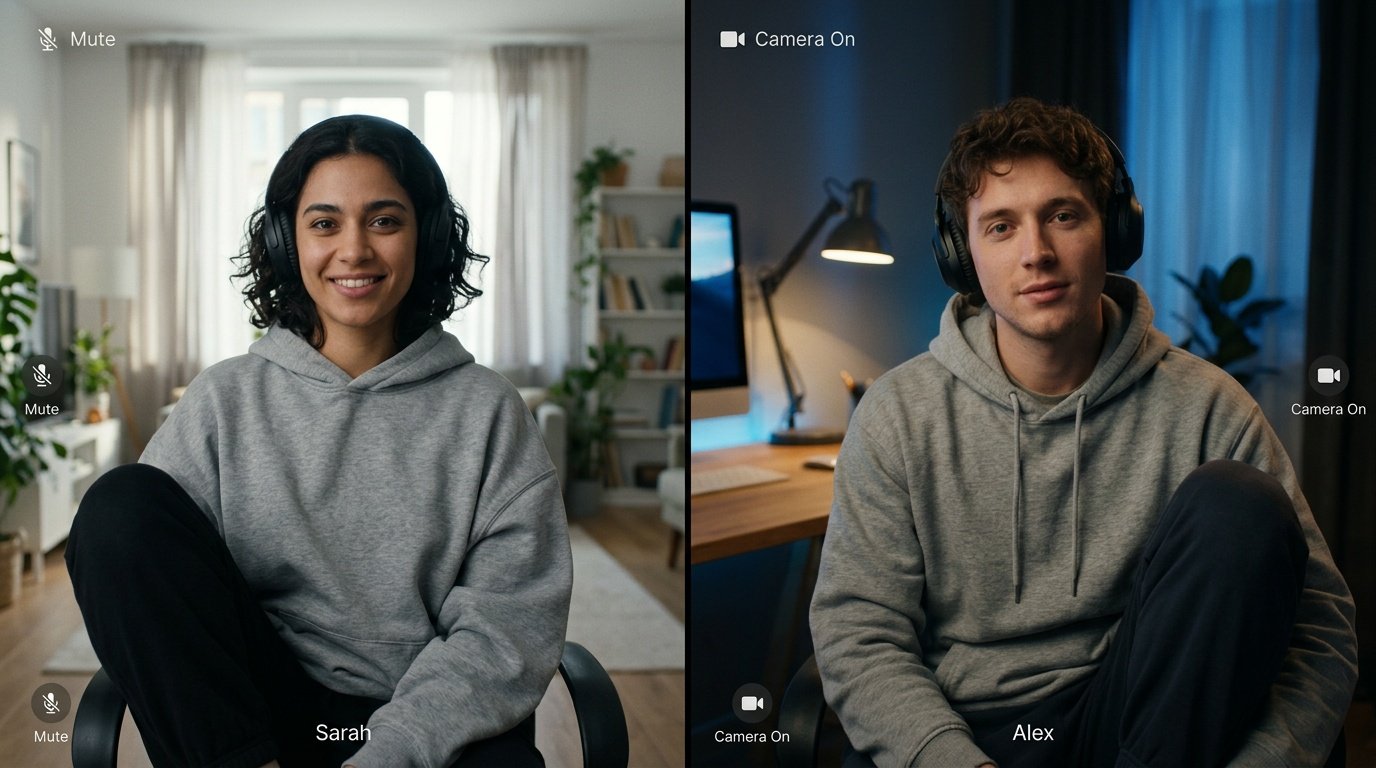
Prompt for: Exploring Trends and Distances
Structured Image Prompt — Exploring Trends and Distances
{
  "subject": {
    "pose": {
      "head_position": "facing forward",
      "body_position": "seated",
      "energy": "connected"
    }
  },
  "attire": {
    "top": {
      "item": "loungewear hoodie",
      "color": "grey",
      "texture": "cotton",
      "fit": "oversized"
    },
    "bottom": {
      "item": "sweatpants",
      "color": "black",
      "texture": "fleece"
    },
    "accessories": [
      "headphones"
    ]
  },
  "environment": {
    "setting": "split-screen video call",
    "background": {
      "type": "home interior",
      "color": "varied",
      "texture": "wall and curtain",
      "depth": "interior depth"
    },
    "props": [
      "webcam frame",
      "screen interface",
      "ambient light"
    ]
  },
  "photography": {
    "style": "cinematic screenshot",
    "shot_scale": "medium shot",
    "lighting": {
      "type": "natural and artificial mix",
      "source": "window and monitor",
      "details": "soft shadows"
    },
    "camera_gear": {
      "lens": "35mm Prime",
      "aperture": "f/2.8",
      "focus": "sharp on faces",
      "iso": "600"
    },
    "post_processing": {
      "look": "digital",
      "grading": "natural"
    }
  },
  "aesthetic_fidelity": {
    "medium": "Digital Photography",
    "vibe": "intimate and modern",
    "visual_qualities": [
      "screen texture",
      "realistic lighting",
      "clear details"
    ]
  },
  "constraints": {
    "must_keep": [
      "uploaded person's face and identity",
      "natural features from uploaded photo",
      "user's skin tone",
      "user's expression"
    ],
    "avoid": [
      "distorted face",
      "changed identity",
      "over-exposed",
      "cartoon style"
    ]
  },
  "negative_prompt": [
    "painting",
    "drawing",
    "bad hands",
    "blurry",
    "fake looking",
    "low quality",
    "saturated",
    "cartoon"
  ]
}
Wedding and Special Moments
One area where I’ve found some really great results is with prompts for gemini couple photo sessions, especially when focusing on formal events.
Preparing Wedding Couple Prompts for Gemini
Focus on Formality: I emphasize the specific textures of wedding attire, like “silk” or “tuxedo fabric,” to get that polished look.
Lighting is Everything: I usually describe “soft, diffused ballroom lighting” to avoid harsh glares that ruin the effect.
Pose Naturally: I describe us holding hands or sharing a laugh rather than a stiff pose.
Set the Background: I mention “blurred guests” or “decorated archway” to add context without distracting from the subjects.
Using Nano Banana: The Gemini Nano Banana model handles these layered details quite well, especially when I keep the prompt focused.
It’s amazing how a google.gemini couple prompt can transform an ordinary afternoon into something that feels like a wedding memory.
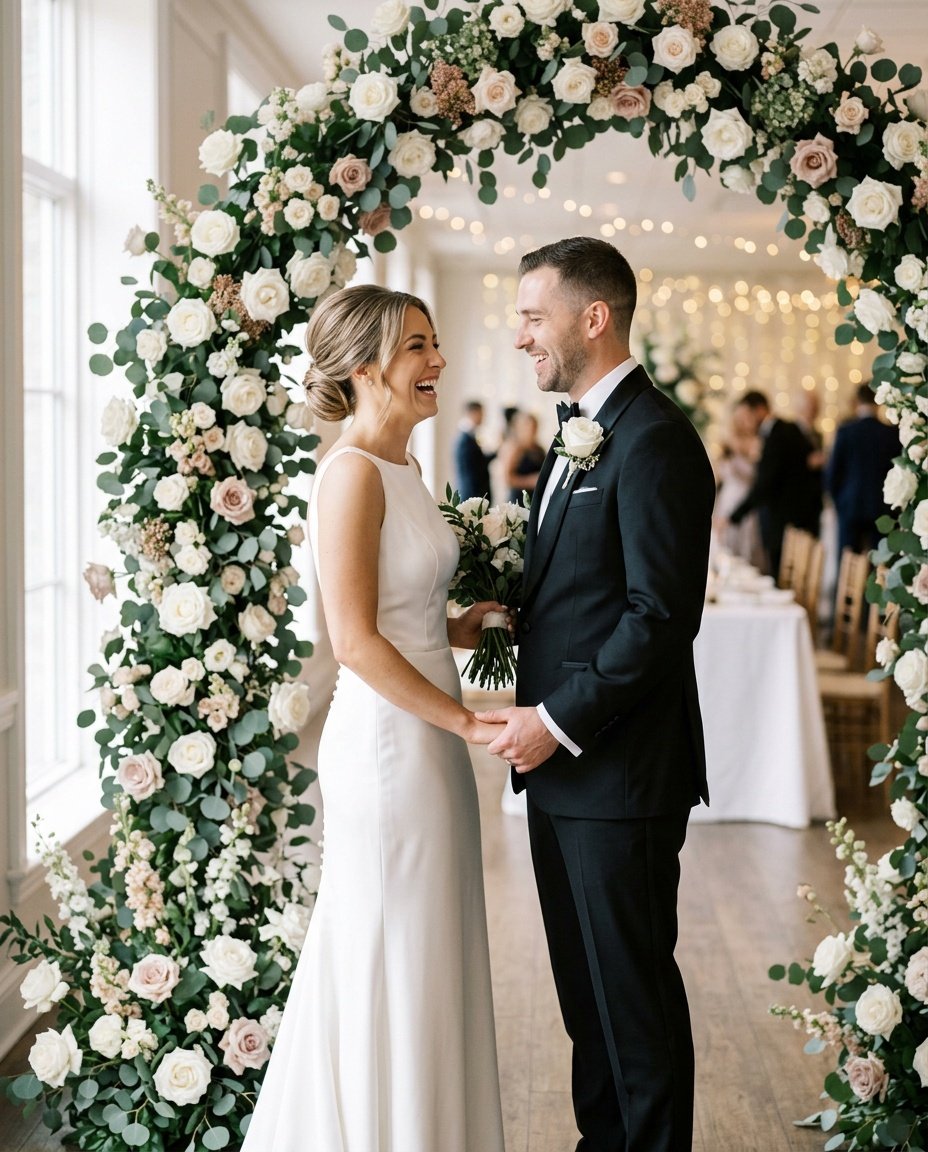
Prompt for: Wedding and Special Moments
Structured Image Prompt — Wedding and Special Moments
{
  "subject": {
    "pose": {
      "head_position": "looking at each other",
      "body_position": "standing",
      "energy": "joyful"
    }
  },
  "attire": {
    "top": {
      "item": "tuxedo jacket",
      "color": "black",
      "texture": "silk blend",
      "fit": "tailored"
    },
    "bottom": {
      "item": "formal trousers",
      "color": "black",
      "texture": "silk blend"
    },
    "accessories": [
      "white rose boutonniere"
    ]
  },
  "environment": {
    "setting": "wedding archway",
    "background": {
      "type": "floral arch",
      "color": "white and green",
      "texture": "flowers",
      "depth": "blurred"
    },
    "props": [
      "white roses",
      "eucalyptus leaves",
      "archway"
    ]
  },
  "photography": {
    "style": "wedding portraiture",
    "shot_scale": "medium full shot",
    "lighting": {
      "type": "diffused window light",
      "source": "side window",
      "details": "soft shadows"
    },
    "camera_gear": {
      "lens": "85mm Prime",
      "aperture": "f/2.0",
      "focus": "sharp on faces",
      "iso": "100"
    },
    "post_processing": {
      "look": "bright and clean",
      "grading": "neutral"
    }
  },
  "aesthetic_fidelity": {
    "medium": "Digital Photography",
    "vibe": "elegant",
    "visual_qualities": [
      "sharp focus",
      "soft lighting",
      "clean edges"
    ]
  },
  "constraints": {
    "must_keep": [
      "uploaded person's face and identity",
      "natural features from uploaded photo",
      "user's skin tone",
      "user's expression"
    ],
    "avoid": [
      "distorted face",
      "changed identity",
      "over-exposed",
      "cartoon style"
    ]
  },
  "negative_prompt": [
    "painting",
    "drawing",
    "bad hands",
    "blurry",
    "fake looking",
    "low quality",
    "saturated",
    "cartoon"
  ]
}
Refining Your Final Images
When I am happy with the generation, the next logical step is learning how to edit couple photo in gemini using follow-up prompts to tweak small details.
I’ve found that using a specific prompt for gemini ai couple wedding photos allows me to add or remove small elements without restarting the entire process. It’s all about communicating clearly with the model after the initial output is generated.
Tweak the Light: I often ask the model to “make the light warmer” if the initial result is too cool.
Adjust the Pose: I can ask to “make us hold hands” if we were standing too far apart initially.
Change the Background: I might suggest “a more blurred city background” if the current one is too busy.
Small Details: I sometimes mention adding a scarf or changing the color of a shirt to get the vibe just right.
Do you prefer to get it right on the first try, or do you enjoy iterating?
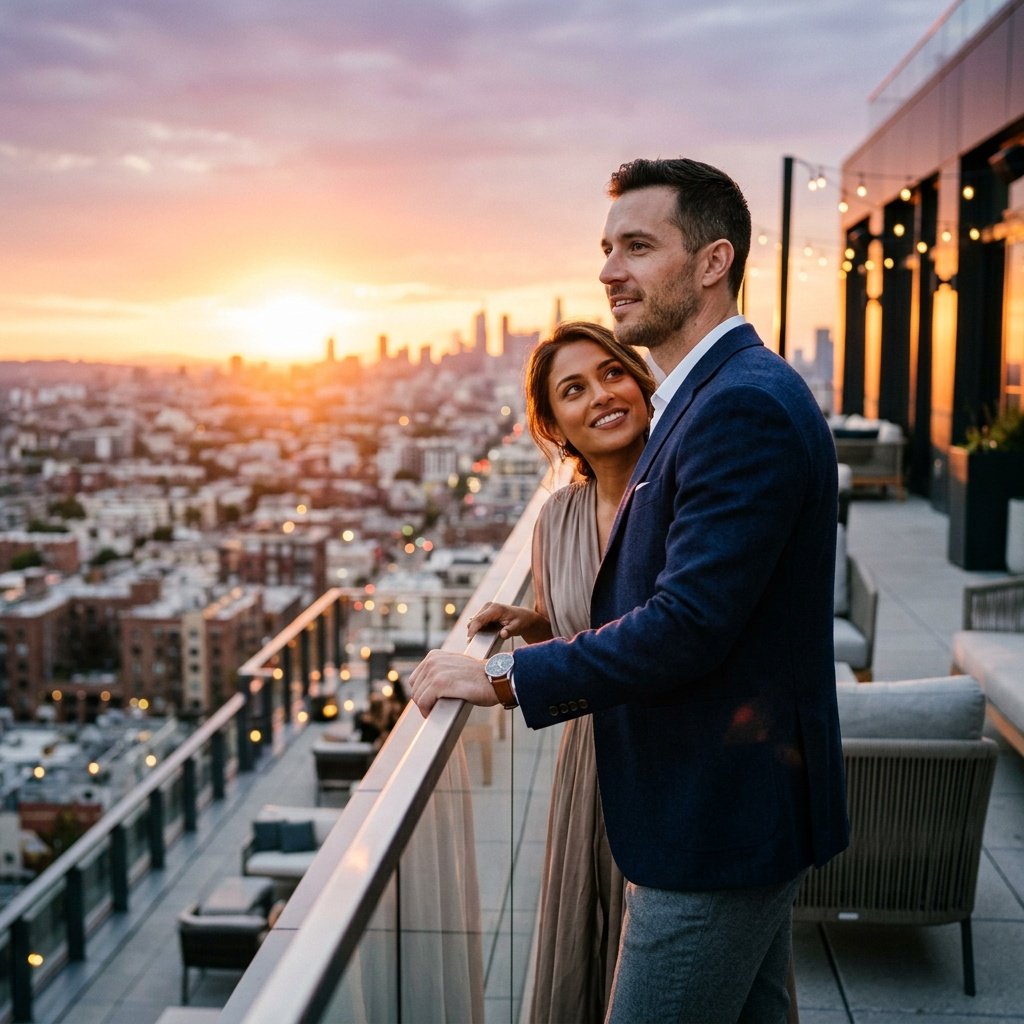
Prompt for: Refining Your Final Images
Structured Image Prompt — Refining Your Final Images
{
  "subject": {
    "pose": {
      "head_position": "looking toward skyline",
      "body_position": "standing",
      "energy": "romantic"
    }
  },
  "attire": {
    "top": {
      "item": "blazer",
      "color": "navy",
      "texture": "wool",
      "fit": "smart-casual"
    },
    "bottom": {
      "item": "trousers",
      "color": "grey",
      "texture": "cotton"
    },
    "accessories": [
      "leather watch"
    ]
  },
  "environment": {
    "setting": "rooftop lounge",
    "background": {
      "type": "city skyline",
      "color": "warm sunset colors",
      "texture": "lights and buildings",
      "depth": "blurred"
    },
    "props": [
      "rooftop railing",
      "distant buildings",
      "sunset glow"
    ]
  },
  "photography": {
    "style": "fashion editorial",
    "shot_scale": "medium shot",
    "lighting": {
      "type": "sunset golden hour",
      "source": "low sun",
      "details": "warm orange and pink highlights"
    },
    "camera_gear": {
      "lens": "35mm Prime",
      "aperture": "f/2.0",
      "focus": "sharp on subjects",
      "iso": "200"
    },
    "post_processing": {
      "look": "cinematic",
      "grading": "warm"
    }
  },
  "aesthetic_fidelity": {
    "medium": "Digital Photography",
    "vibe": "romantic",
    "visual_qualities": [
      "bokeh city lights",
      "golden glow",
      "sharp subjects"
    ]
  },
  "constraints": {
    "must_keep": [
      "uploaded person's face and identity",
      "natural features from uploaded photo",
      "user's skin tone",
      "user's expression"
    ],
    "avoid": [
      "distorted face",
      "changed identity",
      "over-exposed",
      "cartoon style"
    ]
  },
  "negative_prompt": [
    "painting",
    "drawing",
    "bad hands",
    "blurry",
    "fake looking",
    "low quality",
    "saturated",
    "cartoon"
  ]
}
Final Thoughts
Mastering the google.gemini couple prompt really comes down to practice and keeping your descriptions honest to what you want to see.
I’ve found that the more I work with Nano Banana, the better I get at anticipating how it handles different types of lighting and settings. Don’t be afraid to experiment with different phrasings and see what works best for your specific style.
If you’re ready to try it, just open the Gemini app on your phone, upload your favorite couple photo, and paste one of these prompts to see the transformation. It’s a fun way to bring new life to your memories without needing professional editing skills. Which style are you going to test out first?
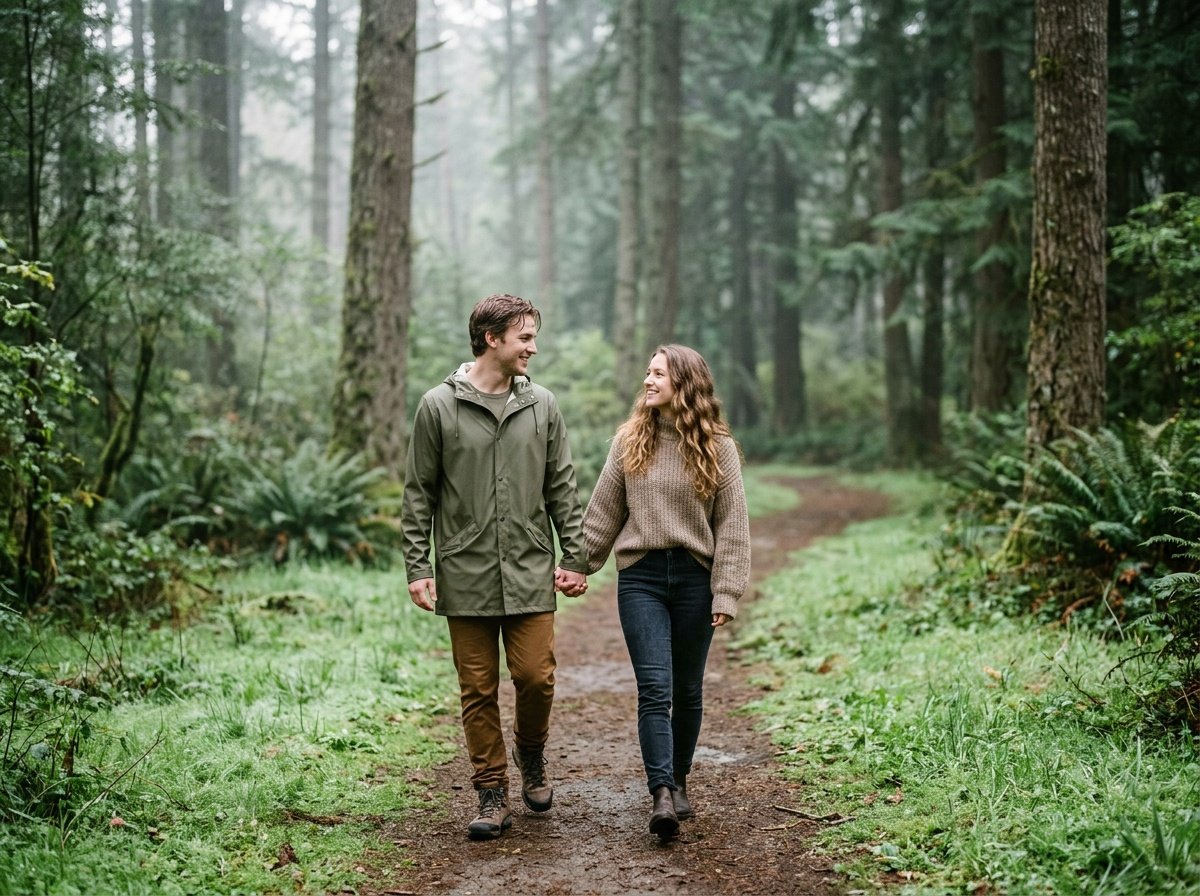
Prompt for: Final Thoughts
Structured Image Prompt — Final Thoughts
{
  "subject": {
    "pose": {
      "head_position": "turned toward partner",
      "body_position": "walking",
      "energy": "peaceful"
    }
  },
  "attire": {
    "top": {
      "item": "raincoat",
      "color": "olive",
      "texture": "water-resistant",
      "fit": "casual"
    },
    "bottom": {
      "item": "trousers",
      "color": "brown",
      "texture": "cotton"
    },
    "accessories": [
      "boots"
    ]
  },
  "environment": {
    "setting": "forest park",
    "background": {
      "type": "nature",
      "color": "green",
      "texture": "trees and leaves",
      "depth": "deep"
    },
    "props": [
      "dewy grass",
      "mist",
      "trees"
    ]
  },
  "photography": {
    "style": "nature photography",
    "shot_scale": "full body",
    "lighting": {
      "type": "diffused morning light",
      "source": "sunlight through trees",
      "details": "cool tones"
    },
    "camera_gear": {
      "lens": "50mm Prime",
      "aperture": "f/2.8",
      "focus": "sharp on subjects",
      "iso": "200"
    },
    "post_processing": {
      "look": "natural",
      "grading": "cool"
    }
  },
  "aesthetic_fidelity": {
    "medium": "Digital Photography",
    "vibe": "calm",
    "visual_qualities": [
      "natural colors",
      "misty texture",
      "clear details"
    ]
  },
  "constraints": {
    "must_keep": [
      "uploaded person's face and identity",
      "natural features from uploaded photo",
      "user's skin tone",
      "user's expression"
    ],
    "avoid": [
      "distorted face",
      "changed identity",
      "over-exposed",
      "cartoon style"
    ]
  },
  "negative_prompt": [
    "painting",
    "drawing",
    "bad hands",
    "blurry",
    "fake looking",
    "low quality",
    "saturated",
    "cartoon"
  ]
}
❓ Frequently Asked Questions About google.gemini couple prompt
How do I get the best results with a google.gemini couple prompt?
▼
To get the best results with a google.gemini couple prompt, be as descriptive as possible regarding the setting, lighting, and mood. Clearly defining your environment and the vibe helps the Nano Banana model understand exactly what you want.
Is it difficult to learn how to make couple photo on gemini?
▼
It isn’t difficult at all to learn how to make couple photo on gemini if you stick to simple, clear language. Just describe the scene as if you were giving instructions to a photographer, and the model will handle the rest.
Can I use long distance couple prompts for gemini ai to edit existing photos?
▼
Yes, you can certainly use long distance couple prompts for gemini ai to reimagine existing photos. Just upload your photo to the Gemini app and provide a detailed prompt describing the new environment or style you want.
What is the best way to use wedding couple prompts for gemini?
▼
The best way to use wedding couple prompts for gemini is to specify the level of formality and the specific lighting you want for the scene. Describing the textures of the clothing and the mood of the venue helps produce much more realistic results.
How do I edit couple photo in gemini if the first result isn’t perfect?
▼
If the first result isn’t perfect, you can simply reply to the chat with a follow-up instruction. Mentioning how to edit couple photo in gemini is straightforward—just ask the model to adjust specific elements like lighting, colors, or small background details.

