

Getting Started with Image Generation
I have been testing image generation for months, and I finally found a rhythm using a gemini ai prompt girl to get the results I actually wanted. If you have been frustrated by generic outputs, you are not alone; it took me a while to learn how to guide the tool correctly.
When I first started using the Gemini Nano Banana model, I noticed that the way you phrase your request changes everything. It is less about being technical and more about describing the mood and lighting I want to see.

Prompt for: Getting Started with Image Generation
Structured Image Prompt — Getting Started with Image Generation
{
  "subject": {
    "pose": {
      "head_position": "softly angled away",
      "body_position": "sitting relaxed",
      "energy": "contemplative"
    }
  },
  "attire": {
    "top": {
      "item": "cream wool sweater",
      "color": "cream",
      "texture": "fuzzy wool",
      "fit": "relaxed"
    },
    "bottom": {
      "item": "jeans",
      "color": "blue",
      "texture": "denim"
    },
    "accessories": [
      "book",
      "gold ring"
    ]
  },
  "environment": {
    "setting": "library interior",
    "background": {
      "type": "blurred bookshelves",
      "color": "dark wood",
      "texture": "bookshelf",
      "depth": "shallow"
    },
    "props": [
      "open book in hands",
      "window frame",
      "books"
    ]
  },
  "photography": {
    "style": "portrait photography",
    "shot_scale": "medium shot",
    "lighting": {
      "type": "golden hour",
      "source": "window",
      "details": "soft highlights on hair"
    },
    "camera_gear": {
      "lens": "85mm Prime",
      "aperture": "f/2.0",
      "focus": "sharp focus on face",
      "iso": "100"
    },
    "post_processing": {
      "look": "warm grade",
      "grading": "cinematic"
    }
  },
  "aesthetic_fidelity": {
    "medium": "Digital Photography",
    "vibe": "intellectual and cozy",
    "visual_qualities": [
      "shallow depth of field",
      "warm tones",
      "soft lighting"
    ]
  },
  "constraints": {
    "must_keep": [
      "uploaded person's face and identity",
      "natural features from uploaded photo",
      "user's skin tone",
      "user's expression"
    ],
    "avoid": [
      "distorted face",
      "changed identity",
      "over-exposed",
      "cartoon style"
    ]
  },
  "negative_prompt": [
    "painting",
    "drawing",
    "bad hands",
    "blurry",
    "fake looking",
    "low quality",
    "saturated",
    "cartoon"
  ]
}
My Go-To Gemini AI Prompt Girl Strategy
One thing I’ve noticed is that providing context for the scene matters more than just listing objects. I try to describe the setting first to ground the output.
Refining Your Girls Gemini AI Prompt
Start With Context: I’ve found that using a girls gemini ai prompt works best when I describe the setting first, like ‘in a sunny cafe’ or ‘walking on a rainy street.’
Mention the Mood: I describe the feeling I want, such as ‘thoughtful,’ ‘energetic,’ or ‘calm.’
Specify the Lighting: Instead of ‘good light,’ I write ‘soft, diffused morning light from the left.’
Add Clothing Details: I describe the fabric and color, like ‘a textured beige trench coat.’
Mix in Variety: I use a gemini ai photo prompt for girls that includes different environments to see what fits my mood best.
Which setting would you try first?
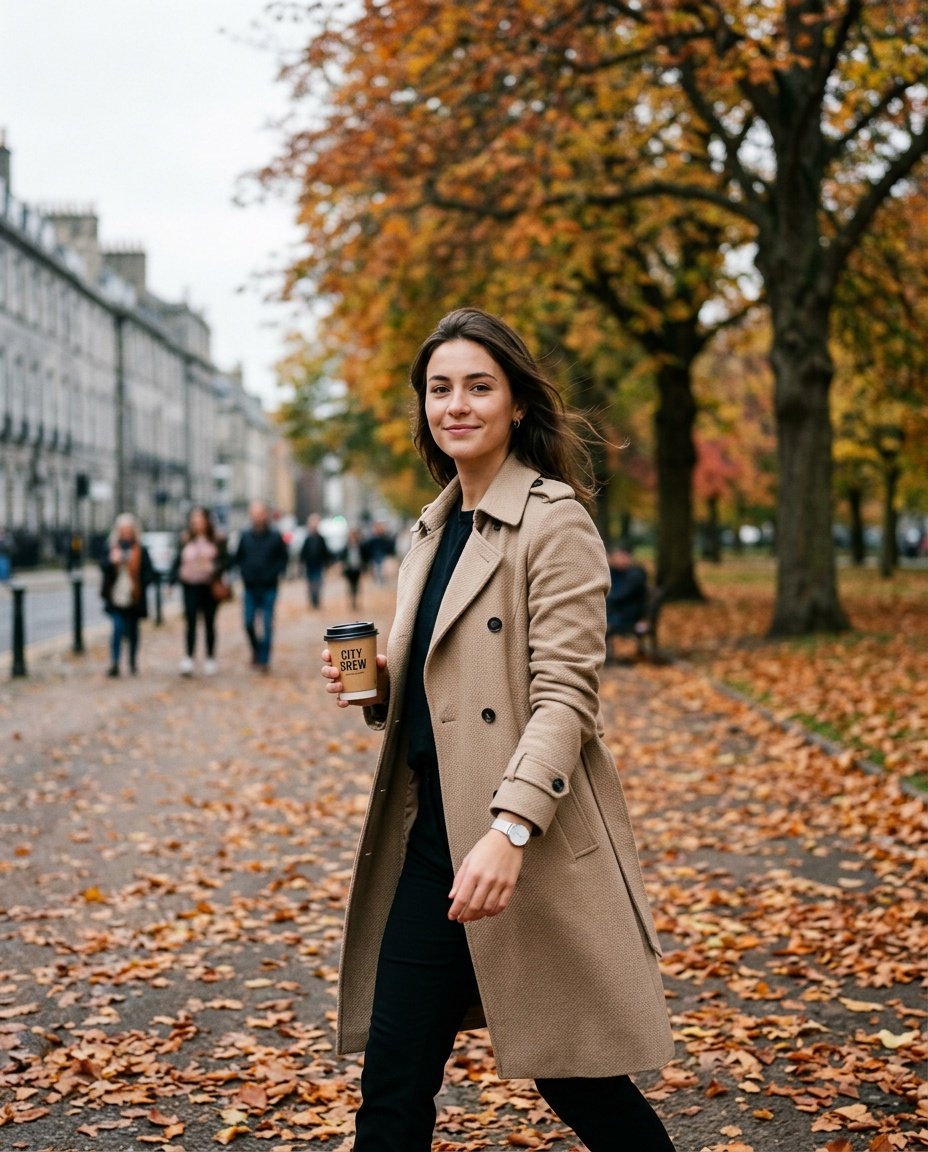
Prompt for: My Go-To Gemini AI Prompt Girl Strategy
Structured Image Prompt — My Go-To Gemini AI Prompt Girl Strategy
{
  "subject": {
    "pose": {
      "head_position": "looking toward camera",
      "body_position": "walking",
      "energy": "natural"
    }
  },
  "attire": {
    "top": {
      "item": "trench coat",
      "color": "beige",
      "texture": "textured fabric",
      "fit": "structured"
    },
    "bottom": {
      "item": "trousers",
      "color": "black",
      "texture": "cotton"
    },
    "accessories": [
      "coffee cup",
      "watch"
    ]
  },
  "environment": {
    "setting": "city park",
    "background": {
      "type": "blurred city sidewalk",
      "color": "grey and orange",
      "texture": "urban",
      "depth": "moderate"
    },
    "props": [
      "coffee cup in hand",
      "fallen leaves",
      "park tree"
    ]
  },
  "photography": {
    "style": "street photography",
    "shot_scale": "full body",
    "lighting": {
      "type": "overcast",
      "source": "natural ambient",
      "details": "even shadows"
    },
    "camera_gear": {
      "lens": "35mm Prime",
      "aperture": "f/1.8",
      "focus": "sharp focus on person",
      "iso": "200"
    },
    "post_processing": {
      "look": "natural grade",
      "grading": "neutral"
    }
  },
  "aesthetic_fidelity": {
    "medium": "Digital Photography",
    "vibe": "candid",
    "visual_qualities": [
      "sharp",
      "realistic",
      "detailed"
    ]
  },
  "constraints": {
    "must_keep": [
      "uploaded person's face and identity",
      "natural features from uploaded photo",
      "user's skin tone",
      "user's expression"
    ],
    "avoid": [
      "distorted face",
      "changed identity",
      "over-exposed",
      "cartoon style"
    ]
  },
  "negative_prompt": [
    "painting",
    "drawing",
    "bad hands",
    "blurry",
    "fake looking",
    "low quality",
    "saturated",
    "cartoon"
  ]
}
Creating Specific Looks with Gemini
It is fun to see how well these tools handle specific requests. I have found that being very precise about the environment usually yields the best results.
The Versatile Gemini AI Girlfriend Prompt
Define the Vibe: When I use a gemini ai girlfriend prompt, I find that describing a cozy, intimate environment works better than a generic one.
Keep it Real: I always include details about natural textures, as it makes the final result look more authentic and less like a computer generated image.
Use Clear Descriptions: I learned that a good google gemini prompt for girls focuses on simple, relatable settings like a kitchen or a garden.
Layer Details: I build the scene in my head before I write the prompt, starting from what I am wearing and ending with the lighting.
Be Patient: Sometimes it takes two or three tries to get the lighting exactly right.
Have you experimented with these settings yet?
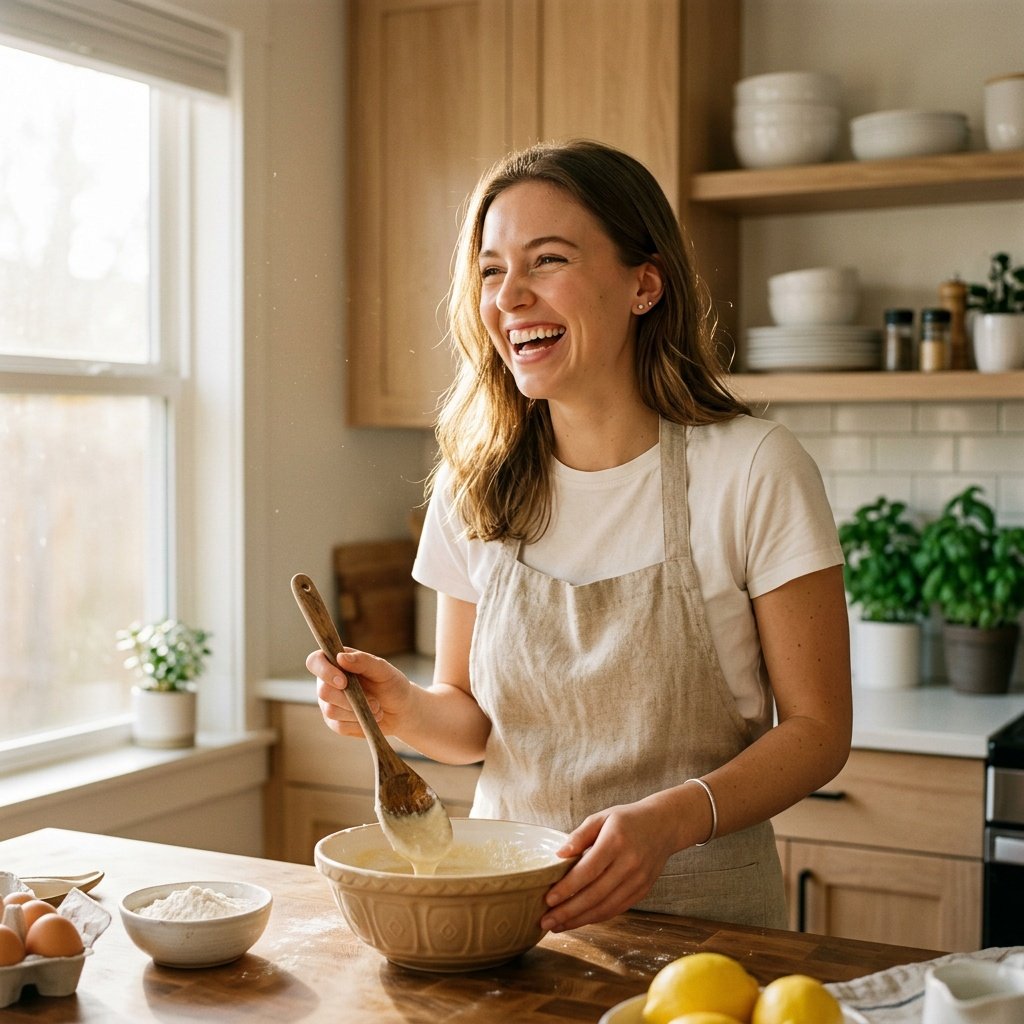
Prompt for: Creating Specific Looks with Gemini
Structured Image Prompt — Creating Specific Looks with Gemini
{
  "subject": {
    "pose": {
      "head_position": "tilted laughing",
      "body_position": "standing",
      "energy": "joyful"
    }
  },
  "attire": {
    "top": {
      "item": "linen apron over white t-shirt",
      "color": "natural linen/white",
      "texture": "linen",
      "fit": "casual"
    },
    "bottom": {
      "item": "leggings",
      "color": "black",
      "texture": "stretchy"
    },
    "accessories": [
      "wooden spoon"
    ]
  },
  "environment": {
    "setting": "kitchen",
    "background": {
      "type": "modern kitchen",
      "color": "light wood",
      "texture": "wood grain",
      "depth": "bright"
    },
    "props": [
      "mixing bowl on counter",
      "wooden spoon",
      "fresh ingredients"
    ]
  },
  "photography": {
    "style": "lifestyle photography",
    "shot_scale": "medium close-up",
    "lighting": {
      "type": "warm sunlight",
      "source": "window",
      "details": "hazy, bright glow"
    },
    "camera_gear": {
      "lens": "50mm Prime",
      "aperture": "f/1.4",
      "focus": "sharp focus on face",
      "iso": "400"
    },
    "post_processing": {
      "look": "warm grade",
      "grading": "homey"
    }
  },
  "aesthetic_fidelity": {
    "medium": "Digital Photography",
    "vibe": "warm and candid",
    "visual_qualities": [
      "bright",
      "realistic",
      "soft"
    ]
  },
  "constraints": {
    "must_keep": [
      "uploaded person's face and identity",
      "natural features from uploaded photo",
      "user's skin tone",
      "user's expression"
    ],
    "avoid": [
      "distorted face",
      "changed identity",
      "over-exposed",
      "cartoon style"
    ]
  },
  "negative_prompt": [
    "painting",
    "drawing",
    "bad hands",
    "blurry",
    "fake looking",
    "low quality",
    "saturated",
    "cartoon"
  ]
}
Working with Soft, Cozy Themes
I found that when I write a gemini ai prompt girl, focusing on the specific camera angle creates a more authentic vibe. It’s a small tweak, but it really changes how the final result lands.
Creating a Baby Girl Prompt for Gemini AI
Soft Focus: When I design a baby girl prompt for gemini ai, I prioritize soft, pastel colors to keep the scene gentle.
Comfort First: The best gemini prompt for baby girl results come when I emphasize the feeling of warmth and security.
Lighting Matters: I always ask for diffused, natural light that doesn’t create harsh shadows.
Keep it Simple: I avoid adding too many props so the focus stays on the subject.
Be Descriptive: I use words like ‘fluffy blanket,’ ‘soft knit,’ and ‘warm sunlight.’
Which of these details have you tested yet?
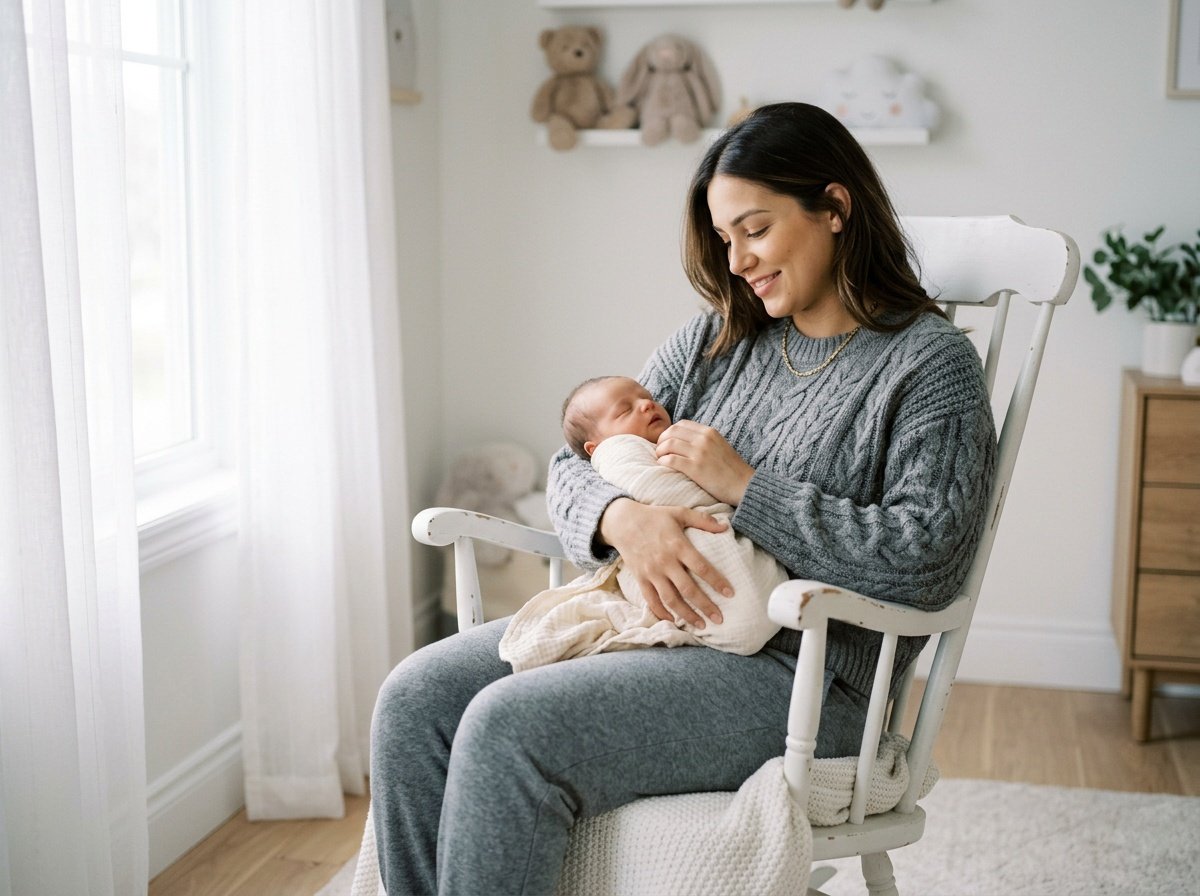
Prompt for: Working with Soft, Cozy Themes
Structured Image Prompt — Working with Soft, Cozy Themes
{
  "subject": {
    "pose": {
      "head_position": "looking down at baby",
      "body_position": "sitting in rocking chair",
      "energy": "calm and loving"
    }
  },
  "attire": {
    "top": {
      "item": "chunky knit sweater",
      "color": "grey",
      "texture": "knit",
      "fit": "cozy"
    },
    "bottom": {
      "item": "joggers",
      "color": "grey",
      "texture": "cotton"
    }
  },
  "environment": {
    "setting": "nursery",
    "background": {
      "type": "minimal wall",
      "color": "white",
      "texture": "clean",
      "depth": "soft"
    },
    "props": [
      "white rocking chair",
      "sheer curtains",
      "plush toy"
    ]
  },
  "photography": {
    "style": "portrait photography",
    "shot_scale": "medium shot",
    "lighting": {
      "type": "soft diffused",
      "source": "window",
      "details": "no harsh shadows"
    },
    "camera_gear": {
      "lens": "35mm Prime",
      "aperture": "f/2.0",
      "focus": "sharp focus on face",
      "iso": "200"
    },
    "post_processing": {
      "look": "dreamy grade",
      "grading": "soft"
    }
  },
  "aesthetic_fidelity": {
    "medium": "Digital Photography",
    "vibe": "dreamy and peaceful",
    "visual_qualities": [
      "soft focus",
      "bright",
      "gentle"
    ]
  },
  "constraints": {
    "must_keep": [
      "uploaded person's face and identity",
      "natural features from uploaded photo",
      "user's skin tone",
      "user's expression"
    ],
    "avoid": [
      "distorted face",
      "changed identity",
      "over-exposed",
      "cartoon style"
    ]
  },
  "negative_prompt": [
    "painting",
    "drawing",
    "bad hands",
    "blurry",
    "fake looking",
    "low quality",
    "saturated",
    "cartoon"
  ]
}
Trying Out New Photo Themes
I recently spent an afternoon playing with a gemini prompt for baby girl photoshoot and it was surprisingly fun. I just described the soft sunlight coming through a nursery window, and the results were beautiful.
Go for Natural: I found that the best results come from simple, honest settings.
Don’t Overcomplicate: If I keep my instruction simple, I get more realistic outcomes.
Try Variations: I often change one thing, like the time of day, to see how the Nano Banana model changes the lighting.
Check the Details: I always review the final image to see if the background matches the mood I wanted.
Do you like to plan your scenes or see what happens naturally?
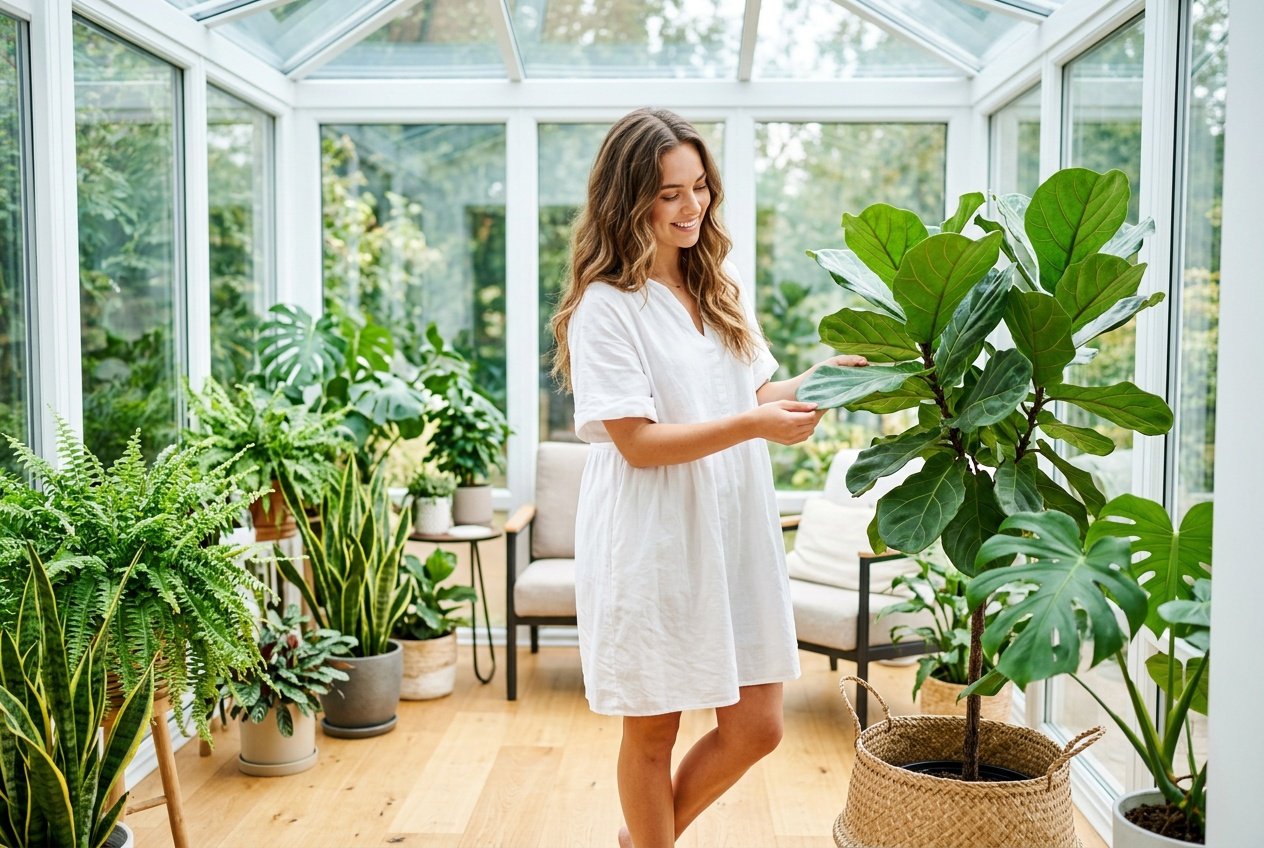
Prompt for: Trying Out New Photo Themes
Structured Image Prompt — Trying Out New Photo Themes
{
  "subject": {
    "pose": {
      "head_position": "looking at plant",
      "body_position": "standing",
      "energy": "vibrant"
    }
  },
  "attire": {
    "top": {
      "item": "cotton dress",
      "color": "white",
      "texture": "cotton",
      "fit": "relaxed"
    }
  },
  "environment": {
    "setting": "sunroom",
    "background": {
      "type": "glass walls",
      "color": "bright",
      "texture": "lush plants",
      "depth": "deep"
    },
    "props": [
      "fiddle leaf fig plant",
      "woven basket",
      "glass walls"
    ]
  },
  "photography": {
    "style": "editorial",
    "shot_scale": "medium full body",
    "lighting": {
      "type": "bright natural",
      "source": "sunlight",
      "details": "high key"
    },
    "camera_gear": {
      "lens": "35mm Prime",
      "aperture": "f/2.8",
      "focus": "sharp focus on person",
      "iso": "100"
    },
    "post_processing": {
      "look": "vibrant grade",
      "grading": "clean"
    }
  },
  "aesthetic_fidelity": {
    "medium": "Digital Photography",
    "vibe": "vibrant and fresh",
    "visual_qualities": [
      "crisp",
      "high key",
      "detailed"
    ]
  },
  "constraints": {
    "must_keep": [
      "uploaded person's face and identity",
      "natural features from uploaded photo",
      "user's skin tone",
      "user's expression"
    ],
    "avoid": [
      "distorted face",
      "changed identity",
      "over-exposed",
      "cartoon style"
    ]
  },
  "negative_prompt": [
    "painting",
    "drawing",
    "bad hands",
    "blurry",
    "fake looking",
    "low quality",
    "saturated",
    "cartoon"
  ]
}
Final Thoughts on Image Generation
Ultimately, finding your own rhythm with a gemini ai prompt girl is a journey of trial and error. I have had so much fun seeing how different descriptions change the output, and I’m sure you will too.
Just head over to the Gemini app on your phone, paste your description, and let Nano Banana handle the creative heavy lifting for your next project. It really is that easy to get started today.
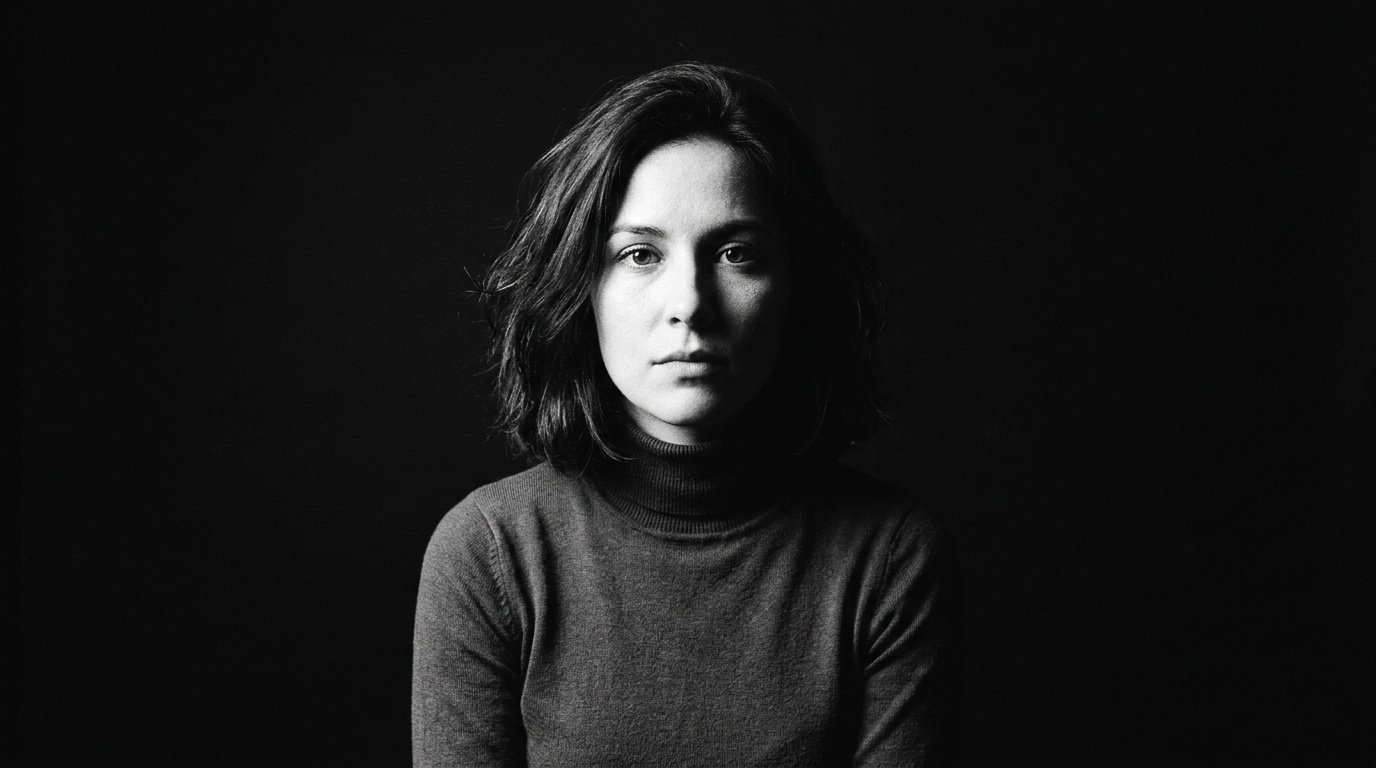
Prompt for: Final Thoughts on Image Generation
Structured Image Prompt — Final Thoughts on Image Generation
{
  "subject": {
    "pose": {
      "head_position": "facing forward",
      "body_position": "sitting",
      "energy": "serious"
    }
  },
  "attire": {
    "top": {
      "item": "turtleneck",
      "color": "black",
      "texture": "knit",
      "fit": "fitted"
    }
  },
  "environment": {
    "setting": "dark studio",
    "background": {
      "type": "solid black",
      "color": "black"
    }
  },
  "photography": {
    "style": "film portrait",
    "shot_scale": "medium close-up",
    "lighting": {
      "type": "dramatic side lighting",
      "source": "single lamp",
      "details": "high contrast shadows"
    },
    "camera_gear": {
      "lens": "85mm Prime",
      "aperture": "f/2.8",
      "focus": "sharp focus on face",
      "iso": "400"
    },
    "post_processing": {
      "look": "black and white",
      "grading": "film grain"
    }
  },
  "aesthetic_fidelity": {
    "medium": "Digital Photography",
    "vibe": "vintage and dramatic",
    "visual_qualities": [
      "grainy",
      "high contrast",
      "dramatic"
    ]
  },
  "constraints": {
    "must_keep": [
      "uploaded person's face and identity",
      "natural features from uploaded photo",
      "user's skin tone",
      "user's expression"
    ],
    "avoid": [
      "distorted face",
      "changed identity",
      "over-exposed",
      "cartoon style"
    ]
  },
  "negative_prompt": [
    "painting",
    "drawing",
    "bad hands",
    "blurry",
    "fake looking",
    "low quality",
    "saturated",
    "cartoon"
  ]
}
❓ Frequently Asked Questions About gemini ai prompt girl
How do I write a better gemini ai prompt girl?
▼
To improve your results with a gemini ai prompt girl, focus on being descriptive about lighting, setting, and mood rather than just describing the subject.
Can I use a gemini ai photo prompt for girls on my phone?
▼
Yes, you can use any gemini ai photo prompt for girls through the Gemini app on Android or iOS, or by visiting gemini.google.com in your mobile browser.
Is it easy to use a gemini ai girlfriend prompt?
▼
Using a gemini ai girlfriend prompt is straightforward; simply provide context like the environment and atmosphere to get a more authentic result.
How do I create a baby girl prompt for gemini ai?
▼
When creating a baby girl prompt for gemini ai, describe the warmth, soft lighting, and gentle environment you want the model to depict.
Are there specific tips for a gemini prompt for baby girl?
▼
A good gemini prompt for baby girl focuses on soft colors and natural light to ensure the final output feels professional and sweet.

