
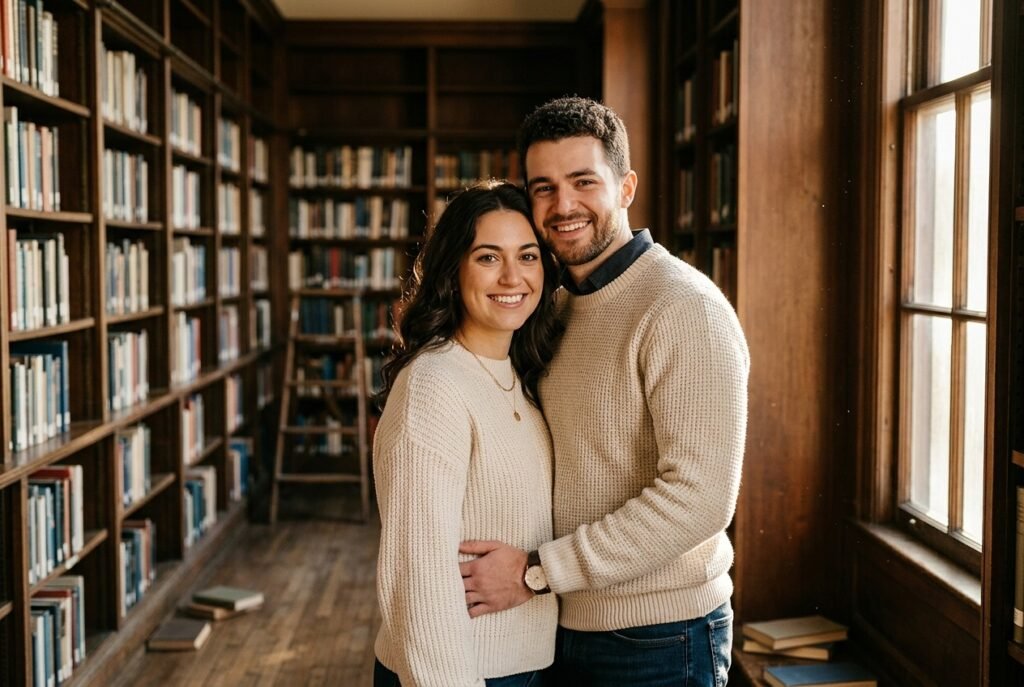
My experience with couple photo generators
I’ve been experimenting with a gemini couple ai photo prompt to see how it handles human interaction. When I use the Gemini Nano Banana model, the results are way more realistic than what I expected, as long as I keep the instructions clear.
Searching for the right gemini prompt for couple photos often leads to too much technical noise. I’ve found that focusing on specific lighting and physical proximity works better than writing a complex essay for the model.
Be Specific: Instead of asking for a “couple in love,” I ask for “two people standing close, shoulders touching, looking at each other.” It makes a massive difference in the output quality.
Keep it Simple: The shorter the instruction, the less the model gets confused about who is who.
Test Different Angles: I always run the same instruction two or three times to see how the framing changes.
Focus on Texture: Mentioning fabric like wool or linen helps the model render clothes accurately.
Check the Hands: Sometimes hands get tricky, so I specify “hands resting naturally at their sides” to help out.
Which look are you trying to generate first?
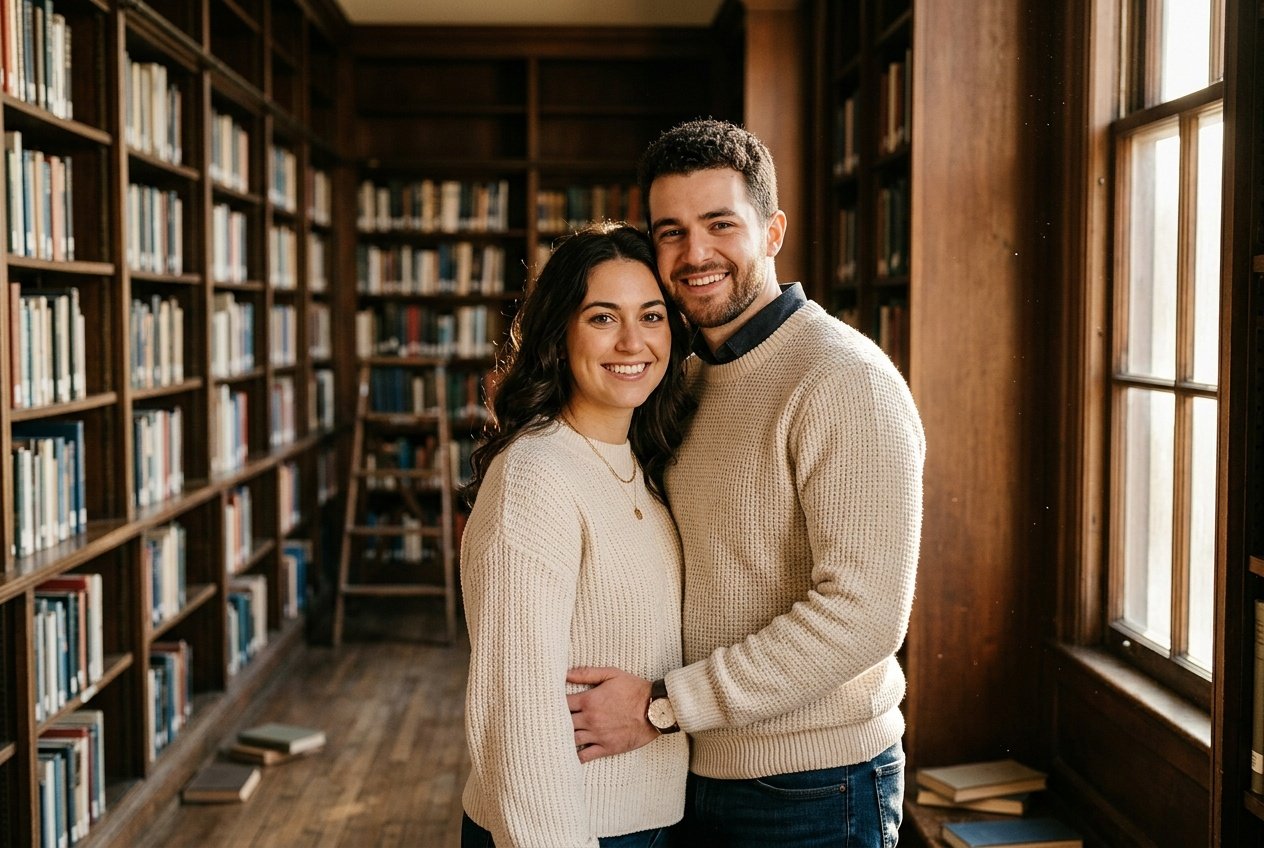
Prompt for: My experience with couple photo generators
Structured Image Prompt — My experience with couple photo generators
{
  "subject": {
    "pose": {
      "head_position": "slight tilt",
      "body_position": "standing close",
      "energy": "warm and intimate"
    }
  },
  "attire": {
    "top": {
      "item": "wool sweater",
      "color": "cream",
      "texture": "chunky knit",
      "fit": "relaxed"
    },
    "bottom": {
      "item": "dark denim",
      "color": "navy",
      "texture": "denim"
    },
    "accessories": [
      "gold necklace",
      "watch"
    ]
  },
  "environment": {
    "setting": "library interior",
    "background": {
      "type": "bookshelves",
      "color": "dark wood",
      "texture": "grainy wood",
      "depth": "blurred"
    },
    "props": [
      "scattered books on floor",
      "stepladder in distance",
      "window frame"
    ]
  },
  "photography": {
    "style": "editorial portrait",
    "shot_scale": "medium shot",
    "lighting": {
      "type": "natural golden hour",
      "source": "side window",
      "details": "soft highlights on faces"
    },
    "camera_gear": {
      "lens": "85mm Prime",
      "aperture": "f/2.0",
      "focus": "sharp focus on face",
      "iso": "100"
    },
    "post_processing": {
      "look": "warm film grade",
      "grading": "soft contrast"
    }
  },
  "aesthetic_fidelity": {
    "medium": "Digital Photography",
    "vibe": "intimate",
    "visual_qualities": [
      "grain",
      "soft focus",
      "rich color"
    ]
  },
  "constraints": {
    "must_keep": [
      "uploaded person's face and identity",
      "natural features from uploaded photo",
      "user's skin tone",
      "user's expression"
    ],
    "avoid": [
      "distorted face",
      "changed identity",
      "over-exposed",
      "cartoon style"
    ]
  },
  "negative_prompt": [
    "painting",
    "drawing",
    "bad hands",
    "blurry",
    "fake looking",
    "low quality",
    "saturated",
    "cartoon"
  ]
}
Finding the right prompts
When I started looking for gemini couple photo prompts, I found that many were way too long. I try to strip back the language so the model gets the main point without extra confusion.
Getting the chemistry right
Focus on Intent: I explicitly state the emotion, like “playful laughter” or “serious gaze,” so the model knows what face to generate.
Avoid Clutter: I delete words like “very” or “extremely” because they just make the prompt bloated.
Use Environment: I place them in specific spots, like a cafe or a park, because it anchors the subject.
Reference Styles: Asking for “shot on 35mm film” usually gives me a better aesthetic than asking for “realistic.”
Iterate Often: I run three variations of the same prompt to see which one feels most natural.
Does your current prompt get the chemistry you want?
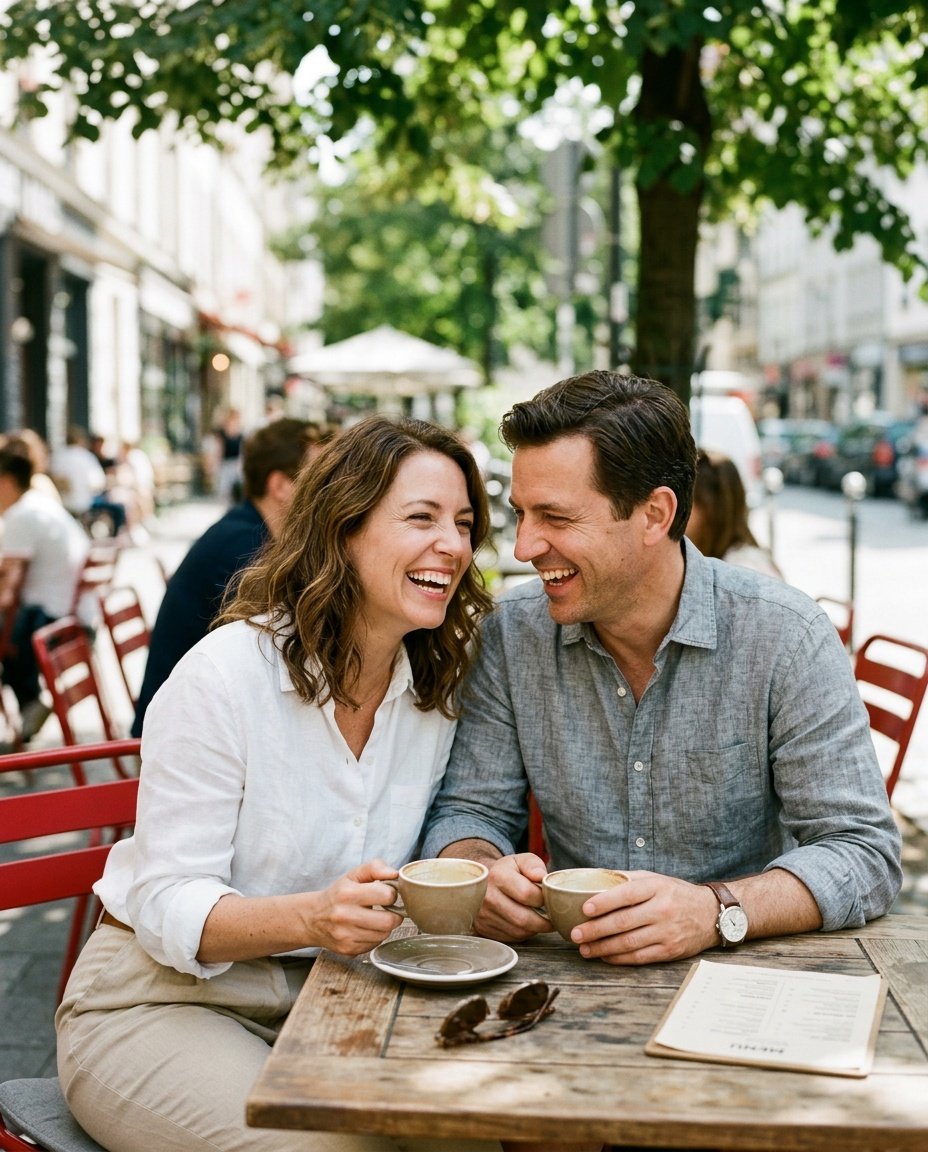
Prompt for: Finding the right prompts
Structured Image Prompt — Finding the right prompts
{
  "subject": {
    "pose": {
      "head_position": "tilted with laughter",
      "body_position": "leaning forward",
      "energy": "joyful"
    }
  },
  "attire": {
    "top": {
      "item": "linen shirt",
      "color": "white",
      "texture": "linen",
      "fit": "relaxed"
    },
    "bottom": {
      "item": "trousers",
      "color": "beige",
      "texture": "cotton"
    },
    "accessories": [
      "leather watch",
      "sunglasses on table"
    ]
  },
  "environment": {
    "setting": "outdoor cafe",
    "background": {
      "type": "street view",
      "color": "varied",
      "texture": "bokeh",
      "depth": "blurred"
    },
    "props": [
      "coffee cup",
      "table top",
      "menu"
    ]
  },
  "photography": {
    "style": "documentary",
    "shot_scale": "medium",
    "lighting": {
      "type": "dappled sunlight",
      "source": "overhead trees",
      "details": "soft facial shadows"
    },
    "camera_gear": {
      "lens": "35mm Prime",
      "aperture": "f/1.8",
      "focus": "faces",
      "iso": "200"
    },
    "post_processing": {
      "look": "film-like",
      "grading": "vibrant"
    }
  },
  "aesthetic_fidelity": {
    "medium": "Digital Photography",
    "vibe": "happy",
    "visual_qualities": [
      "sharpness",
      "natural light",
      "depth"
    ]
  },
  "constraints": {
    "must_keep": [
      "uploaded person's face and identity",
      "natural features from uploaded photo",
      "user's skin tone",
      "user's expression"
    ],
    "avoid": [
      "distorted face",
      "changed identity",
      "over-exposed",
      "cartoon style"
    ]
  },
  "negative_prompt": [
    "painting",
    "drawing",
    "bad hands",
    "blurry",
    "fake looking",
    "low quality",
    "saturated",
    "cartoon"
  ]
}
Getting the light right
I’ve learned that a gemini hot couple photo prompt text is essentially just a recipe for lighting and camera placement. If the lighting is off, even the best facial details won’t save the image.
Setting the mood with lighting
Avoid Over-Styling: I’ve noticed that using too many descriptors like “hyper-realistic” actually makes the image worse. I stick to “natural morning light” or “soft golden hour glow.”
Placement Matters: I define where the light comes from, like “light from the left side,” to give it depth.
Natural Poses: I suggest prompts like “walking together” to get better movement in the final output.
Layered Prompts: When testing gemini prompts for couple images or general portraits, I layer in weather details like “misty morning” to add atmosphere.
Check the Crop: I make sure the prompt implies the right shot distance, like “close up” or “full body.”
Does your lighting approach feel intentional?
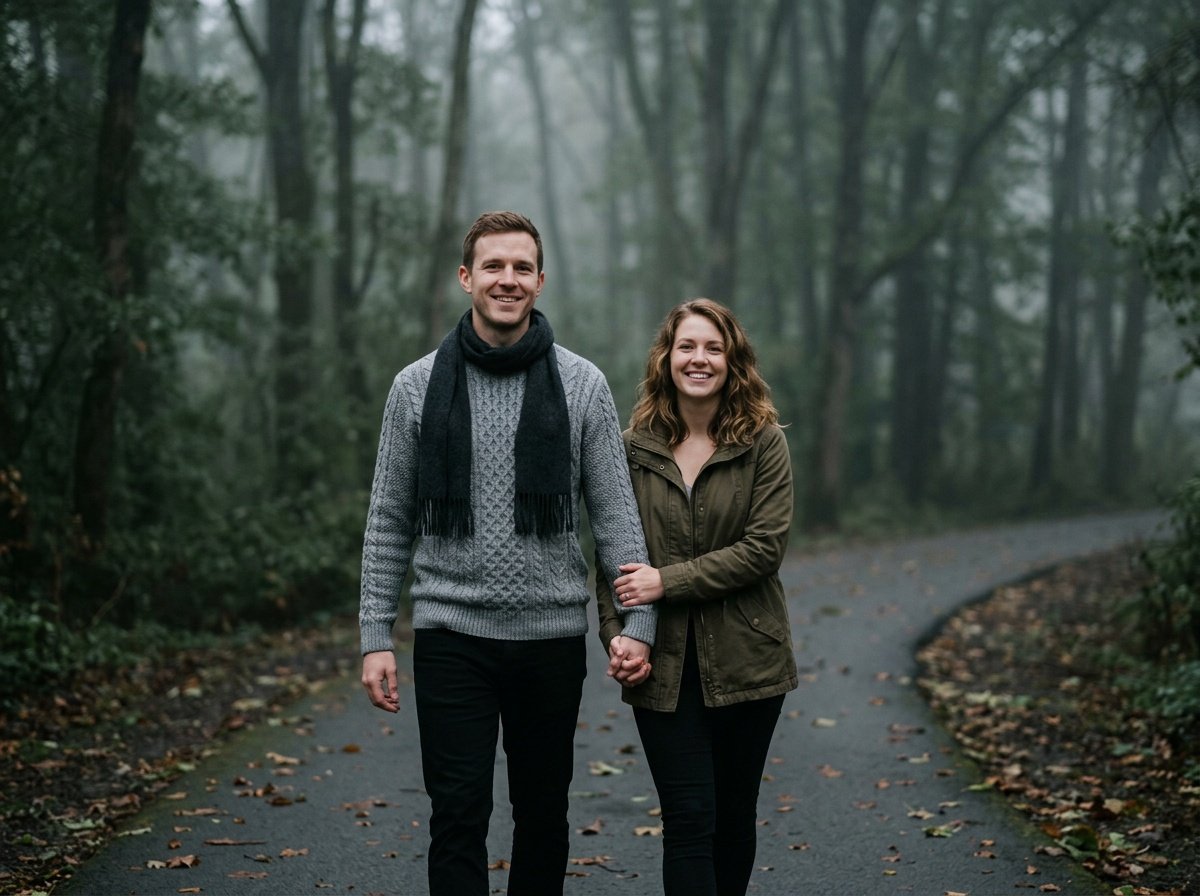
Prompt for: Getting the light right
Structured Image Prompt — Getting the light right
{
  "subject": {
    "pose": {
      "head_position": "facing forward",
      "body_position": "walking",
      "energy": "calm"
    }
  },
  "attire": {
    "top": {
      "item": "knit sweater",
      "color": "grey",
      "texture": "wool",
      "fit": "fitted"
    },
    "bottom": {
      "item": "slacks",
      "color": "black",
      "texture": "cotton"
    },
    "accessories": [
      "wool scarf"
    ]
  },
  "environment": {
    "setting": "park",
    "background": {
      "type": "trees",
      "color": "muted green",
      "texture": "mist",
      "depth": "deep"
    },
    "props": [
      "pathway",
      "fallen leaves",
      "fog"
    ]
  },
  "photography": {
    "style": "cinematic",
    "shot_scale": "full body",
    "lighting": {
      "type": "diffuse",
      "source": "overcast sky",
      "details": "cool highlights"
    },
    "camera_gear": {
      "lens": "50mm Prime",
      "aperture": "f/2.8",
      "focus": "sharp on eyes",
      "iso": "400"
    },
    "post_processing": {
      "look": "cool color grade",
      "grading": "muted"
    }
  },
  "aesthetic_fidelity": {
    "medium": "Digital Photography",
    "vibe": "serene",
    "visual_qualities": [
      "clarity",
      "muted tones",
      "soft focus"
    ]
  },
  "constraints": {
    "must_keep": [
      "uploaded person's face and identity",
      "natural features from uploaded photo",
      "user's skin tone",
      "user's expression"
    ],
    "avoid": [
      "distorted face",
      "changed identity",
      "over-exposed",
      "cartoon style"
    ]
  },
  "negative_prompt": [
    "painting",
    "drawing",
    "bad hands",
    "blurry",
    "fake looking",
    "low quality",
    "saturated",
    "cartoon"
  ]
}
Structuring for better outputs
Finding a solid gemini couple ai photo prompt takes some patience, but I finally have a workflow. I treat it like a simple creative brief rather than a technical command.
I’ve found that using a specific gemini couple photo prompt text copy and paste instagram style helps me get the right vibe. By adding context like “candid moment” or “editorial street style,” the model understands the aesthetic I want immediately.
Check the Basics: I verify that my subjects are described in simple terms like “young woman” or “man in jeans.”
Define the Mood: I include mood words like “melancholy,” “joyful,” or “relaxed” to influence the facial expression.
Clear Foreground: I state that the subjects are in the foreground to keep them from getting lost in the background.
Avoid Superlatives: I stop using words like “perfect” or “stunning” because they add nothing useful to the generation.
Have you tried adjusting the mood words in your prompts?
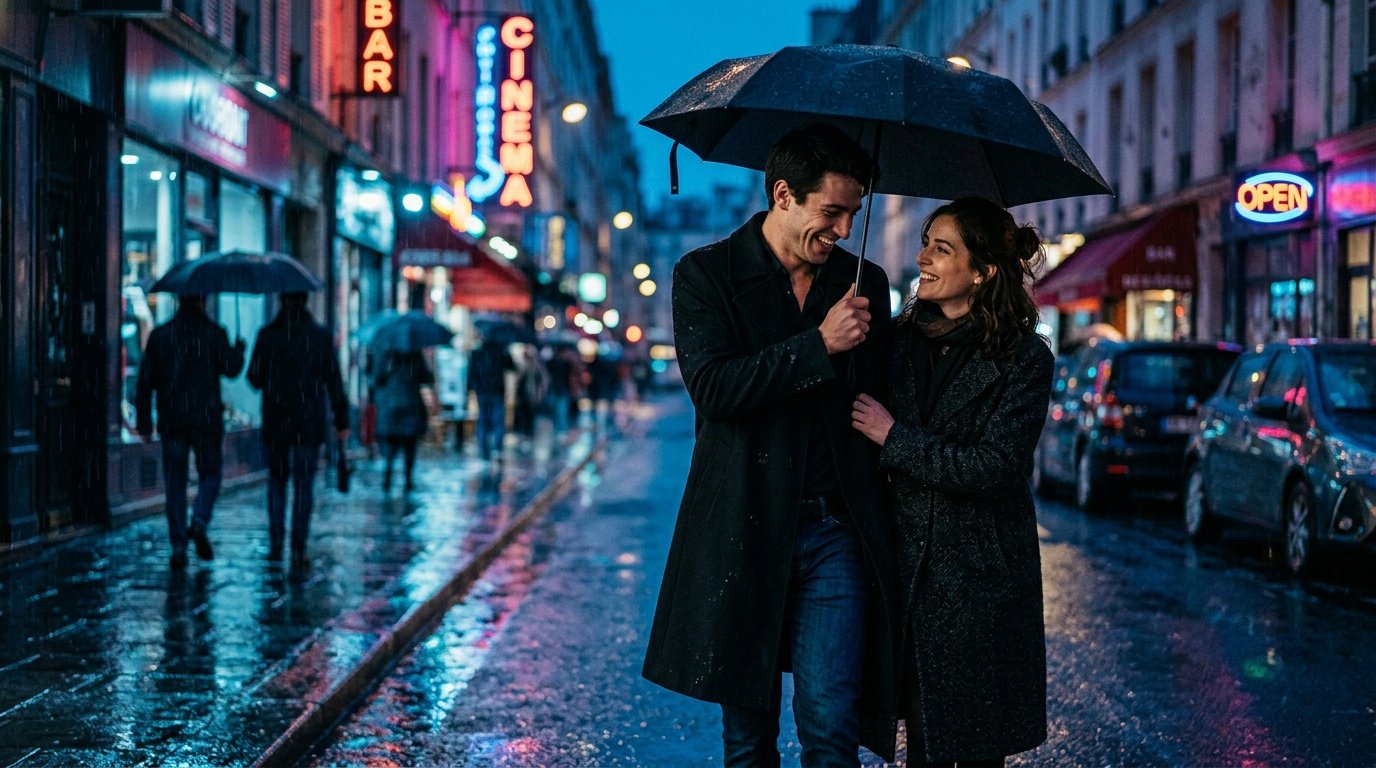
Prompt for: Structuring for better outputs
Structured Image Prompt — Structuring for better outputs
{
  "subject": {
    "pose": {
      "head_position": "looking at each other",
      "body_position": "close together",
      "energy": "intimate"
    }
  },
  "attire": {
    "top": {
      "item": "trench coat",
      "color": "black",
      "texture": "polyester",
      "fit": "tailored"
    },
    "bottom": {
      "item": "jeans",
      "color": "dark blue",
      "texture": "denim"
    },
    "accessories": [
      "umbrella"
    ]
  },
  "environment": {
    "setting": "city street",
    "background": {
      "type": "urban",
      "color": "neon",
      "texture": "rainy",
      "depth": "blurred"
    },
    "props": [
      "street lights",
      "puddles",
      "signs"
    ]
  },
  "photography": {
    "style": "editorial",
    "shot_scale": "medium",
    "lighting": {
      "type": "neon",
      "source": "city lights",
      "details": "high contrast"
    },
    "camera_gear": {
      "lens": "35mm Prime",
      "aperture": "f/1.4",
      "focus": "on faces",
      "iso": "800"
    },
    "post_processing": {
      "look": "moody fashion",
      "grading": "cinematic"
    }
  },
  "aesthetic_fidelity": {
    "medium": "Digital Photography",
    "vibe": "edgy",
    "visual_qualities": [
      "sharp",
      "high contrast",
      "atmospheric"
    ]
  },
  "constraints": {
    "must_keep": [
      "uploaded person's face and identity",
      "natural features from uploaded photo",
      "user's skin tone",
      "user's expression"
    ],
    "avoid": [
      "distorted face",
      "changed identity",
      "over-exposed",
      "cartoon style"
    ]
  },
  "negative_prompt": [
    "painting",
    "drawing",
    "bad hands",
    "blurry",
    "fake looking",
    "low quality",
    "saturated",
    "cartoon"
  ]
}
Keeping it natural
When I share my gemini photo prompts for couples, I tell everyone to keep the setting simple so the focus stays on the people. Over-complicating the background just makes the Nano Banana AI image generator work too hard.
Keep the background natural
Avoid Distractions: I find that using prompts for couple images that specify “neutral background” or “soft blur” keeps the attention on the subjects.
Color Harmony: I pick clothing colors that complement the background, like neutral tones in a forest or bright colors in a clean studio.
Real Texture: I describe surfaces like “rough concrete” or “soft grass” to give the scene more physical presence.
Simple Lighting: I stick to one primary light source, like “soft morning sun,” to avoid weird artificial shadows.
Direct Gaze: I sometimes ask for “looking directly at the camera” to make the image feel more like a portrait and less like a stock photo.
What kind of setting are you going to use next?
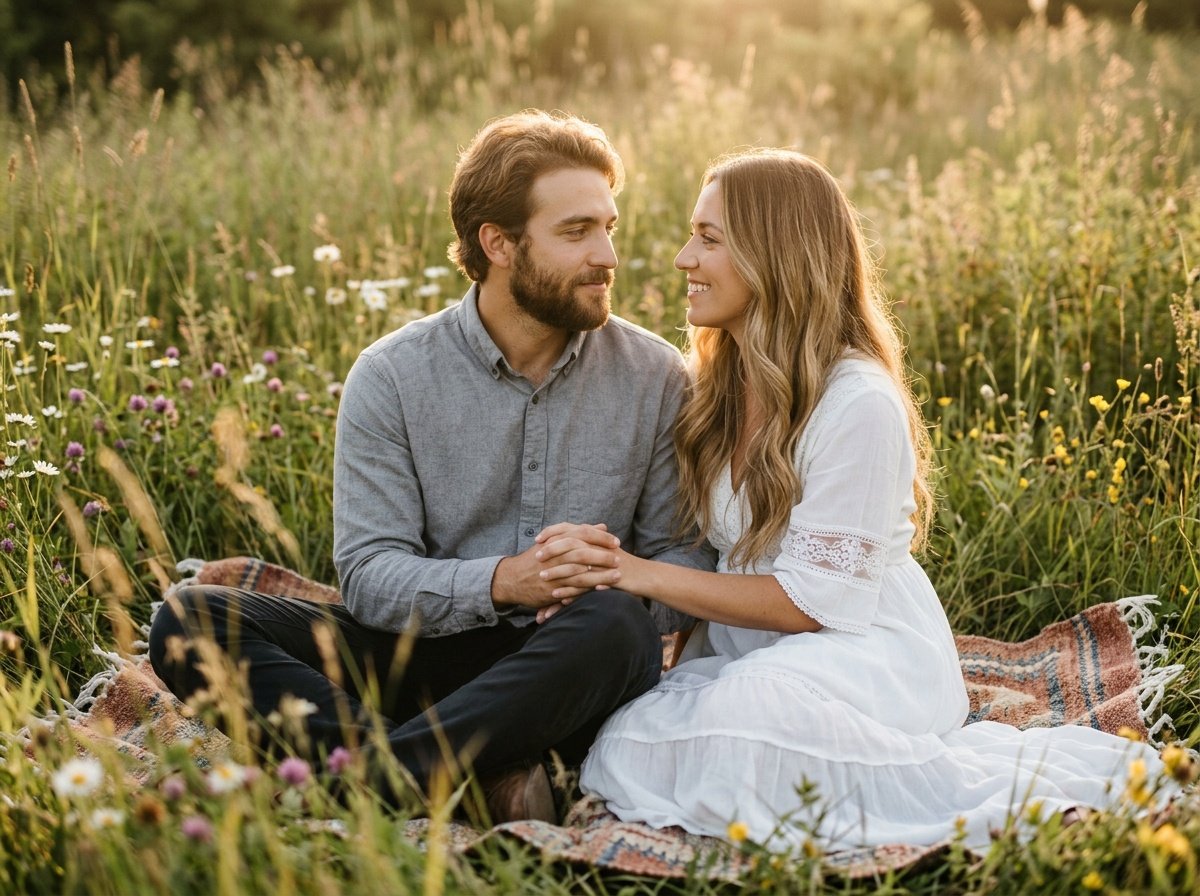
Prompt for: Keeping it natural
Structured Image Prompt — Keeping it natural
{
  "subject": {
    "pose": {
      "head_position": "profile",
      "body_position": "sitting",
      "energy": "peaceful"
    }
  },
  "attire": {
    "top": {
      "item": "dress",
      "color": "white",
      "texture": "cotton",
      "fit": "flowy"
    },
    "accessories": [
      "blanket"
    ]
  },
  "environment": {
    "setting": "meadow",
    "background": {
      "type": "grass",
      "color": "golden",
      "texture": "soft",
      "depth": "blurred"
    },
    "props": [
      "blanket",
      "grass",
      "wildflowers"
    ]
  },
  "photography": {
    "style": "portrait",
    "shot_scale": "medium",
    "lighting": {
      "type": "golden hour",
      "source": "sun",
      "details": "warm rim light"
    },
    "camera_gear": {
      "lens": "85mm Prime",
      "aperture": "f/1.8",
      "focus": "faces",
      "iso": "100"
    },
    "post_processing": {
      "look": "dreamy",
      "grading": "warm"
    }
  },
  "aesthetic_fidelity": {
    "medium": "Digital Photography",
    "vibe": "romantic",
    "visual_qualities": [
      "soft",
      "dreamy",
      "warm"
    ]
  },
  "constraints": {
    "must_keep": [
      "uploaded person's face and identity",
      "natural features from uploaded photo",
      "user's skin tone",
      "user's expression"
    ],
    "avoid": [
      "distorted face",
      "changed identity",
      "over-exposed",
      "cartoon style"
    ]
  },
  "negative_prompt": [
    "painting",
    "drawing",
    "bad hands",
    "blurry",
    "fake looking",
    "low quality",
    "saturated",
    "cartoon"
  ]
}
My takeaway on generating photos
I hope you enjoy testing your own gemini couple ai photo prompt. Honestly, the key is just getting comfortable with the process and not worrying if the first result isn’t perfect.
I’ve found that with a bit of practice, you can get consistently high-quality images from the Gemini app. It works better when you are specific and patient with the iterations. Open the Gemini app, paste your prompt, and see what the Nano Banana model can do for you today. It is a fun way to experiment with your own style.
Try it and see what you get.
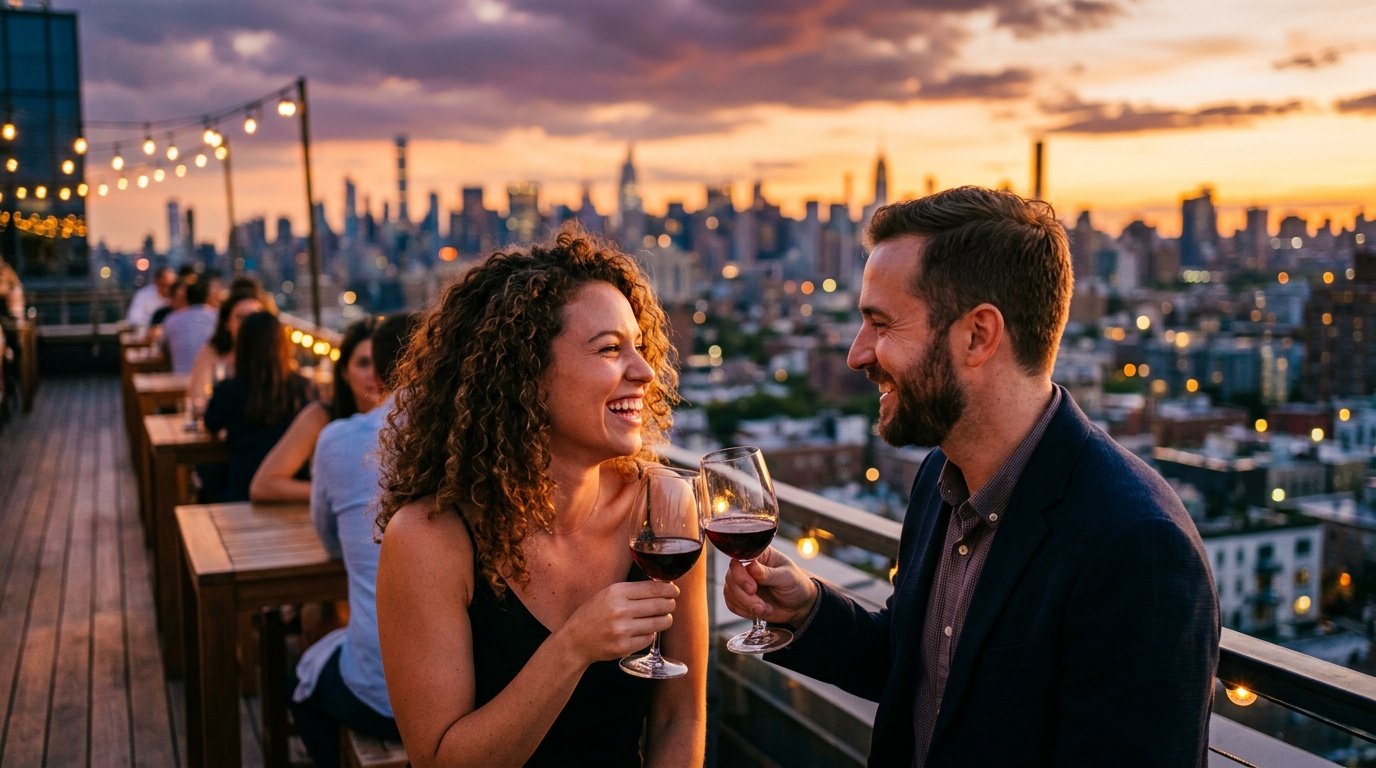
Prompt for: My takeaway on generating photos
Structured Image Prompt — My takeaway on generating photos
{
  "subject": {
    "pose": {
      "head_position": "looking at each other",
      "body_position": "sitting at table",
      "energy": "happy"
    }
  },
  "attire": {
    "top": {
      "item": "blazer",
      "color": "navy",
      "texture": "wool",
      "fit": "structured"
    },
    "bottom": {
      "item": "slacks",
      "color": "charcoal",
      "texture": "wool"
    },
    "accessories": [
      "wine glass"
    ]
  },
  "environment": {
    "setting": "rooftop",
    "background": {
      "type": "skyline",
      "color": "orange",
      "texture": "city",
      "depth": "blurred"
    },
    "props": [
      "table",
      "wine glasses",
      "city lights"
    ]
  },
  "photography": {
    "style": "portrait",
    "shot_scale": "medium",
    "lighting": {
      "type": "sunset",
      "source": "sun",
      "details": "warm side light"
    },
    "camera_gear": {
      "lens": "50mm Prime",
      "aperture": "f/2.0",
      "focus": "faces",
      "iso": "100"
    },
    "post_processing": {
      "look": "clean",
      "grading": "sunset"
    }
  },
  "aesthetic_fidelity": {
    "medium": "Digital Photography",
    "vibe": "elegant",
    "visual_qualities": [
      "warm",
      "clear",
      "vibrant"
    ]
  },
  "constraints": {
    "must_keep": [
      "uploaded person's face and identity",
      "natural features from uploaded photo",
      "user's skin tone",
      "user's expression"
    ],
    "avoid": [
      "distorted face",
      "changed identity",
      "over-exposed",
      "cartoon style"
    ]
  },
  "negative_prompt": [
    "painting",
    "drawing",
    "bad hands",
    "blurry",
    "fake looking",
    "low quality",
    "saturated",
    "cartoon"
  ]
}
❓ Frequently Asked Questions About gemini couple ai photo prompt
How do I create a high-quality gemini couple ai photo prompt?
▼
To create a great gemini couple ai photo prompt, keep your instructions specific regarding lighting, setting, and poses. It works best when you clearly describe the mood and environment rather than just the people.
Can I use gemini couple photo prompts on my phone?
▼
Yes, you can use these gemini couple photo prompts in the Gemini app on Android or iOS. It’s a simple way to test your ideas while on the move.
Where can I find a good gemini prompt for couple photos?
▼
You can start with simple descriptions like ‘couple walking in a park, soft morning light.’ The more you experiment, the better you will get at crafting a gemini prompt for couple photos that fits your personal style.
What is the best way to get gemini prompts for couple images to work correctly?
▼
The secret to getting gemini prompts for couple images right is to iterate. Don’t be afraid to change one or two words and generate the image again to see the difference.
Are there specific tips for gemini photo prompts for couples?
▼
Yes, try focusing on the connection between the subjects in your gemini photo prompts for couples. Specifying if they are laughing, holding hands, or talking helps the model generate a more believable result.

