
Starting Your Creative Journey
I have spent months testing different methods for editing my images, and I found that gemini ai photo prompts for girls are the most reliable way to get high-quality results. It feels great when you finally get the exact look you wanted from a basic, everyday photo.
I remember the first time I tried Gemini Nano Banana on my phone; it was incredibly simple to get a professional look without needing complex editing software. Whether you are on the Gemini web version or using the app, the process remains fast and user-friendly.
Be Specific: Always describe your lighting and setting first, as that usually dictates the mood.
Start Small: I recommend beginning with minor changes before asking for full scene transformations.
Review Your Output: Don’t hesitate to ask for a slight tweak if the hair or lighting feels off.
Use Direct Language: Just describe what you want clearly as if you are talking to a friend.
Stay Consistent: Try using similar phrasing in your prompts to see how the model reacts.
Which style are you planning to test first?
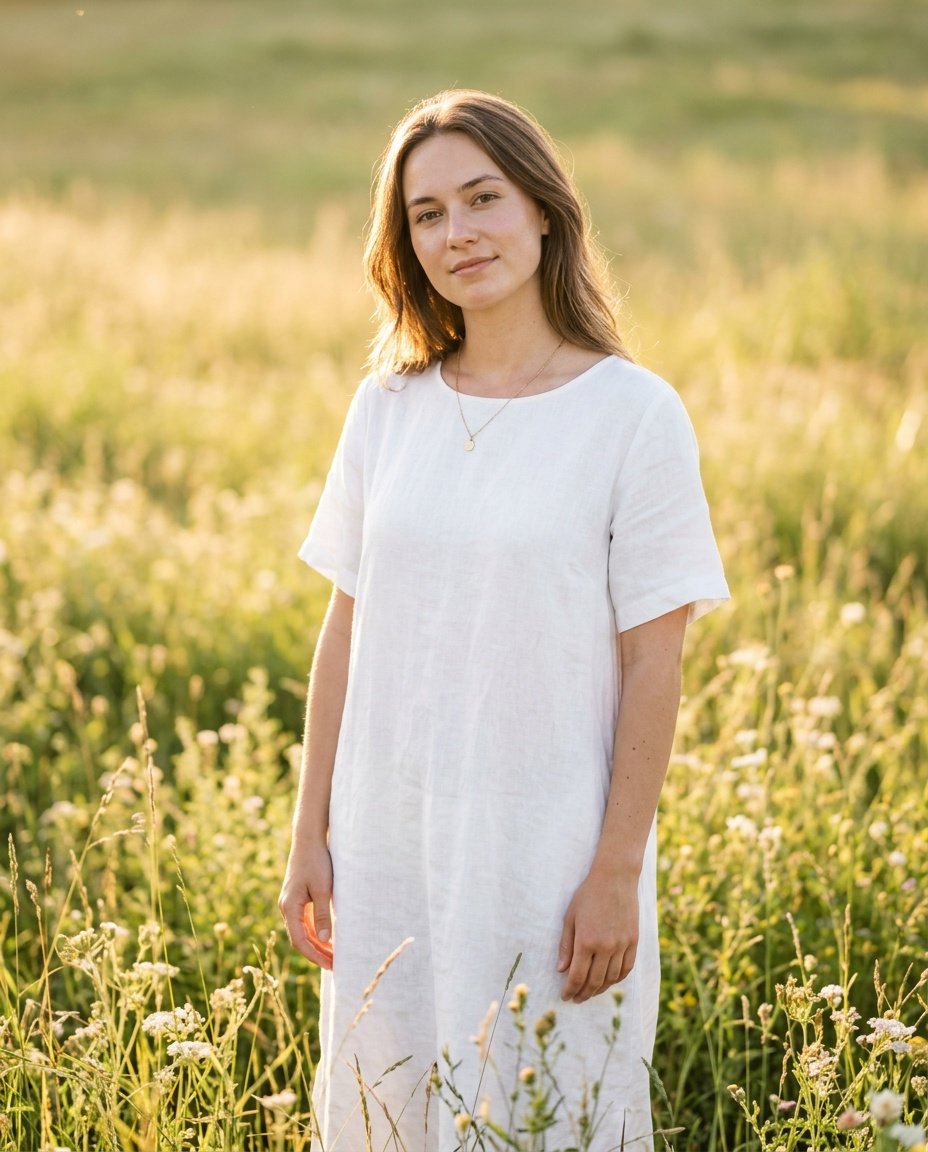
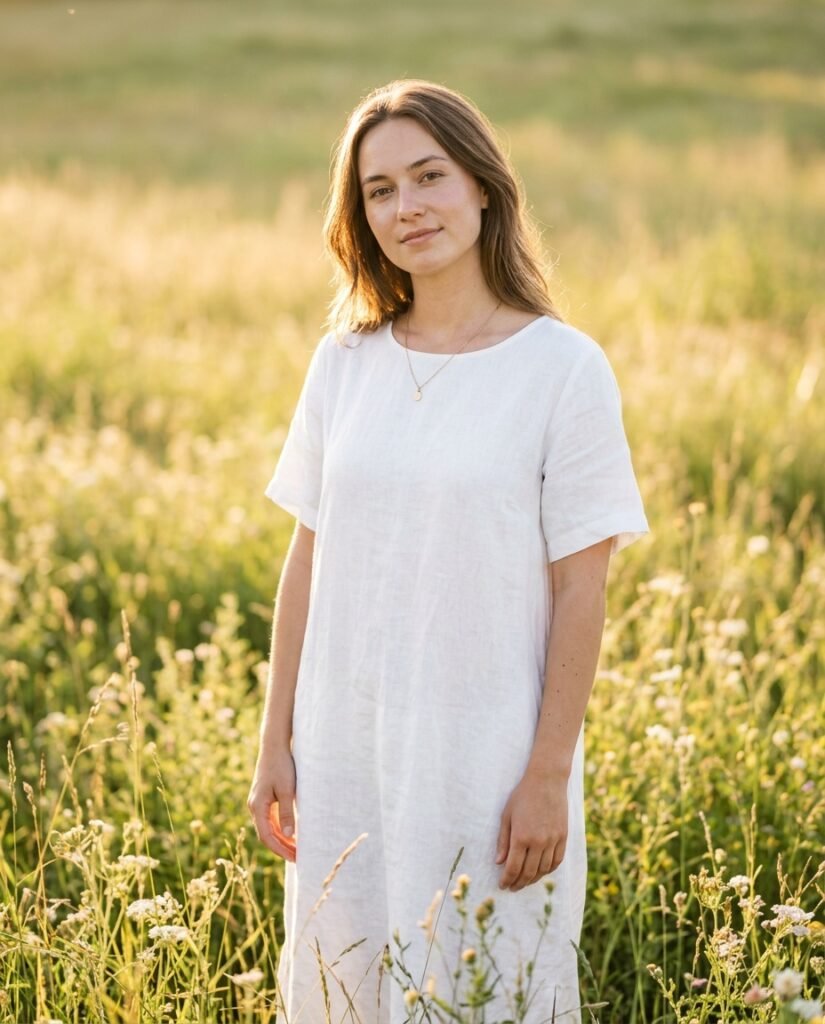
Prompt for: Starting Your Creative Journey
Structured Image Prompt — Starting Your Creative Journey
{
  "subject": {
    "pose": {
      "head_position": "slight tilt",
      "body_position": "standing straight",
      "energy": "calm"
    }
  },
  "attire": {
    "top": {
      "item": "linen dress",
      "color": "white",
      "texture": "natural linen",
      "fit": "relaxed"
    },
    "bottom": {
      "item": "dress",
      "color": "white",
      "texture": "linen"
    },
    "accessories": [
      "delicate gold necklace"
    ]
  },
  "environment": {
    "setting": "flower field",
    "background": {
      "type": "outdoor",
      "color": "green and gold",
      "texture": "grass",
      "depth": "bokeh"
    },
    "props": [
      "wildflowers around feet",
      "tall grass",
      "sunlight flares"
    ]
  },
  "photography": {
    "style": "portrait",
    "shot_scale": "medium shot",
    "lighting": {
      "type": "natural golden hour",
      "source": "sun",
      "details": "warm glow on skin"
    },
    "camera_gear": {
      "lens": "85mm Prime",
      "aperture": "f/2.0",
      "focus": "sharp focus on face",
      "iso": "100"
    },
    "post_processing": {
      "look": "warm",
      "grading": "soft aesthetic"
    }
  },
  "aesthetic_fidelity": {
    "medium": "Digital Photography",
    "vibe": "dreamy",
    "visual_qualities": [
      "sharp focus",
      "creamy bokeh",
      "natural lighting"
    ]
  },
  "constraints": {
    "must_keep": [
      "uploaded person's face and identity",
      "natural features from uploaded photo",
      "user's skin tone",
      "user's expression"
    ],
    "avoid": [
      "distorted face",
      "changed identity",
      "over-exposed",
      "cartoon style"
    ]
  },
  "negative_prompt": [
    "painting",
    "drawing",
    "bad hands",
    "blurry",
    "fake looking",
    "low quality",
    "saturated",
    "cartoon"
  ]
}
Refining Your Artistic Vision
When I start a gemini ai prompt girl photo edit, I focus on the lighting first. It makes a huge difference in how the model interprets the scene.
If you want a specific gemini ai prompt photo edit for girl, describe the mood you are looking for. For instance, instead of just saying ‘park,’ I say ‘central park in autumn with fallen leaves and crisp morning air.’
Achieving Perfect Editing Results
Be Descriptive: The more detail you give about the surroundings, the better the output.
Focus on Light: Mention if you want sunset, cloudy, or bright indoor light.
Iterate Often: Don’t worry if the first version isn’t perfect; just refine your instructions.
Use References: Compare the result to the style you originally envisioned.
Keep It Simple: Use plain, direct sentences to avoid confusing the model.
What kind of mood are you trying to create?
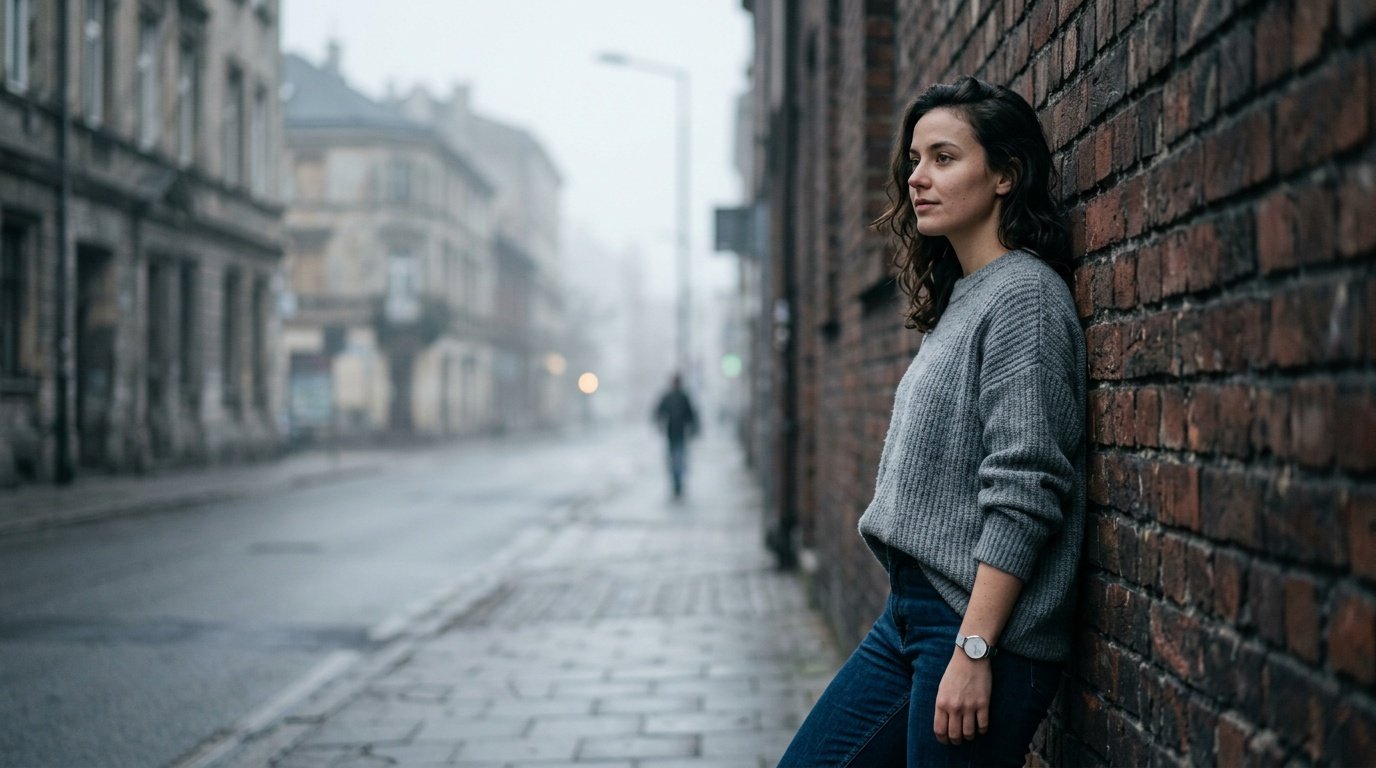
Prompt for: Refining Your Artistic Vision
Structured Image Prompt — Refining Your Artistic Vision
{
  "subject": {
    "pose": {
      "head_position": "turned sideways",
      "body_position": "leaning slightly",
      "energy": "relaxed"
    }
  },
  "attire": {
    "top": {
      "item": "wool sweater",
      "color": "grey",
      "texture": "knitted",
      "fit": "oversized"
    },
    "bottom": {
      "item": "jeans",
      "color": "dark blue",
      "texture": "denim"
    },
    "accessories": [
      "minimal silver watch"
    ]
  },
  "environment": {
    "setting": "city street",
    "background": {
      "type": "urban",
      "color": "grey brick",
      "texture": "brick",
      "depth": "shallow"
    },
    "props": [
      "brick wall",
      "pavement",
      "distant street light"
    ]
  },
  "photography": {
    "style": "documentary",
    "shot_scale": "medium shot",
    "lighting": {
      "type": "overcast",
      "source": "diffused sunlight",
      "details": "soft shadows"
    },
    "camera_gear": {
      "lens": "35mm Prime",
      "aperture": "f/1.8",
      "focus": "sharp focus on face",
      "iso": "200"
    },
    "post_processing": {
      "look": "desaturated",
      "grading": "cool tones"
    }
  },
  "aesthetic_fidelity": {
    "medium": "Digital Photography",
    "vibe": "candid",
    "visual_qualities": [
      "natural focus",
      "clean edges",
      "realistic depth"
    ]
  },
  "constraints": {
    "must_keep": [
      "uploaded person's face and identity",
      "natural features from uploaded photo",
      "user's skin tone",
      "user's expression"
    ],
    "avoid": [
      "distorted face",
      "changed identity",
      "over-exposed",
      "cartoon style"
    ]
  },
  "negative_prompt": [
    "painting",
    "drawing",
    "bad hands",
    "blurry",
    "fake looking",
    "low quality",
    "saturated",
    "cartoon"
  ]
}
Expanding Your Creative Range
I usually keep a list of gemini ai prompt examples for girls nearby when I’m experimenting. It helps me remember what works and what doesn’t.
When I use gemini ai prompts for girls, I focus on the setting to change the whole vibe of the image instantly. Try moving from a studio to a cafe or an outdoor space to see the difference.
Trying Different Styles and Settings
Test Backgrounds: Changing the location is the easiest way to refresh a look.
Mix Textures: Ask for leather, silk, or wool to add depth to your attire.
Use Adjectives: Words like ‘cinematic,’ ‘muted,’ or ‘vibrant’ change the outcome significantly.
Watch Angles: Specify if you want a low angle or a top-down view.
Keep Notes: I write down the prompts that get the best results for future use.
What environment are you going to try next?
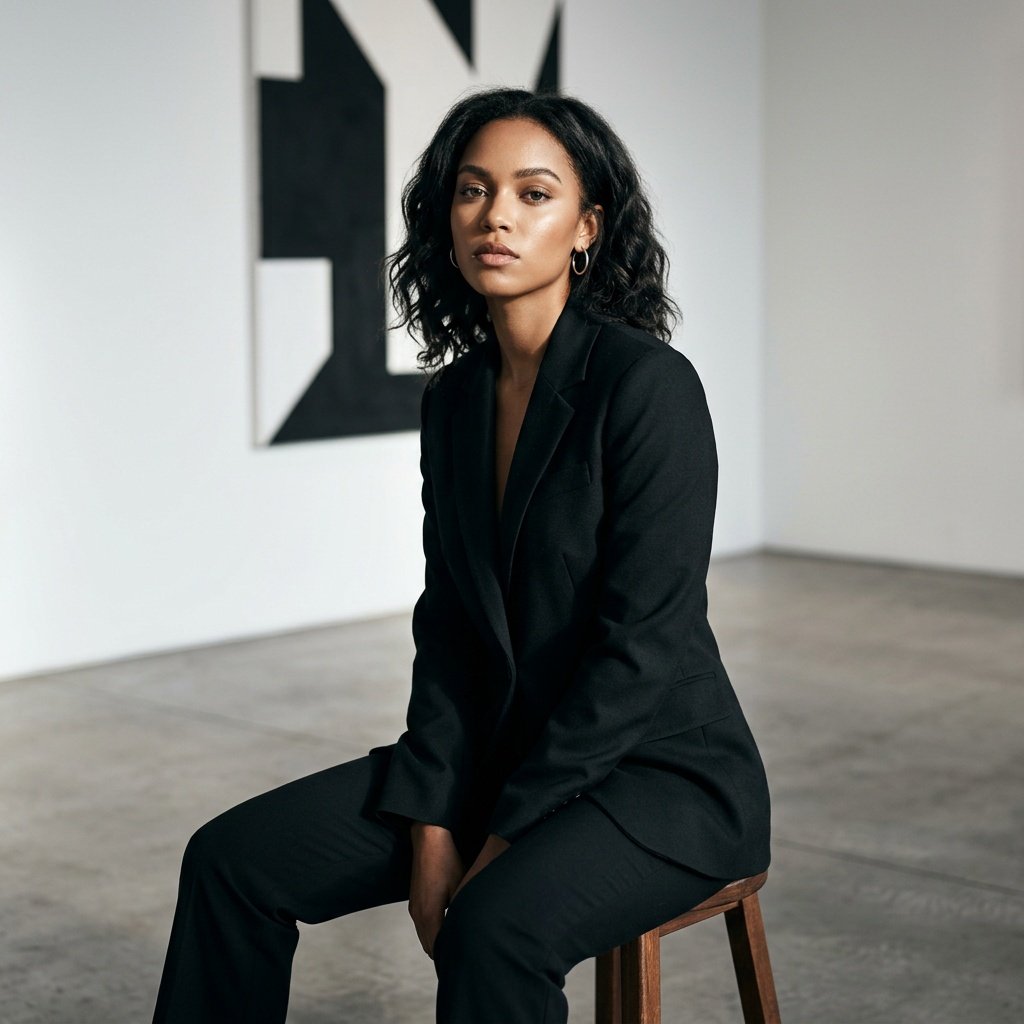
Prompt for: Expanding Your Creative Range
Structured Image Prompt — Expanding Your Creative Range
{
  "subject": {
    "pose": {
      "head_position": "straight",
      "body_position": "sitting upright",
      "energy": "confident"
    }
  },
  "attire": {
    "top": {
      "item": "blazer",
      "color": "black",
      "texture": "wool blend",
      "fit": "tailored"
    },
    "bottom": {
      "item": "trousers",
      "color": "black",
      "texture": "wool",
      "fit": "fitted"
    },
    "accessories": [
      "silver hoops"
    ]
  },
  "environment": {
    "setting": "art gallery",
    "background": {
      "type": "minimalist",
      "color": "white",
      "texture": "smooth",
      "depth": "shallow"
    },
    "props": [
      "wooden stool",
      "gallery wall",
      "concrete floor"
    ]
  },
  "photography": {
    "style": "editorial",
    "shot_scale": "medium close-up",
    "lighting": {
      "type": "directional",
      "source": "side light",
      "details": "high contrast highlights"
    },
    "camera_gear": {
      "lens": "50mm Prime",
      "aperture": "f/2.8",
      "focus": "sharp focus on eyes",
      "iso": "100"
    },
    "post_processing": {
      "look": "clean",
      "grading": "sharp"
    }
  },
  "aesthetic_fidelity": {
    "medium": "Digital Photography",
    "vibe": "sophisticated",
    "visual_qualities": [
      "high contrast",
      "clean composition",
      "sharp textures"
    ]
  },
  "constraints": {
    "must_keep": [
      "uploaded person's face and identity",
      "natural features from uploaded photo",
      "user's skin tone",
      "user's expression"
    ],
    "avoid": [
      "distorted face",
      "changed identity",
      "over-exposed",
      "cartoon style"
    ]
  },
  "negative_prompt": [
    "painting",
    "drawing",
    "bad hands",
    "blurry",
    "fake looking",
    "low quality",
    "saturated",
    "cartoon"
  ]
}
Styling Your Fashion Shots
My favorite way to use gemini ai photo prompts for girls is for fashion. It allows me to see how different outfits might look without actually buying them.
A good gemini ai prompt photo edit for girls focuses on fabric textures and drape, while a gemini ai prompt photo edit girls session usually aims for a city vibe or something edgy. Just be descriptive with your clothes.
Making Fashion Look Real
Texture Matters: Describe the fabric—silk, wool, or cotton—to get a realistic look.
Keep Poses Natural: Use terms like ‘sitting on a bench’ or ‘walking down a path’.
Layering: Mention layers if you want a more styled, interesting outfit.
Accessorize: Don’t forget to mention bags, hats, or jewelry.
Consistent Vibe: Ensure the location matches the outfit style for realism.
What is your go-to style right now?
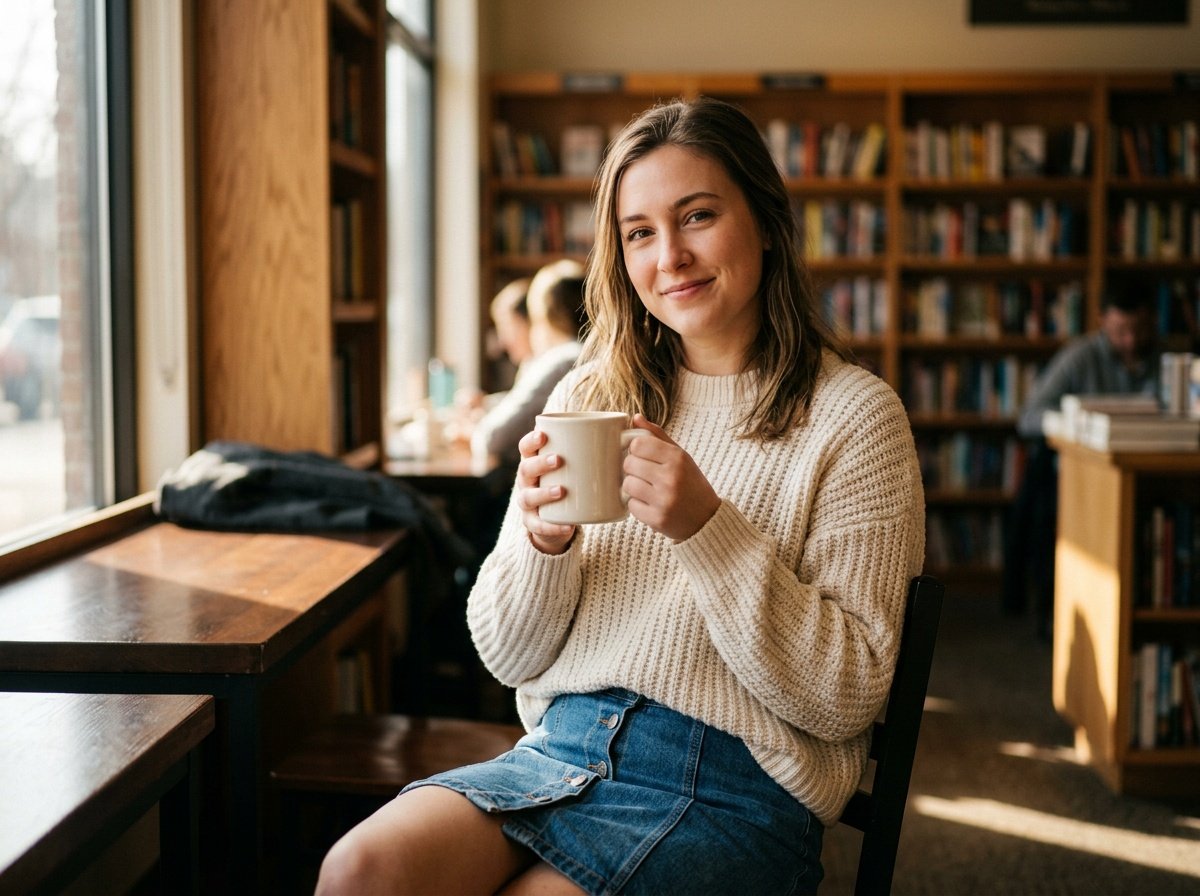
Prompt for: Styling Your Fashion Shots
Structured Image Prompt — Styling Your Fashion Shots
{
  "subject": {
    "pose": {
      "head_position": "slight turn",
      "body_position": "sitting",
      "energy": "relaxed"
    }
  },
  "attire": {
    "top": {
      "item": "knit sweater",
      "color": "cream",
      "texture": "chunky knit",
      "fit": "comfortable"
    },
    "bottom": {
      "item": "skirt",
      "color": "blue",
      "texture": "denim",
      "fit": "standard"
    },
    "accessories": [
      "coffee mug"
    ]
  },
  "environment": {
    "setting": "library",
    "background": {
      "type": "indoor",
      "color": "warm",
      "texture": "books",
      "depth": "bokeh"
    },
    "props": [
      "bookshelf",
      "coffee mug",
      "window light"
    ]
  },
  "photography": {
    "style": "lifestyle",
    "shot_scale": "medium shot",
    "lighting": {
      "type": "soft",
      "source": "window",
      "details": "diffused glow"
    },
    "camera_gear": {
      "lens": "35mm Prime",
      "aperture": "f/2.0",
      "focus": "sharp on subject",
      "iso": "400"
    },
    "post_processing": {
      "look": "warm",
      "grading": "soft aesthetic"
    }
  },
  "aesthetic_fidelity": {
    "medium": "Digital Photography",
    "vibe": "cozy",
    "visual_qualities": [
      "warm tones",
      "soft focus background",
      "natural skin"
    ]
  },
  "constraints": {
    "must_keep": [
      "uploaded person's face and identity",
      "natural features from uploaded photo",
      "user's skin tone",
      "user's expression"
    ],
    "avoid": [
      "distorted face",
      "changed identity",
      "over-exposed",
      "cartoon style"
    ]
  },
  "negative_prompt": [
    "painting",
    "drawing",
    "bad hands",
    "blurry",
    "fake looking",
    "low quality",
    "saturated",
    "cartoon"
  ]
}
Refining Your Edits
One gemini ai prompt photo edit girl trick I use is to iterate on the background if it’s too busy or distracting. Sometimes, keeping it minimal helps the subject stand out.
Stay Simple: If the prompt is too complicated, the AI might get confused; keep it to one main action.
Review Iterations: I check every result and tweak the words slightly to guide the model.
Watch the Face: If the features look off, ask the model to ‘keep the expression and natural facial structure’.
Check Lighting: Always specify the lighting color and direction for the best match.
Final Polish: Don’t be afraid to try the same prompt again if you don’t get the result immediately.
What is one thing you always include in your prompts?
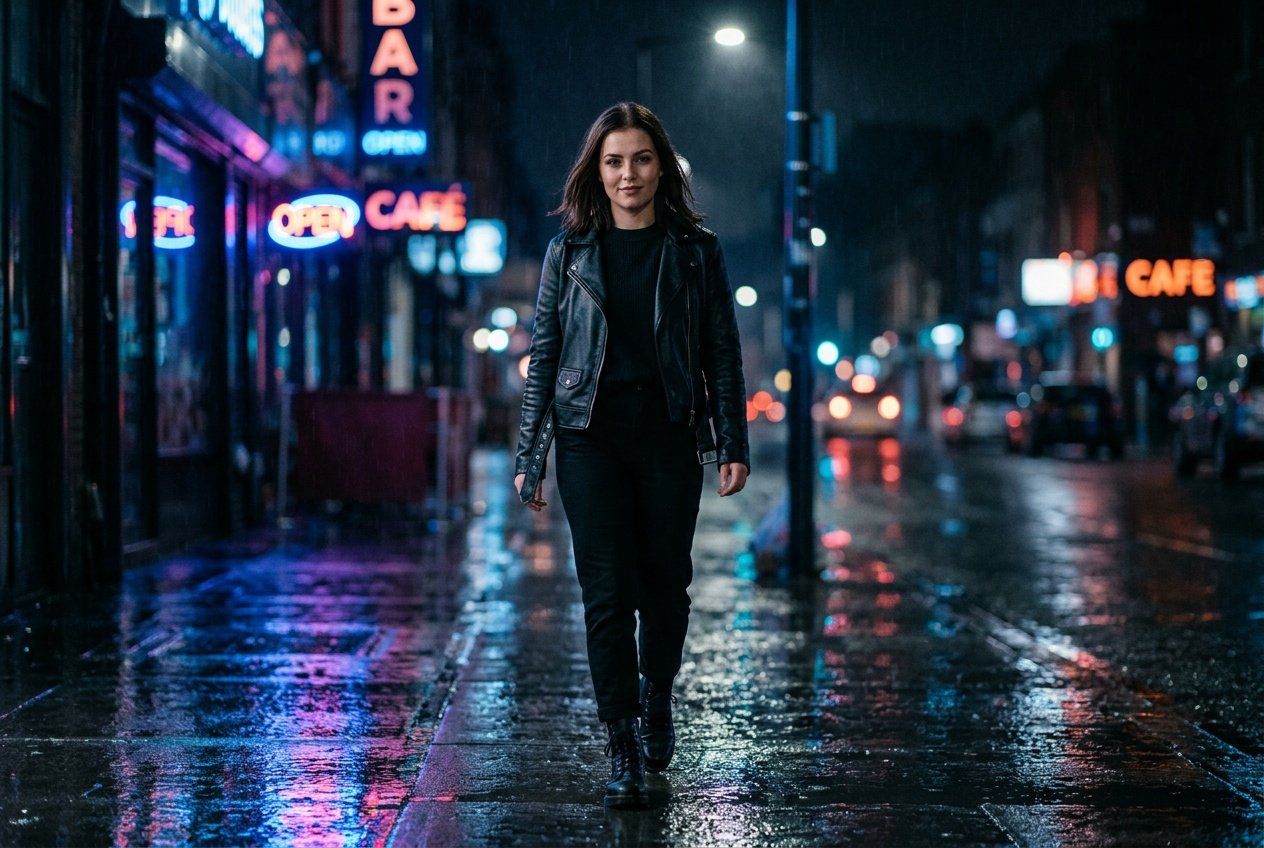
Prompt for: Refining Your Edits
Structured Image Prompt — Refining Your Edits
{
  "subject": {
    "pose": {
      "head_position": "straight",
      "body_position": "walking",
      "energy": "confident"
    }
  },
  "attire": {
    "top": {
      "item": "jacket",
      "color": "black",
      "texture": "leather",
      "fit": "structured"
    },
    "bottom": {
      "item": "trousers",
      "color": "black",
      "texture": "denim",
      "fit": "fitted"
    },
    "accessories": [
      "boots"
    ]
  },
  "environment": {
    "setting": "city street",
    "background": {
      "type": "night",
      "color": "blue and pink",
      "texture": "wet",
      "depth": "bokeh"
    },
    "props": [
      "puddles",
      "neon signs",
      "wet pavement"
    ]
  },
  "photography": {
    "style": "cinematic",
    "shot_scale": "medium shot",
    "lighting": {
      "type": "neon reflection",
      "source": "city lights",
      "details": "colorful highlights"
    },
    "camera_gear": {
      "lens": "35mm Prime",
      "aperture": "f/1.4",
      "focus": "sharp on subject",
      "iso": "800"
    },
    "post_processing": {
      "look": "noir",
      "grading": "cinematic"
    }
  },
  "aesthetic_fidelity": {
    "medium": "Digital Photography",
    "vibe": "moody",
    "visual_qualities": [
      "high contrast",
      "sharp focus",
      "moody atmosphere"
    ]
  },
  "constraints": {
    "must_keep": [
      "uploaded person's face and identity",
      "natural features from uploaded photo",
      "user's skin tone",
      "user's expression"
    ],
    "avoid": [
      "distorted face",
      "changed identity",
      "over-exposed",
      "cartoon style"
    ]
  },
  "negative_prompt": [
    "painting",
    "drawing",
    "bad hands",
    "blurry",
    "fake looking",
    "low quality",
    "saturated",
    "cartoon"
  ]
}
Final Thoughts
I really hope these gemini ai photo prompts for girls help you get the style you want without any stress. It really is a simple way to experiment with your look.
Just open the Gemini app on your phone or head to the web version and try Nano Banana today. You don’t need any special skills to start seeing amazing results.
Keep Experimenting: The more you try, the better you will get at describing your vision.
Stay Creative: Don’t be afraid to try weird or unusual settings.
Have Fun: It’s just a photo—enjoy the process of seeing yourself in new ways.
Share Results: If you like what you see, try a different style right away.
Use Your Words: Describe, describe, describe!
Are you ready to create your next look?
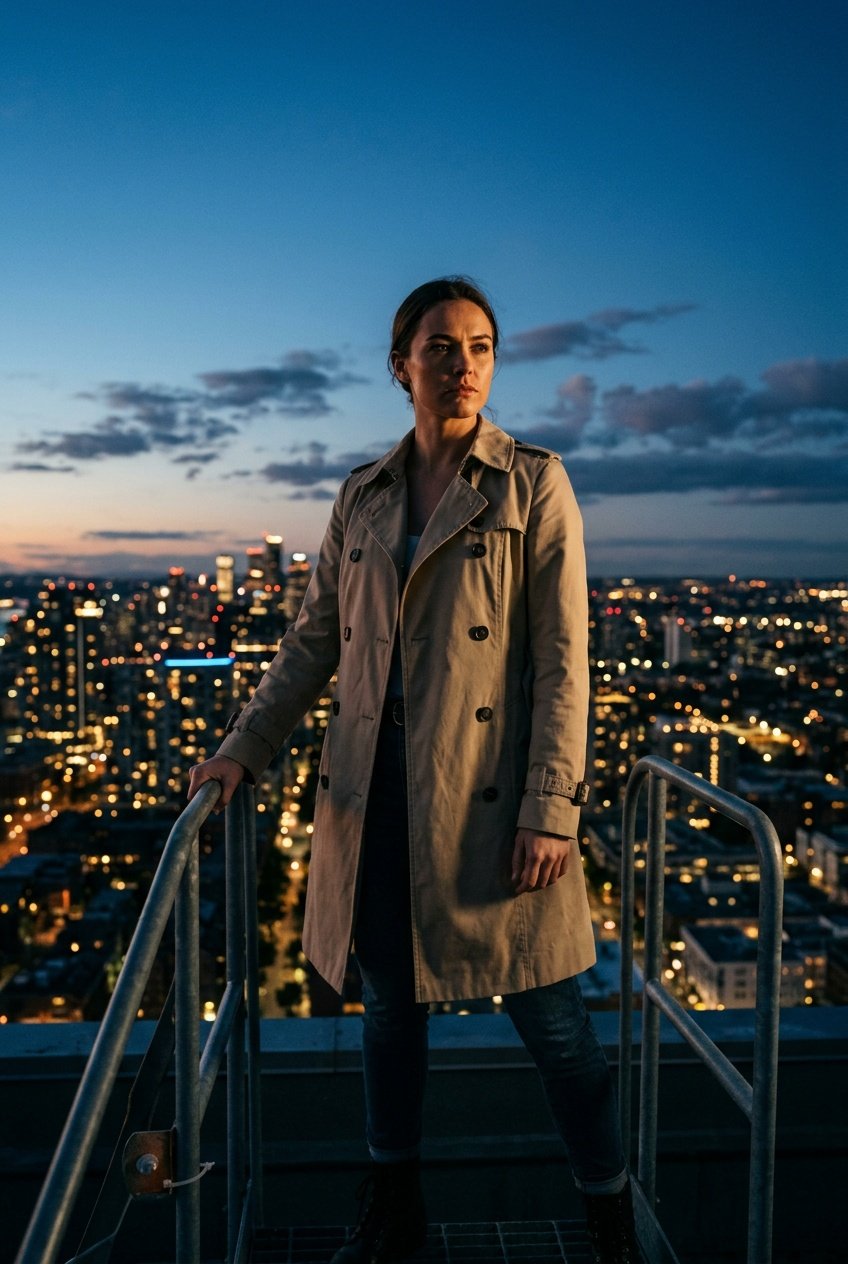
Prompt for: Final Thoughts
Structured Image Prompt — Final Thoughts
{
  "subject": {
    "pose": {
      "head_position": "straight",
      "body_position": "standing",
      "energy": "intense"
    }
  },
  "attire": {
    "top": {
      "item": "trench coat",
      "color": "beige",
      "texture": "cotton",
      "fit": "structured"
    },
    "bottom": {
      "item": "jeans",
      "color": "dark",
      "texture": "denim",
      "fit": "fitted"
    },
    "accessories": [
      "boots"
    ]
  },
  "environment": {
    "setting": "rooftop",
    "background": {
      "type": "city",
      "color": "twilight blue",
      "texture": "skyline",
      "depth": "deep"
    },
    "props": [
      "railing",
      "city lights",
      "clouds"
    ]
  },
  "photography": {
    "style": "cinematic",
    "shot_scale": "medium shot",
    "lighting": {
      "type": "low-key",
      "source": "twilight",
      "details": "dramatic highlights"
    },
    "camera_gear": {
      "lens": "50mm Prime",
      "aperture": "f/1.8",
      "focus": "sharp focus",
      "iso": "100"
    },
    "post_processing": {
      "look": "dramatic",
      "grading": "film"
    }
  },
  "aesthetic_fidelity": {
    "medium": "Digital Photography",
    "vibe": "heroic",
    "visual_qualities": [
      "high contrast",
      "cinematic",
      "sharp"
    ]
  },
  "constraints": {
    "must_keep": [
      "uploaded person's face and identity",
      "natural features from uploaded photo",
      "user's skin tone",
      "user's expression"
    ],
    "avoid": [
      "distorted face",
      "changed identity",
      "over-exposed",
      "cartoon style"
    ]
  },
  "negative_prompt": [
    "painting",
    "drawing",
    "bad hands",
    "blurry",
    "fake looking",
    "low quality",
    "saturated",
    "cartoon"
  ]
}
❓ Frequently Asked Questions About gemini ai photo prompts for girls
Does gemini ai photo prompts for girls work on any mobile device?
▼
Yes, you can use these prompts on the Gemini app for Android or iOS, as well as in your browser at gemini.google.com. Nano Banana works across all these platforms to help you generate great results.
Is it hard to learn how to use a gemini ai prompt girl photo edit?
▼
It is very straightforward once you practice a few times. The best way to learn is to start with simple descriptions and gradually add more detail to your prompts.
Where can I find helpful gemini ai prompt examples for girls?
▼
I recommend looking at online communities or just experimenting with different styles in the Gemini app. My best results usually come from testing various settings and outfits.
Can I use gemini ai prompt photo edit for girls to change my clothes?
▼
Yes, you can include specific clothing descriptions in your prompt. For example, asking for ‘a wool sweater’ or ‘a leather jacket’ helps the model understand what style you are after.
What is the best way to get started with a gemini ai prompt photo edit girls session?
▼
Start with a high-quality photo of yourself and be very clear about the setting and lighting you want. The more specific you are, the more likely you will get the result you imagined.

