
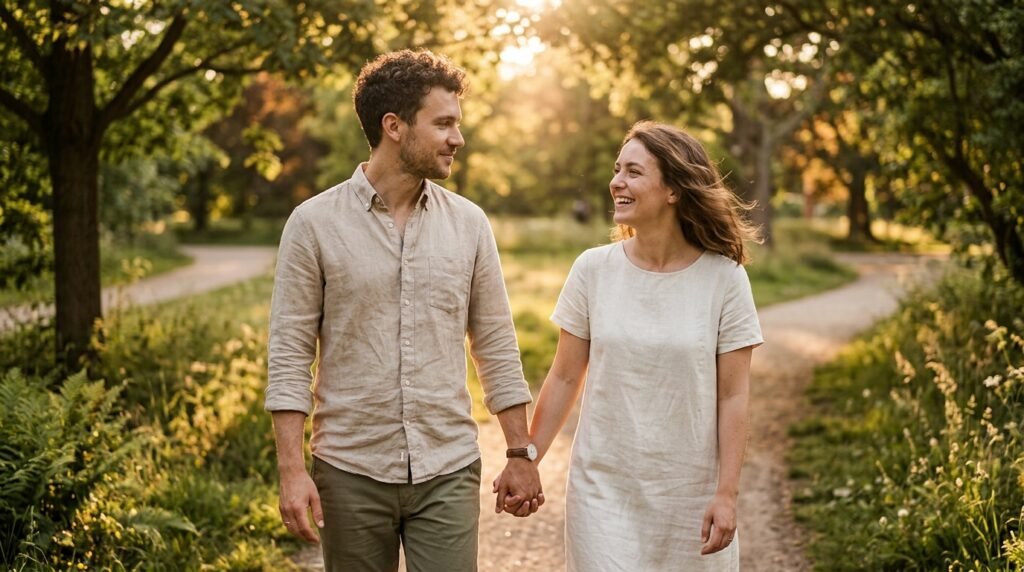
Finding My Workflow
I’ve spent a lot of time recently testing how different inputs change my photo edits. When I started using Gemini Nano Banana, I found that the precision of the output depends almost entirely on how I frame my initial request, especially when using a couple gemini ai prompt for the first time.
It feels much more natural to just talk to the model like a human editor rather than coding complex instructions. I have noticed that keeping things conversational usually gives me the most authentic look for my portraits.
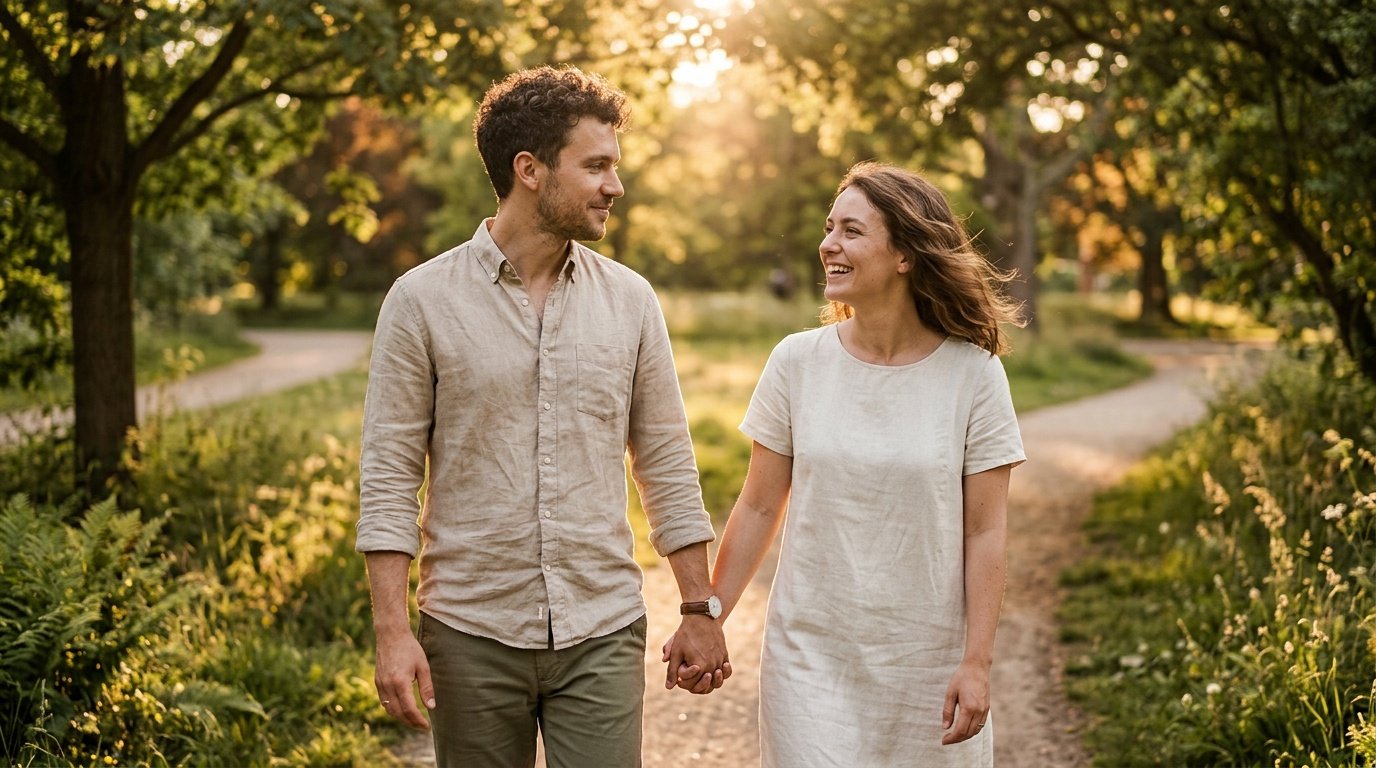
Prompt for: Finding My Workflow
Structured Image Prompt — Finding My Workflow
{
  "subject": {
    "pose": {
      "head_position": "slight turn towards partner",
      "body_position": "walking forward, holding hands",
      "energy": "peaceful, warm"
    }
  },
  "attire": {
    "top": {
      "item": "linen shirt",
      "color": "beige",
      "texture": "linen",
      "fit": "relaxed"
    },
    "bottom": {
      "item": "cotton trousers",
      "color": "olive",
      "texture": "cotton"
    },
    "accessories": [
      "leather watch",
      "minimalist ring"
    ]
  },
  "environment": {
    "setting": "lush park during golden hour",
    "background": {
      "type": "park trees",
      "color": "green and amber",
      "texture": "blurred foliage",
      "depth": "soft bokeh"
    },
    "props": [
      "dappled light patterns",
      "lens flare",
      "natural grass"
    ]
  },
  "photography": {
    "style": "editorial portraiture",
    "shot_scale": "medium shot",
    "lighting": {
      "type": "natural golden hour",
      "source": "low sun",
      "details": "soft highlights, long shadows"
    },
    "camera_gear": {
      "lens": "85mm Prime",
      "aperture": "f/1.8",
      "focus": "sharp eyes",
      "iso": "100"
    },
    "post_processing": {
      "look": "cinematic",
      "grading": "warm tones"
    }
  },
  "aesthetic_fidelity": {
    "medium": "Digital Photography",
    "vibe": "romantic and peaceful",
    "visual_qualities": [
      "natural skin texture",
      "soft focus",
      "warm color temperature"
    ]
  },
  "constraints": {
    "must_keep": [
      "uploaded person's face and identity",
      "natural features from uploaded photo",
      "user's skin tone",
      "user's expression"
    ],
    "avoid": [
      "distorted face",
      "changed identity",
      "over-exposed",
      "cartoon style"
    ]
  },
  "negative_prompt": [
    "painting",
    "drawing",
    "bad hands",
    "blurry",
    "fake looking",
    "low quality",
    "saturated",
    "cartoon",
    "AI artifacts"
  ]
}
Refining the Aesthetic
Once I got the lighting right, everything else clicked. I found that I get better results if I’m very specific about the mood, and using a couple gemini ai prompt is much more effective when I describe the lighting source clearly.
Effective gemini ai prompt for couple photo
Be Specific: Instead of saying “edit my photo,” I describe the specific environment and light. For example, I might say, “edit my photo to look like we are in a sunset cafe, warm amber lighting from the side.”
Mention Your Style: I often define the aesthetic I want, such as “film grain” or “magazine style,” to guide the model. It helps the Nano Banana model understand the exact look I am aiming for.
Include Poses: I’ve noticed it works better when I describe our posture, like “leaning in toward each other.” It makes the interaction feel more authentic.
Define Textures: I mention fabrics like “linen” or “denim” to add depth. It adds a layer of realism that makes the photo pop.
Keep it Simple: I don’t overcomplicate the sentences. A straightforward request for an ai gemini couple prompt usually beats a long paragraph.
What kind of mood are you trying to create in your photos?
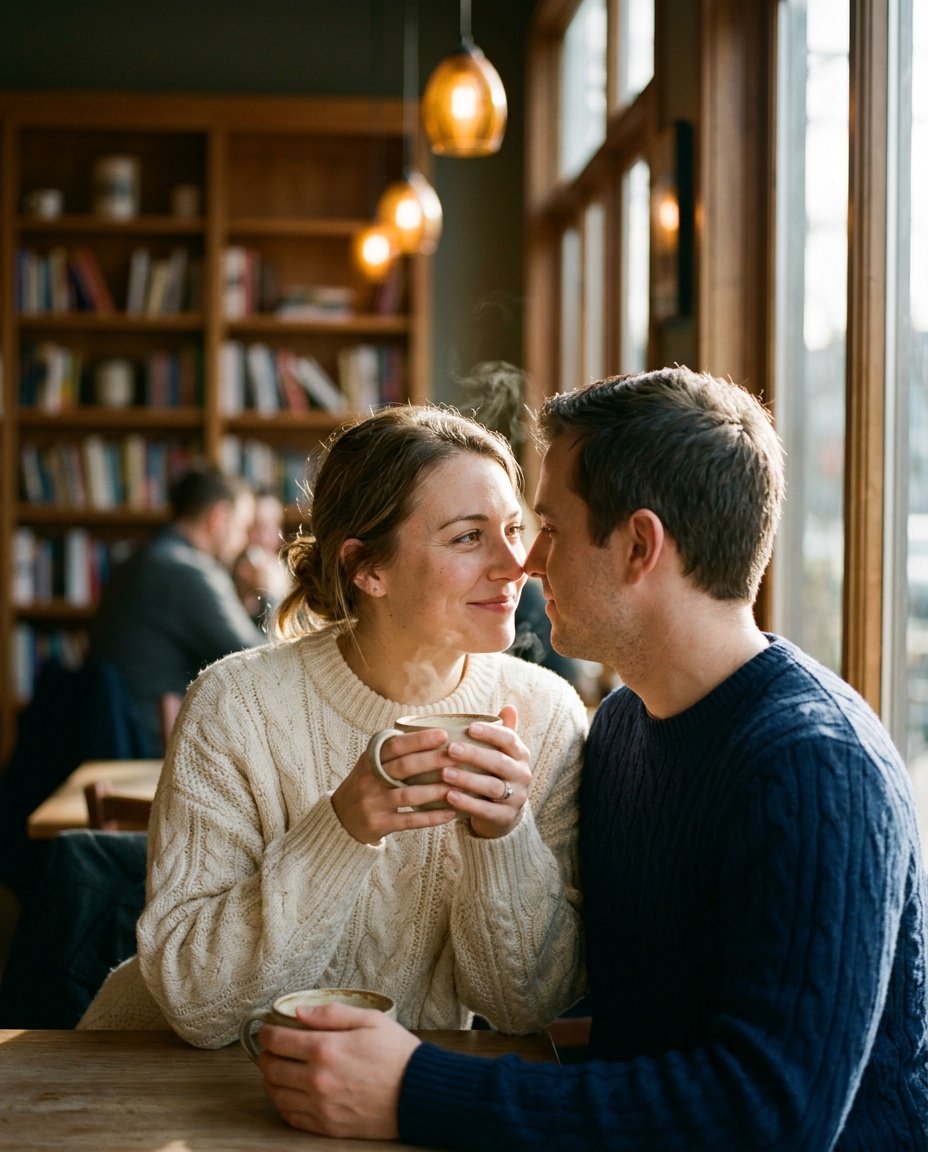
Prompt for: Refining the Aesthetic
Structured Image Prompt — Refining the Aesthetic
{
  "subject": {
    "pose": {
      "head_position": "looking at each other",
      "body_position": "sitting, leaning inward",
      "energy": "intimate"
    }
  },
  "attire": {
    "top": {
      "item": "cable-knit sweater",
      "color": "cream",
      "texture": "knitted wool",
      "fit": "oversized"
    },
    "bottom": {
      "item": "denim jeans",
      "color": "blue",
      "texture": "denim"
    },
    "accessories": [
      "ceramic mugs",
      "wedding ring"
    ]
  },
  "environment": {
    "setting": "cozy cafe",
    "background": {
      "type": "cafe interior",
      "color": "warm wood tones",
      "texture": "blurred furniture",
      "depth": "shallow"
    },
    "props": [
      "steam from mugs",
      "window frame",
      "bookshelf"
    ]
  },
  "photography": {
    "style": "candid photography",
    "shot_scale": "medium close-up",
    "lighting": {
      "type": "natural window light",
      "source": "side window",
      "details": "soft highlights"
    },
    "camera_gear": {
      "lens": "35mm Prime",
      "aperture": "f/2.0",
      "focus": "sharp faces",
      "iso": "200"
    },
    "post_processing": {
      "look": "film grain",
      "grading": "warm"
    }
  },
  "aesthetic_fidelity": {
    "medium": "Digital Photography",
    "vibe": "cozy and intimate",
    "visual_qualities": [
      "natural skin texture",
      "film grain",
      "soft contrast"
    ]
  },
  "constraints": {
    "must_keep": [
      "uploaded person's face and identity",
      "natural features from uploaded photo",
      "user's skin tone",
      "user's expression"
    ],
    "avoid": [
      "distorted face",
      "changed identity",
      "over-exposed",
      "cartoon style"
    ]
  },
  "negative_prompt": [
    "painting",
    "drawing",
    "bad hands",
    "blurry",
    "fake looking",
    "low quality",
    "saturated",
    "cartoon",
    "AI artifacts"
  ]
}
Combining Your Elements
Sometimes I want to blend two different looks, which is where things get interesting. I’ve found that Nano Banana handles these requests quite well if I structure the prompt clearly.
Using a prompt for combine two photos in gemini couple
Layer Details: I clearly state which parts of each image I want to keep, like “take the lighting from photo A and the setting from photo B.”
Context Matters: Providing context helps the model understand the relationship between the two images. I say, “make this look like one cohesive event.”
Use Google Gemini: I usually input this directly into the Gemini app for the fastest response. It’s my favorite way to experiment without spending hours.
Test Variations: If the first result is off, I just rephrase. A google gemini ai couple photo editing prompt works best when I describe the desired output scene in detail.
Check Shadows: I always double-check that the shadows align in the result to ensure it looks like a real photo.
Have you tried combining images like this yet?
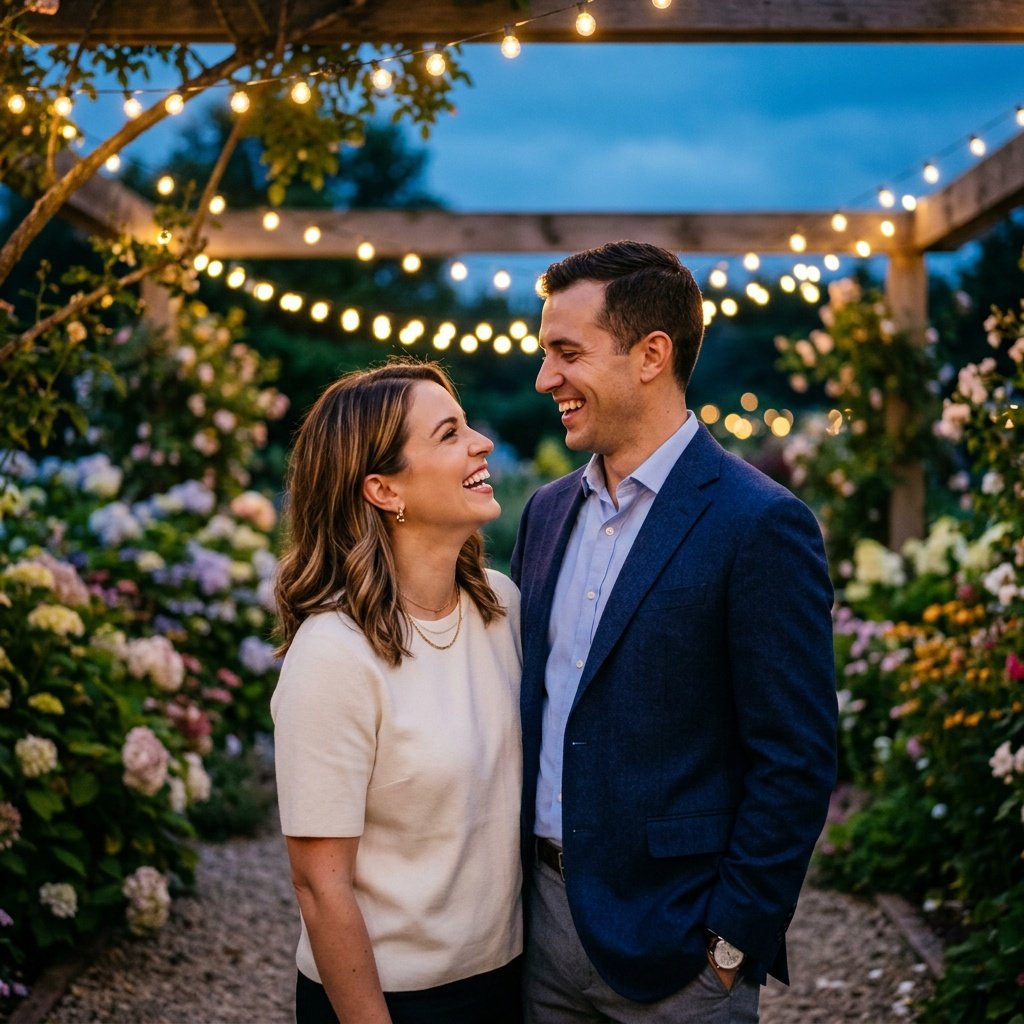
Prompt for: Combining Your Elements
Structured Image Prompt — Combining Your Elements
{
  "subject": {
    "pose": {
      "head_position": "looking at each other",
      "body_position": "standing close",
      "energy": "joyful"
    }
  },
  "attire": {
    "top": {
      "item": "navy blazer",
      "color": "navy",
      "texture": "wool blend",
      "fit": "tailored"
    },
    "bottom": {
      "item": "trousers",
      "color": "grey",
      "texture": "cotton"
    },
    "accessories": [
      "gold necklace",
      "watch"
    ]
  },
  "environment": {
    "setting": "garden at dusk",
    "background": {
      "type": "blooming garden",
      "color": "deep blue and gold",
      "texture": "bokeh flowers",
      "depth": "deep"
    },
    "props": [
      "fairy lights",
      "wooden beams",
      "hydrangeas"
    ]
  },
  "photography": {
    "style": "lifestyle photography",
    "shot_scale": "medium shot",
    "lighting": {
      "type": "twilight and artificial",
      "source": "string lights and dusk",
      "details": "contrast of blue and warm gold"
    },
    "camera_gear": {
      "lens": "50mm Prime",
      "aperture": "f/1.4",
      "focus": "sharp faces",
      "iso": "400"
    },
    "post_processing": {
      "look": "lifestyle edit",
      "grading": "cinematic"
    }
  },
  "aesthetic_fidelity": {
    "medium": "Digital Photography",
    "vibe": "joyful and festive",
    "visual_qualities": [
      "vibrant colors",
      "smooth gradients",
      "sharp details"
    ]
  },
  "constraints": {
    "must_keep": [
      "uploaded person's face and identity",
      "natural features from uploaded photo",
      "user's skin tone",
      "user's expression"
    ],
    "avoid": [
      "distorted face",
      "changed identity",
      "over-exposed",
      "cartoon style"
    ]
  },
  "negative_prompt": [
    "painting",
    "drawing",
    "bad hands",
    "blurry",
    "fake looking",
    "low quality",
    "saturated",
    "cartoon",
    "AI artifacts"
  ]
}
My Personal Editing Process
When I am really in the flow, I treat the Nano Banana model like a creative partner. The more I communicate my vision, the better the final edit matches what I wanted from the start. This is the stage where a couple gemini ai prompt makes the biggest difference.
Creating my ai gemini prompt for couple
Visual Cues: I describe visual cues like “soft edges” or “high contrast” to tell the model exactly how to handle the image.
Interactive Edits: If I want a small change, I just ask. I’ve found that asking, “can you make the background softer?” works way better than starting over.
Natural Language: I speak to it as I would to a photographer, which results in a much better ai gemini prompt for couple output.
Layered Requests: I start with the environment, then adjust the light, and finally touch up the clothing textures.
Patience: I’ve noticed that taking a second to review the result and adjust the wording pays off in the final quality.
What is your go-to way to describe lighting to your AI editor?
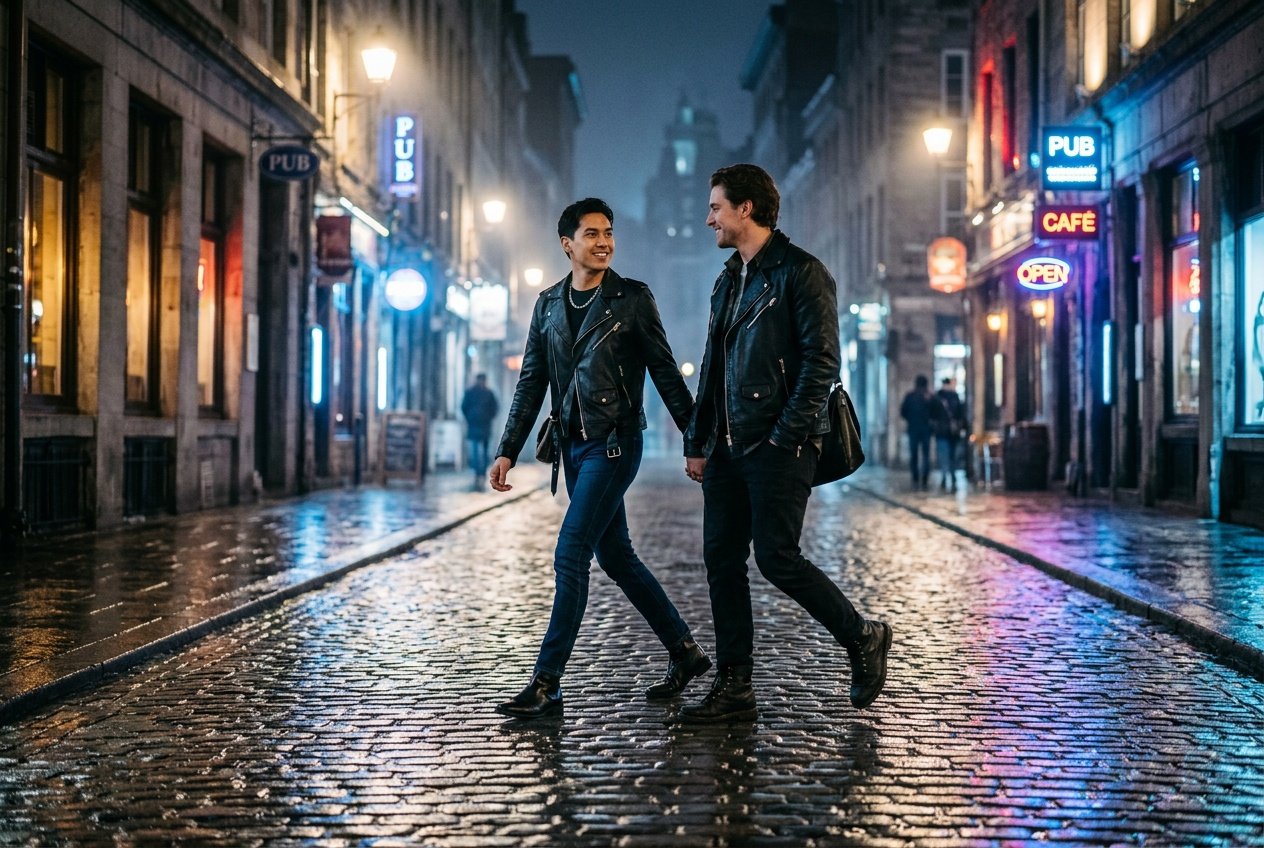
Prompt for: My Personal Editing Process
Structured Image Prompt — My Personal Editing Process
{
  "subject": {
    "pose": {
      "head_position": "turned towards partner",
      "body_position": "walking",
      "energy": "relaxed"
    }
  },
  "attire": {
    "top": {
      "item": "leather jacket",
      "color": "black",
      "texture": "leather",
      "fit": "fitted"
    },
    "bottom": {
      "item": "jeans",
      "color": "dark blue",
      "texture": "denim"
    },
    "accessories": [
      "silver chain",
      "boots"
    ]
  },
  "environment": {
    "setting": "European street at night",
    "background": {
      "type": "urban street",
      "color": "dark blue and warm neon",
      "texture": "wet cobblestones",
      "depth": "deep"
    },
    "props": [
      "street lamps",
      "neon signs",
      "reflections"
    ]
  },
  "photography": {
    "style": "street fashion photography",
    "shot_scale": "full body",
    "lighting": {
      "type": "night urban light",
      "source": "street lamps and neon",
      "details": "glossy highlights"
    },
    "camera_gear": {
      "lens": "35mm Prime",
      "aperture": "f/1.8",
      "focus": "sharp",
      "iso": "800"
    },
    "post_processing": {
      "look": "editorial",
      "grading": "urban cool"
    }
  },
  "aesthetic_fidelity": {
    "medium": "Digital Photography",
    "vibe": "fashionable and urban",
    "visual_qualities": [
      "high contrast",
      "sharp reflections",
      "detailed textures"
    ]
  },
  "constraints": {
    "must_keep": [
      "uploaded person's face and identity",
      "natural features from uploaded photo",
      "user's skin tone",
      "user's expression"
    ],
    "avoid": [
      "distorted face",
      "changed identity",
      "over-exposed",
      "cartoon style"
    ]
  },
  "negative_prompt": [
    "painting",
    "drawing",
    "bad hands",
    "blurry",
    "fake looking",
    "low quality",
    "saturated",
    "cartoon",
    "AI artifacts"
  ]
}
Creative Variations
I often experiment with different vibes, like romantic or playful settings. Sometimes I’ll use a specific prompt gemini ai for couple to try out themes I wouldn’t normally capture.
For instance, if I want something more romantic, a couple kissing prompt for gemini ai free works surprisingly well. It’s all about describing the emotion behind the moment. I have found that Nano Banana really excels when I give it enough detail about the atmosphere.
Do you like to try different themes, or do you stick to one style?
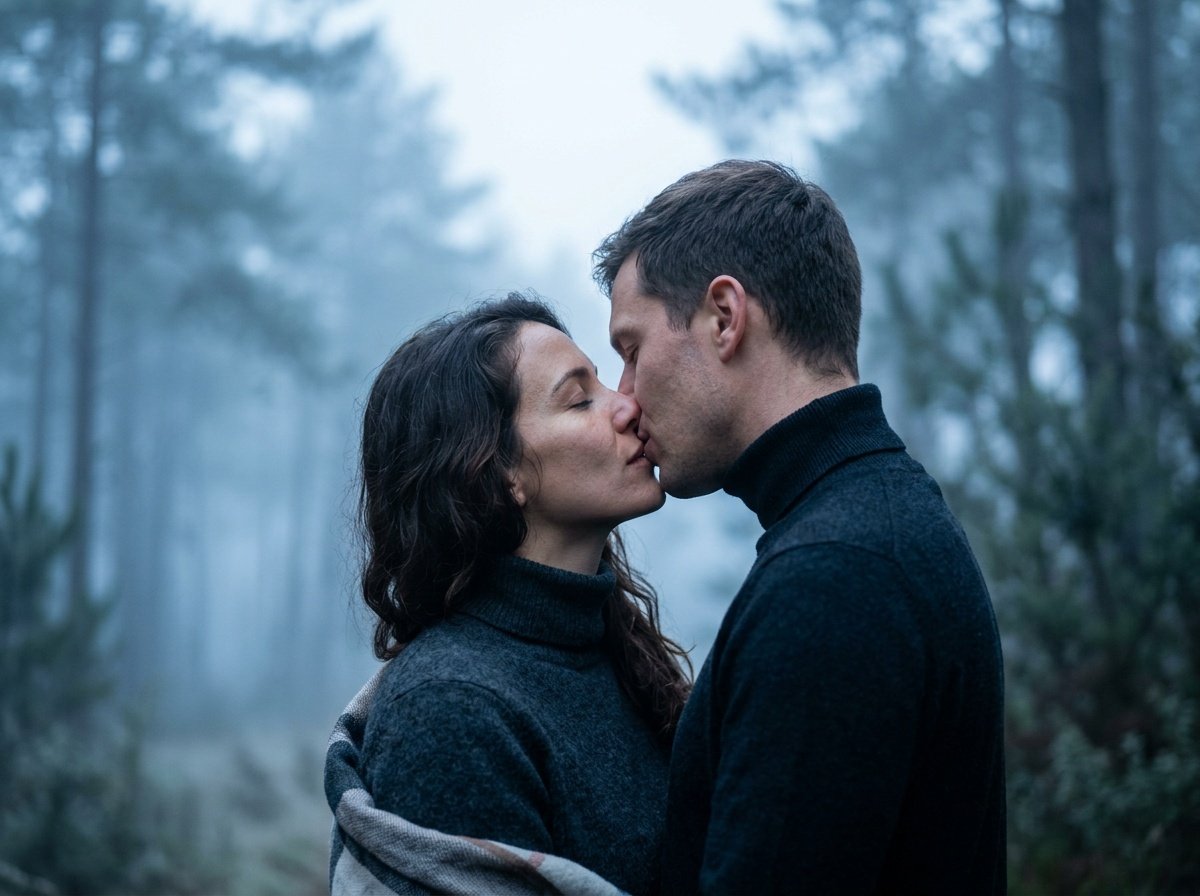
Prompt for: Creative Variations
Structured Image Prompt — Creative Variations
{
  "subject": {
    "pose": {
      "head_position": "leaning in",
      "body_position": "facing each other",
      "energy": "intimate"
    }
  },
  "attire": {
    "top": {
      "item": "woolen turtleneck",
      "color": "charcoal",
      "texture": "wool",
      "fit": "snug"
    },
    "bottom": {
      "item": "trousers",
      "color": "dark",
      "texture": "wool"
    },
    "accessories": [
      "scarf"
    ]
  },
  "environment": {
    "setting": "misty pine forest",
    "background": {
      "type": "dense forest",
      "color": "cool blue and grey",
      "texture": "misty",
      "depth": "very shallow"
    },
    "props": [
      "pine trees",
      "ground mist"
    ]
  },
  "photography": {
    "style": "artistic portraiture",
    "shot_scale": "close-up",
    "lighting": {
      "type": "diffused morning light",
      "source": "overcast sky",
      "details": "soft, no harsh shadows"
    },
    "camera_gear": {
      "lens": "85mm Prime",
      "aperture": "f/1.4",
      "focus": "sharp eyes",
      "iso": "200"
    },
    "post_processing": {
      "look": "artistic",
      "grading": "cool tones"
    }
  },
  "aesthetic_fidelity": {
    "medium": "Digital Photography",
    "vibe": "ethereal and romantic",
    "visual_qualities": [
      "soft focus",
      "smooth gradients",
      "dreamy bokeh"
    ]
  },
  "constraints": {
    "must_keep": [
      "uploaded person's face and identity",
      "natural features from uploaded photo",
      "user's skin tone",
      "user's expression"
    ],
    "avoid": [
      "distorted face",
      "changed identity",
      "over-exposed",
      "cartoon style"
    ]
  },
  "negative_prompt": [
    "painting",
    "drawing",
    "bad hands",
    "blurry",
    "fake looking",
    "low quality",
    "saturated",
    "cartoon",
    "AI artifacts"
  ]
}
Closing Thoughts
Honestly, playing with these prompts has changed how I look at my own photo library. You really don’t need fancy skills to get impressive results once you learn how to talk to the AI.
My best advice is to just start experimenting with your own photos using Nano Banana today. Open the Gemini app, paste your prompt, and see where it takes you. Grab a great couple gemini ai prompt and try it out!
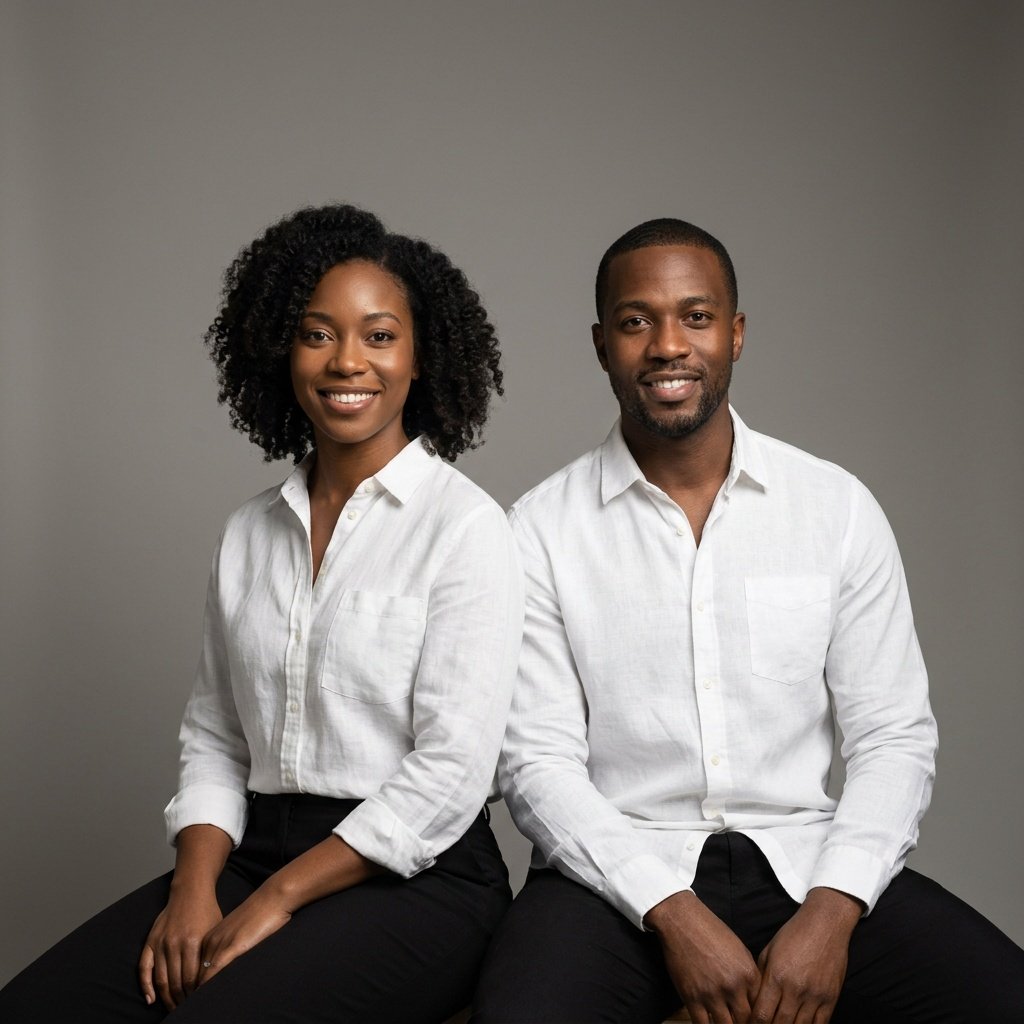
Prompt for: Closing Thoughts
Structured Image Prompt — Closing Thoughts
{
  "subject": {
    "pose": {
      "head_position": "facing camera",
      "body_position": "seated, side-by-side",
      "energy": "confident"
    }
  },
  "attire": {
    "top": {
      "item": "linen shirt",
      "color": "white",
      "texture": "linen",
      "fit": "relaxed"
    },
    "bottom": {
      "item": "trousers",
      "color": "black",
      "texture": "cotton"
    }
  },
  "environment": {
    "setting": "photography studio",
    "background": {
      "type": "neutral backdrop",
      "color": "grey",
      "texture": "smooth",
      "depth": "flat"
    }
  },
  "photography": {
    "style": "studio portraiture",
    "shot_scale": "medium shot",
    "lighting": {
      "type": "softbox studio light",
      "source": "side",
      "details": "soft shadows"
    },
    "camera_gear": {
      "lens": "50mm Prime",
      "aperture": "f/2.8",
      "focus": "sharp",
      "iso": "100"
    },
    "post_processing": {
      "look": "clean studio",
      "grading": "neutral"
    }
  },
  "aesthetic_fidelity": {
    "medium": "Digital Photography",
    "vibe": "professional and clean",
    "visual_qualities": [
      "sharp focus",
      "smooth lighting",
      "clean backdrop"
    ]
  },
  "constraints": {
    "must_keep": [
      "uploaded person's face and identity",
      "natural features from uploaded photo",
      "user's skin tone",
      "user's expression"
    ],
    "avoid": [
      "distorted face",
      "changed identity",
      "over-exposed",
      "cartoon style"
    ]
  },
  "negative_prompt": [
    "painting",
    "drawing",
    "bad hands",
    "blurry",
    "fake looking",
    "low quality",
    "saturated",
    "cartoon",
    "AI artifacts"
  ]
}
❓ Frequently Asked Questions About couple gemini ai prompt
How do I get the best results from a couple gemini ai prompt?
▼
To get the best results from a couple gemini ai prompt, be as descriptive as possible about the lighting, clothing, and overall mood you want in your final photo. I find that providing specific details, like ‘golden hour light’ or ‘cozy cafe background,’ helps the model understand your creative vision much better.
Can I use an ai gemini couple prompt to merge two different photos?
▼
Yes, you can use an ai gemini couple prompt to combine elements from different photos. Simply describe the desired setting and the specific details you want to bring together from your original images, and the model will help you merge them into a single, cohesive photo.
Is it easy to use Nano Banana for couple photo editing?
▼
It is very straightforward to use Nano Banana for editing. You just need to open the Gemini app, upload your photo, and paste your detailed prompt to begin the editing process.
Where can I find a reliable prompt gemini ai for couple edits?
▼
You can create your own prompt gemini ai for couple edits by following the creative brief format, focusing on descriptive language about the environment and light. There is no one ‘perfect’ prompt, but testing variations will help you find what works best for your specific style.
Can I use a couple kissing prompt for gemini ai free of charge?
▼
Yes, you can use a couple kissing prompt for gemini ai free through the Gemini app, which is available on various platforms. Simply provide your specific, creative instruction to the model to generate the desired aesthetic.

